Deploy Configuration App in Exotel Contact Centre
This guide explains how to install and configure the AI Assist Configuration App, which is the first step in deploying your AI Assist Assistant.
The Configuration App connects:
Campaign ID (from Contact Center) Assistant URL (from AI Assist Portal)
Without this step, the Assistant App will not function correctly.
Before You Start
Make sure the following are ready:
- Your AI Assist Assistant is already created in the AI Assist portal
- Your campaign is already created in the Contact Center
- You have administrator access to the Contact Center
- You have downloaded the AI Assist Configuration App file (.aaex format)
If any of these are missing, complete them first.
Step 1: Download the Configuration App
From the AI Assist portal:
- Go to the Assistant deployment section
- Select Download Configuration App
- The file will download in .aaex format
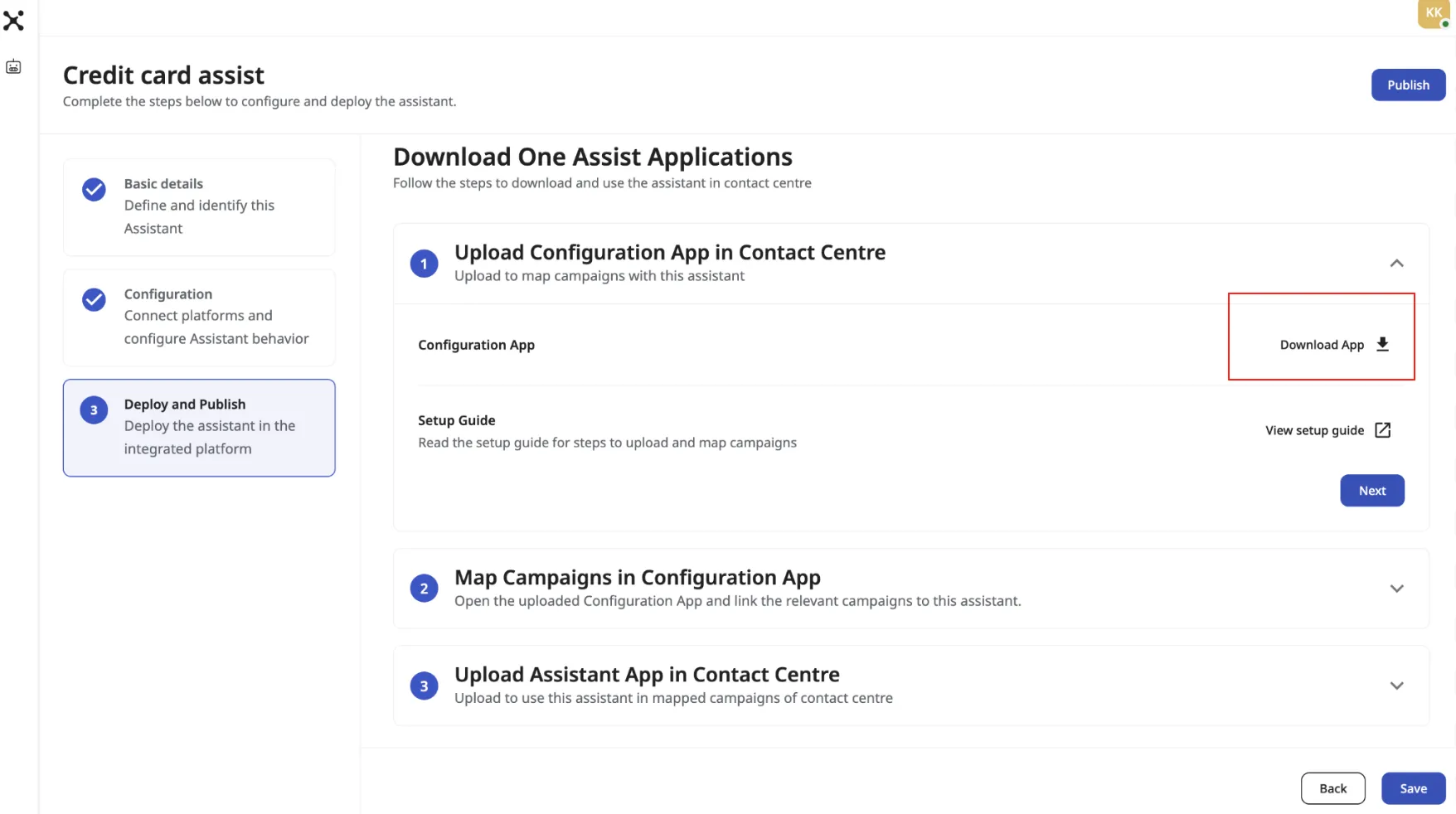
This app is required before installing the Assistant App.
Step 2: Upload the Configuration App in Contact Center
Sign in to the Contact Center using an administrator account.
Then:
- Open the App Configuration tab
- Go to the section where applications are managed
- Upload the .aaex file you downloaded
- Wait for upload to complete
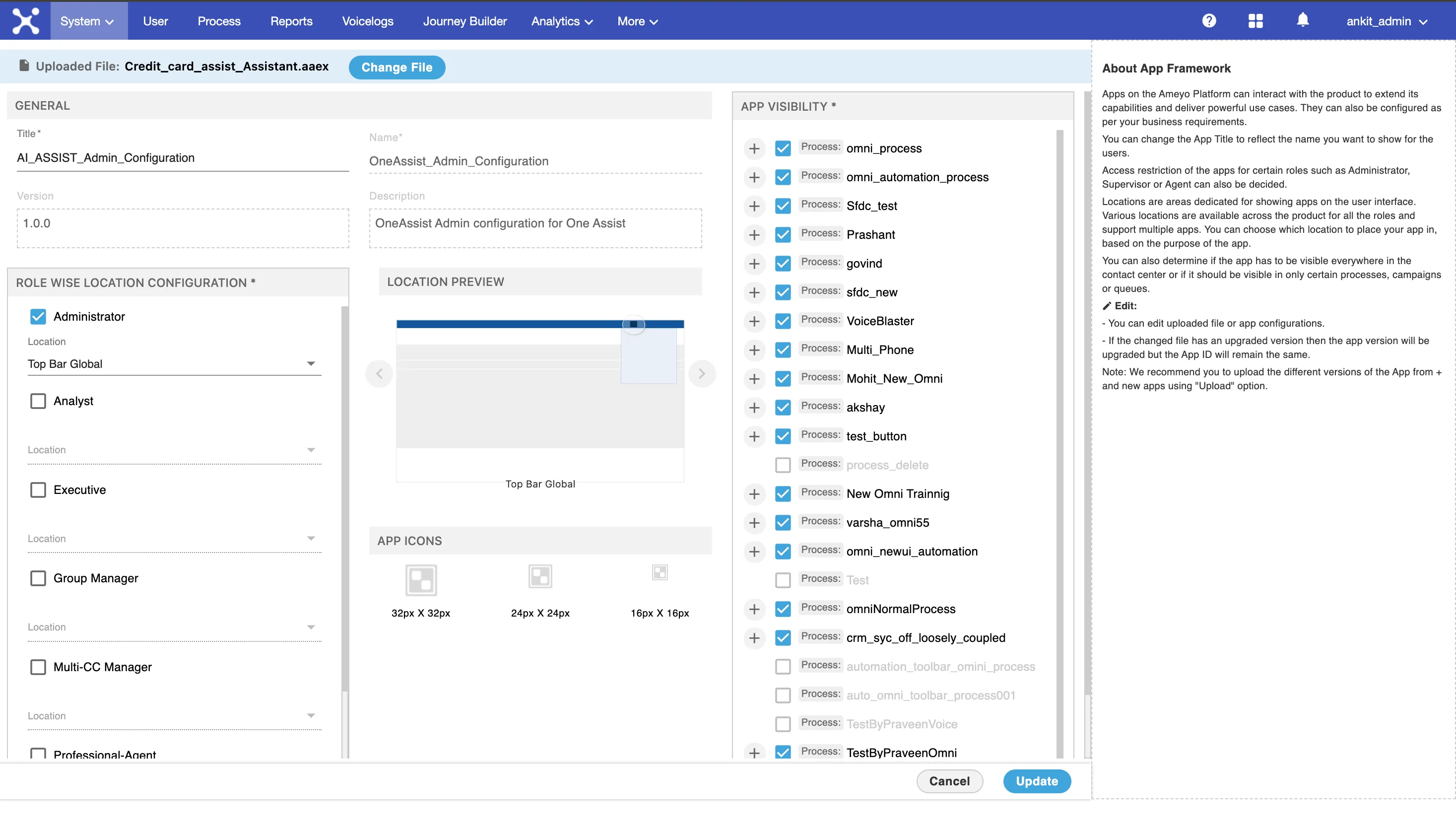
Once uploaded, the Configuration App will appear in your system.
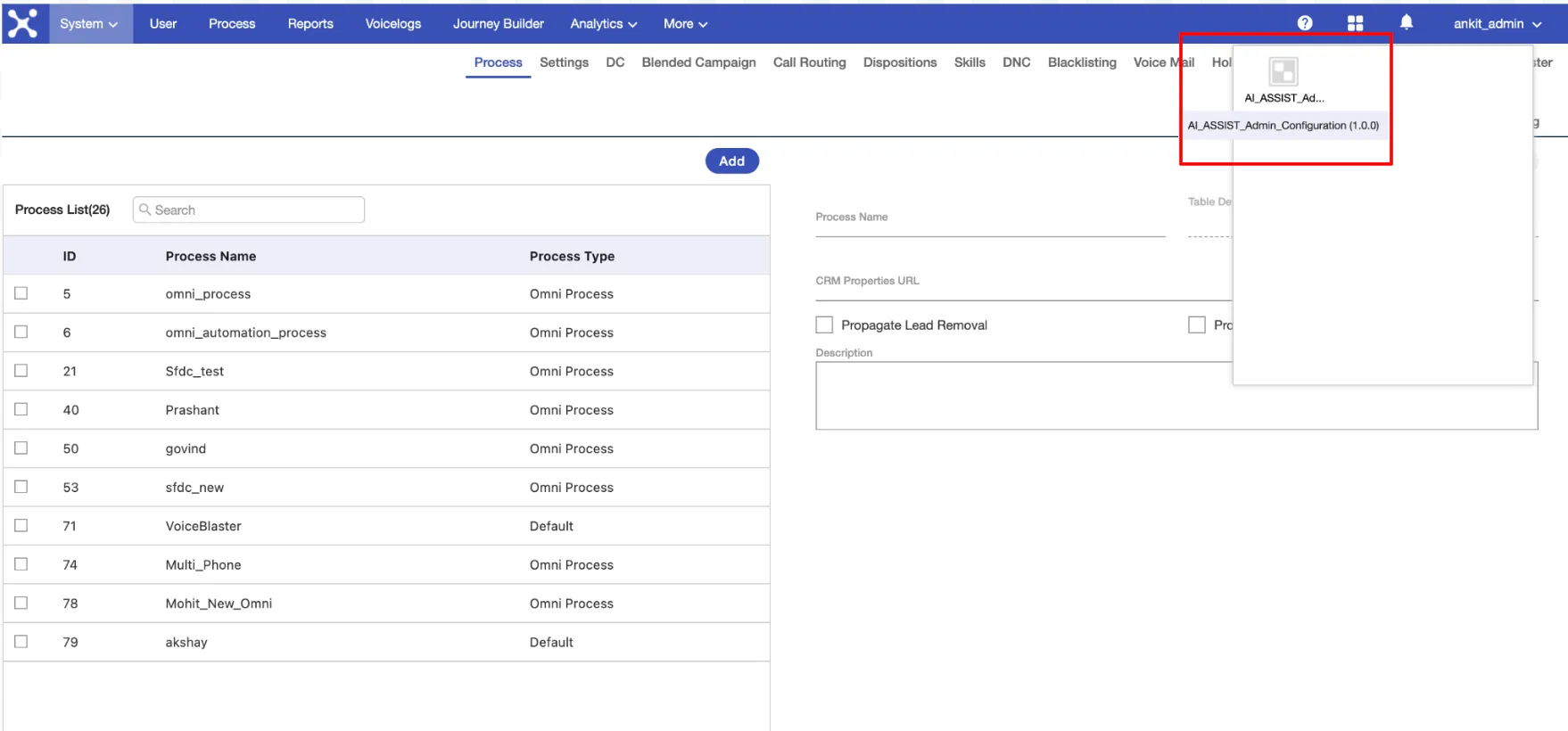
Step 3: Map Campaign ID and Assistant URL
This is the most important step.
Open the Configuration App settings.
You will see two required fields:
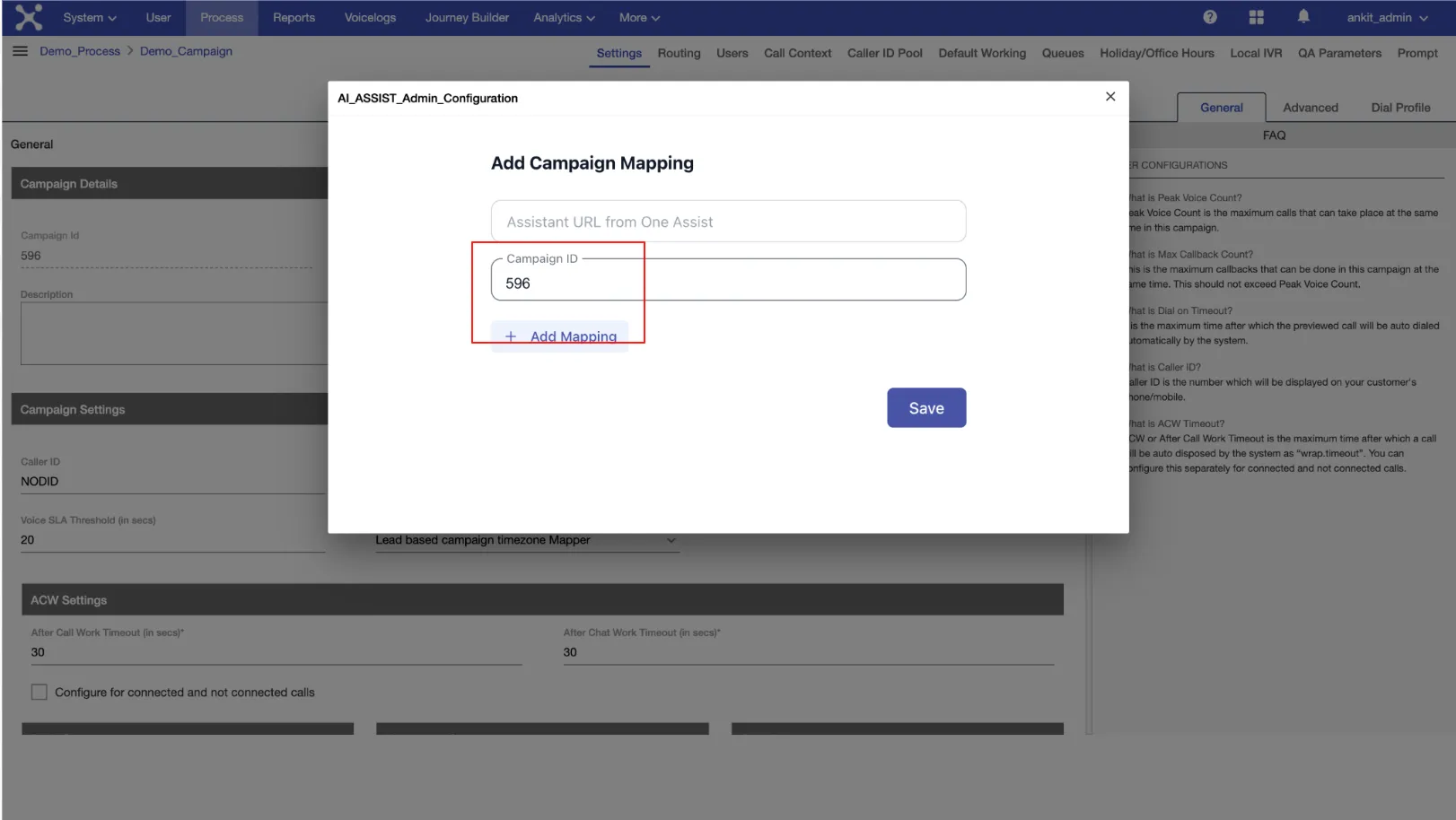
1️⃣ Campaign ID
Where to find it:
- Go to the Campaign page in Contact Center
- Copy the Campaign ID of the campaign that sends live audio
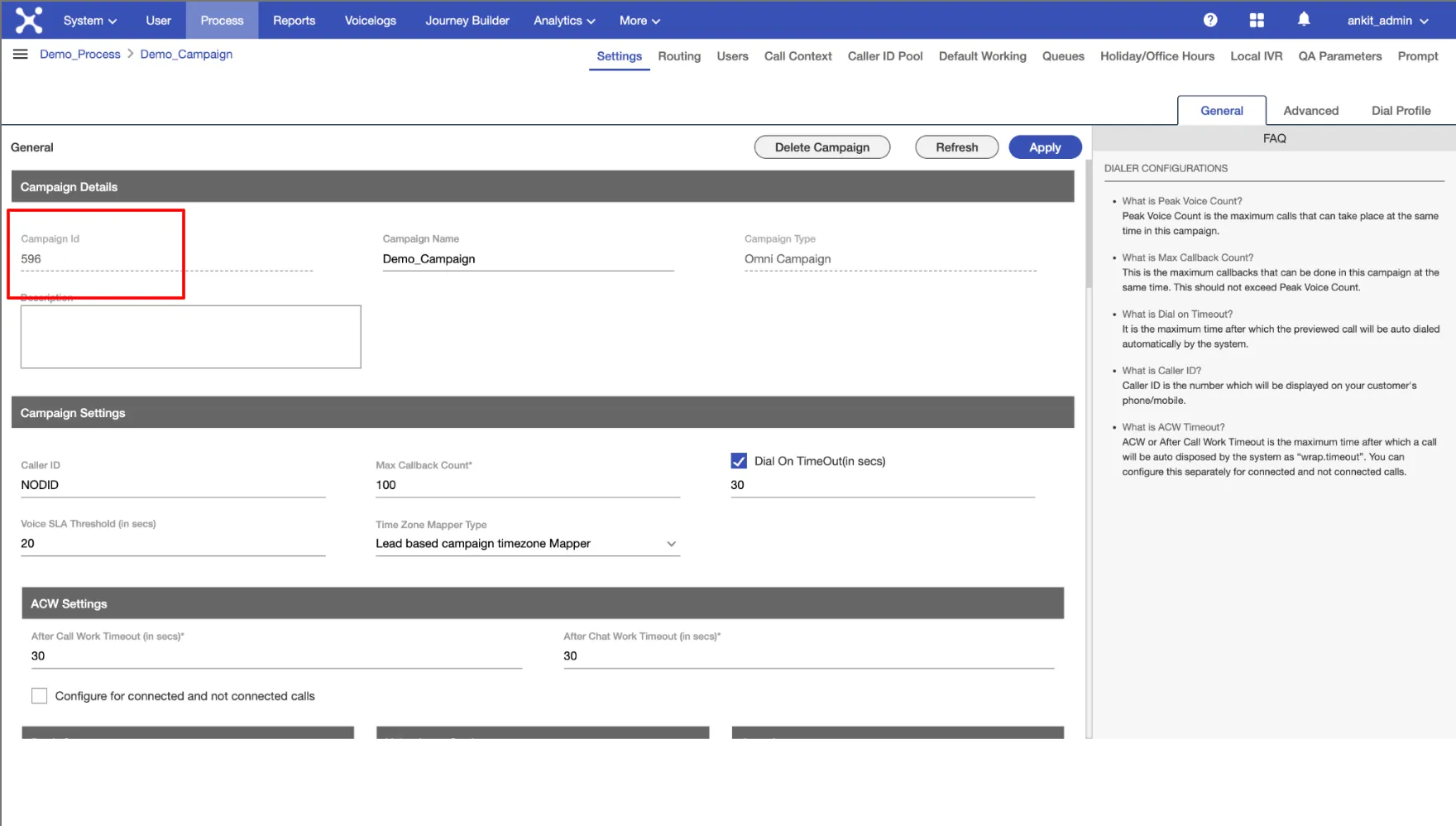
Paste it into the Campaign ID field.
2️⃣ Assistant URL
Where to find it:
- Go to the AI Assist Portal
- Open your Assistant
- Navigate to Map Campaign step
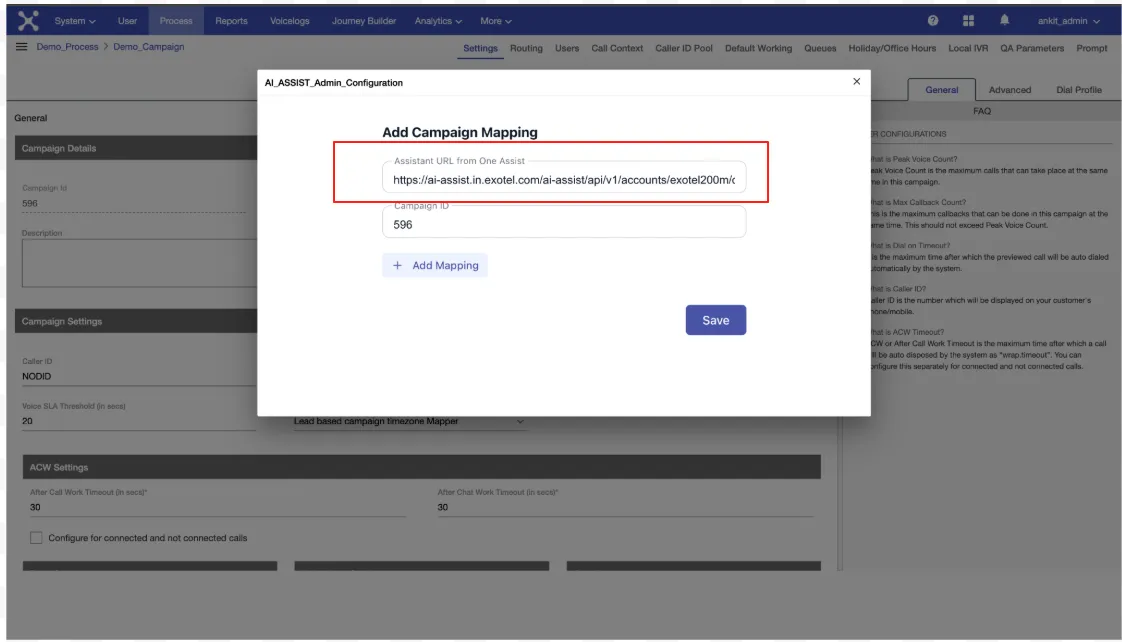
- Copy the Assistant URL shown there
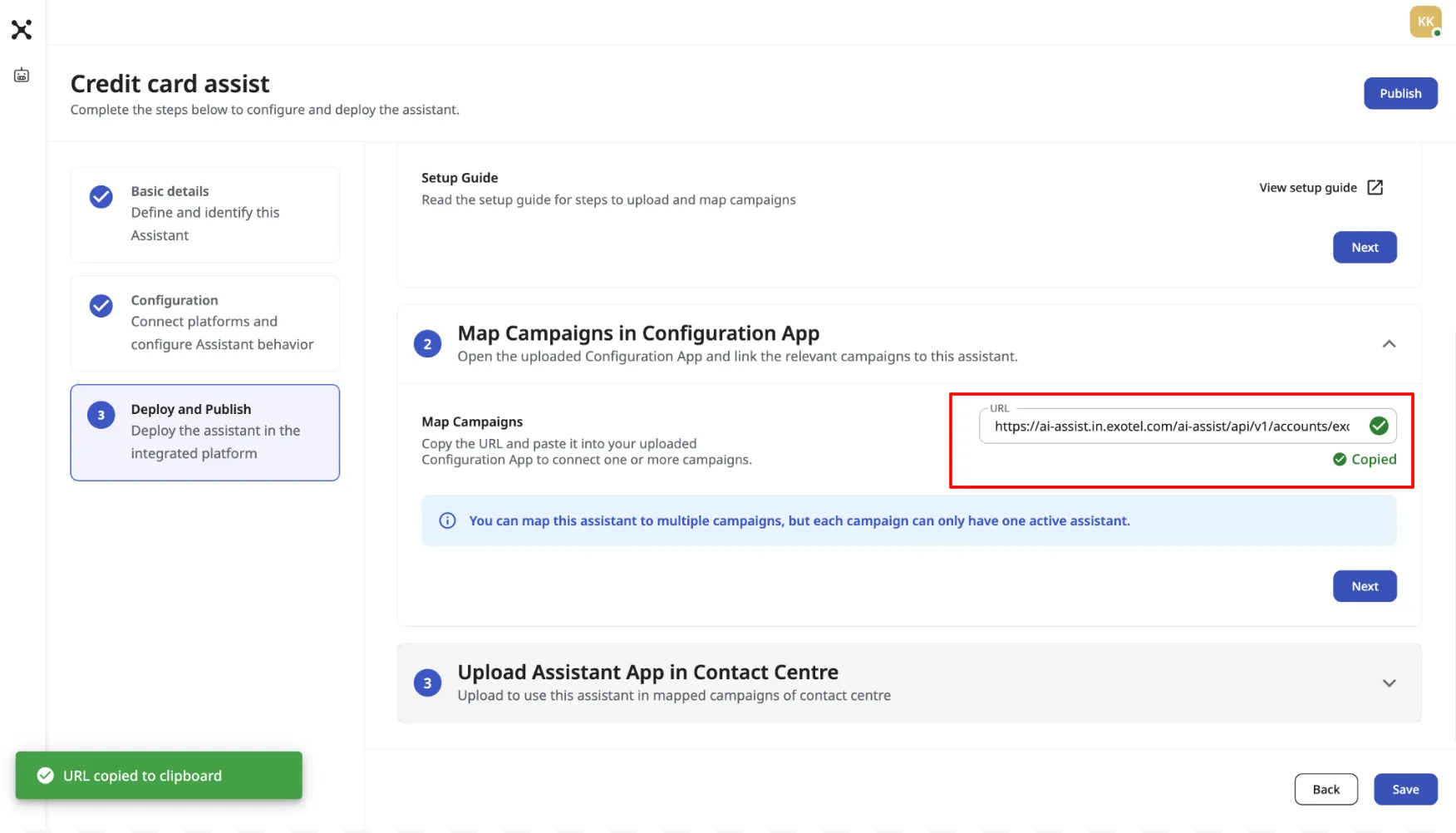
Paste it into the Assistant URL field.
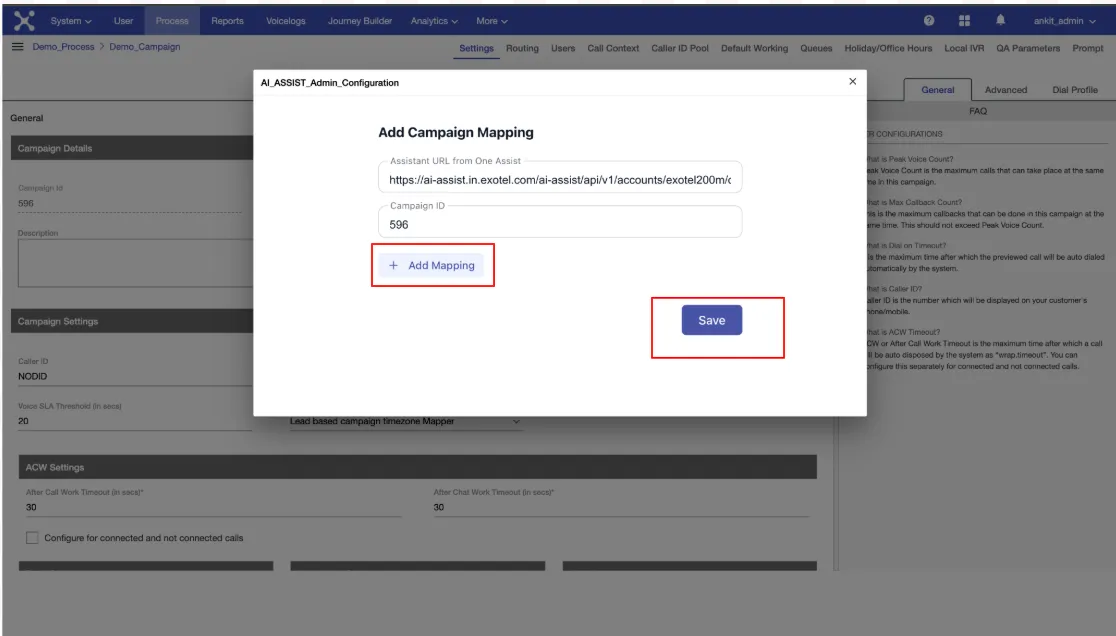
After entering both values:
- Click + Add Mapping to confirm the mapping
- Click Save
- Apply changes
If either value is incorrect, the Assistant will not work.
Step 4: Verify Configuration
Before moving forward, confirm:
- Campaign ID is correct
- Assistant URL is correct
- Configuration is saved successfully
Only after this step should you proceed to install the Assistant App.