Edit, Manage, and Re-Publish an Assistant
This guide explains how to update an existing AI Assist after it has already been created and deployed.
Use this guide when you need to:
- Add new or updated SOPs, FAQs, or scripts
- Change what the assistant should say or suggest
- Turn Voice or Chat on or off
- Enable or disable Smart Replies, Transcript, or Sentiment
- Fix a wrong or outdated setup
Before You Start
Make sure:
- You already have at least one AI Assist created
- The assistant is already deployed in the Contact Center
- It is mapped to at least one campaign
- You can make a real test call or start a real chat
Step-by-Step Guide
Step 1: Open the Assistant
What to do
- Log in to https://ai-assist.in.exotel.com/
- You will see a list of AI Assist Assistants
- Find the assistant you want to update
- Click Edit
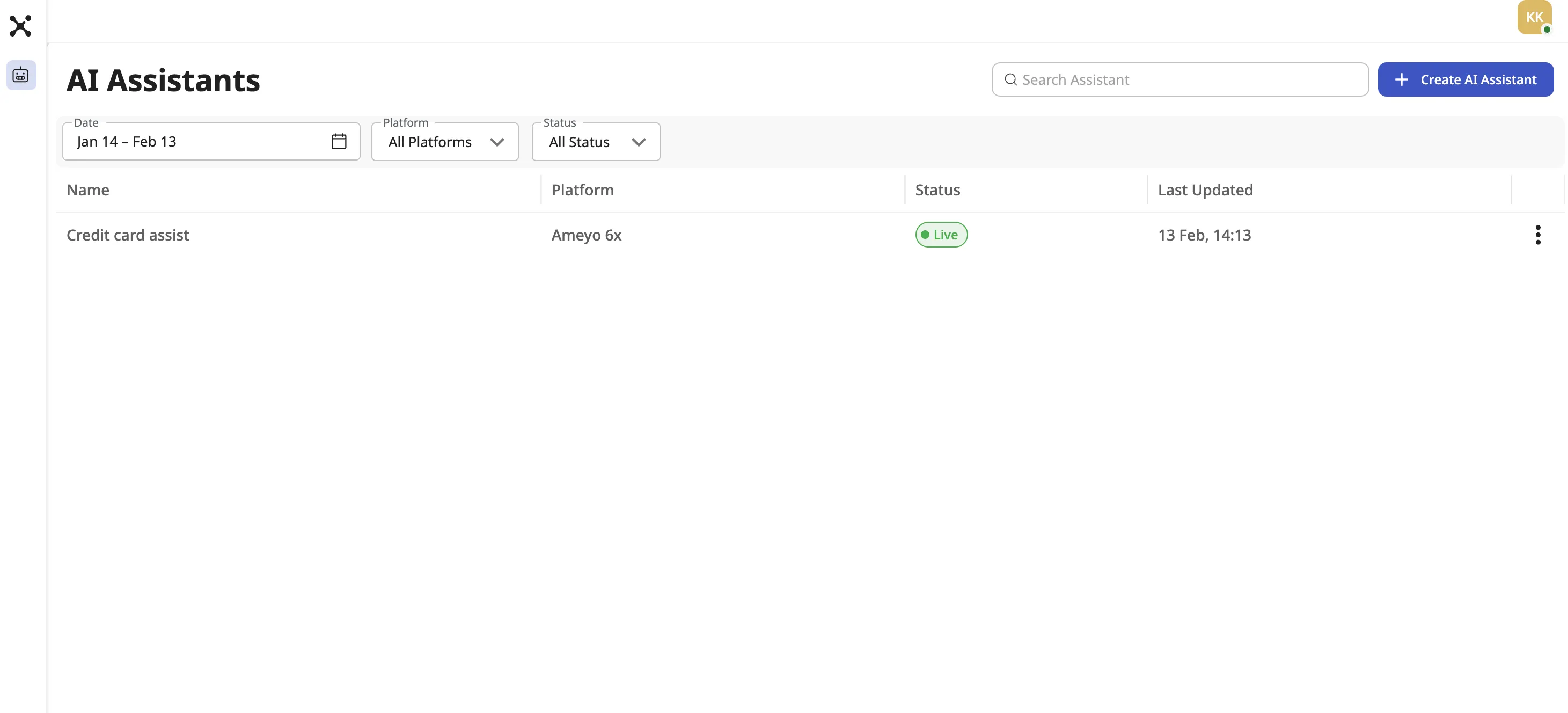
What happens after this step
The assistant opens in the same setup screens used during creation.
You can now review and change its settings.
Step 2: Edit Basic Details and Behavior
What to do
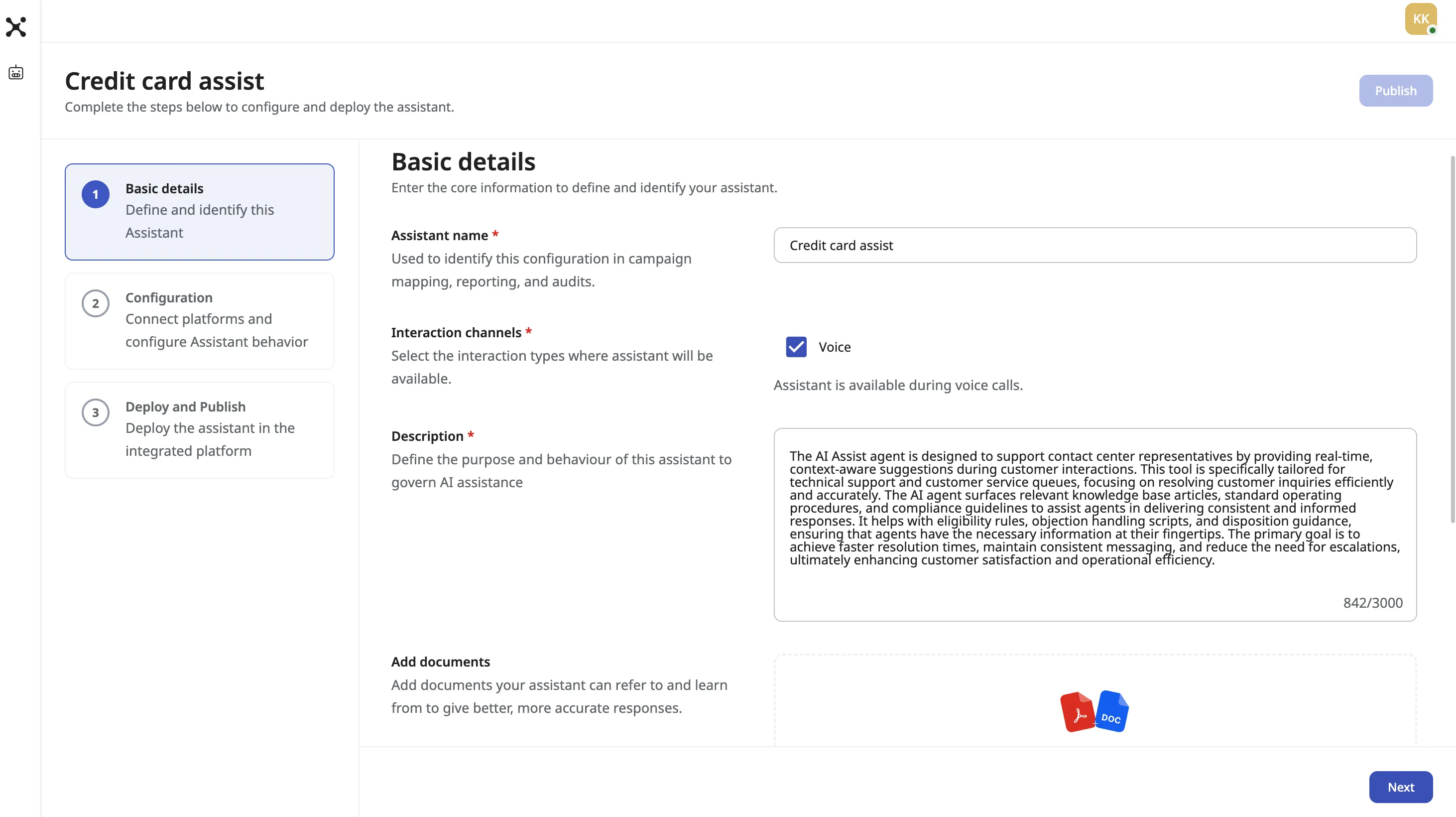
- Update the assistant name if needed
- Update the description
- Update the purpose and behavior of the assistant
This controls what kind of help the assistant gives to agents.
Step 3: Update Reference Documents
What to do
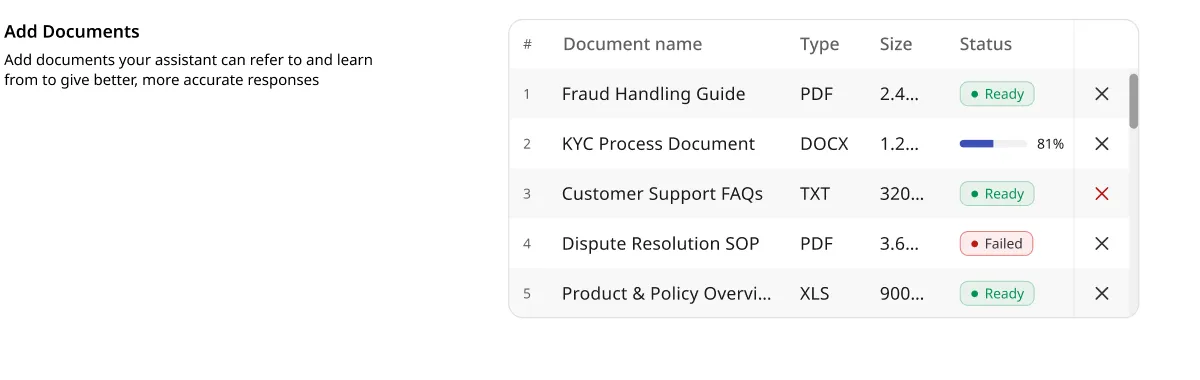
- Add new SOPs, FAQs, or scripts
- Remove outdated or wrong documents
- Replace old files with new versions
Only upload documents that match the assistant’s use case.
What happens after this step
The new documents are indexed and prepared for use.
They will not be used by agents until the assistant is re-published.
Step 4: Change Channels and Features
What to do
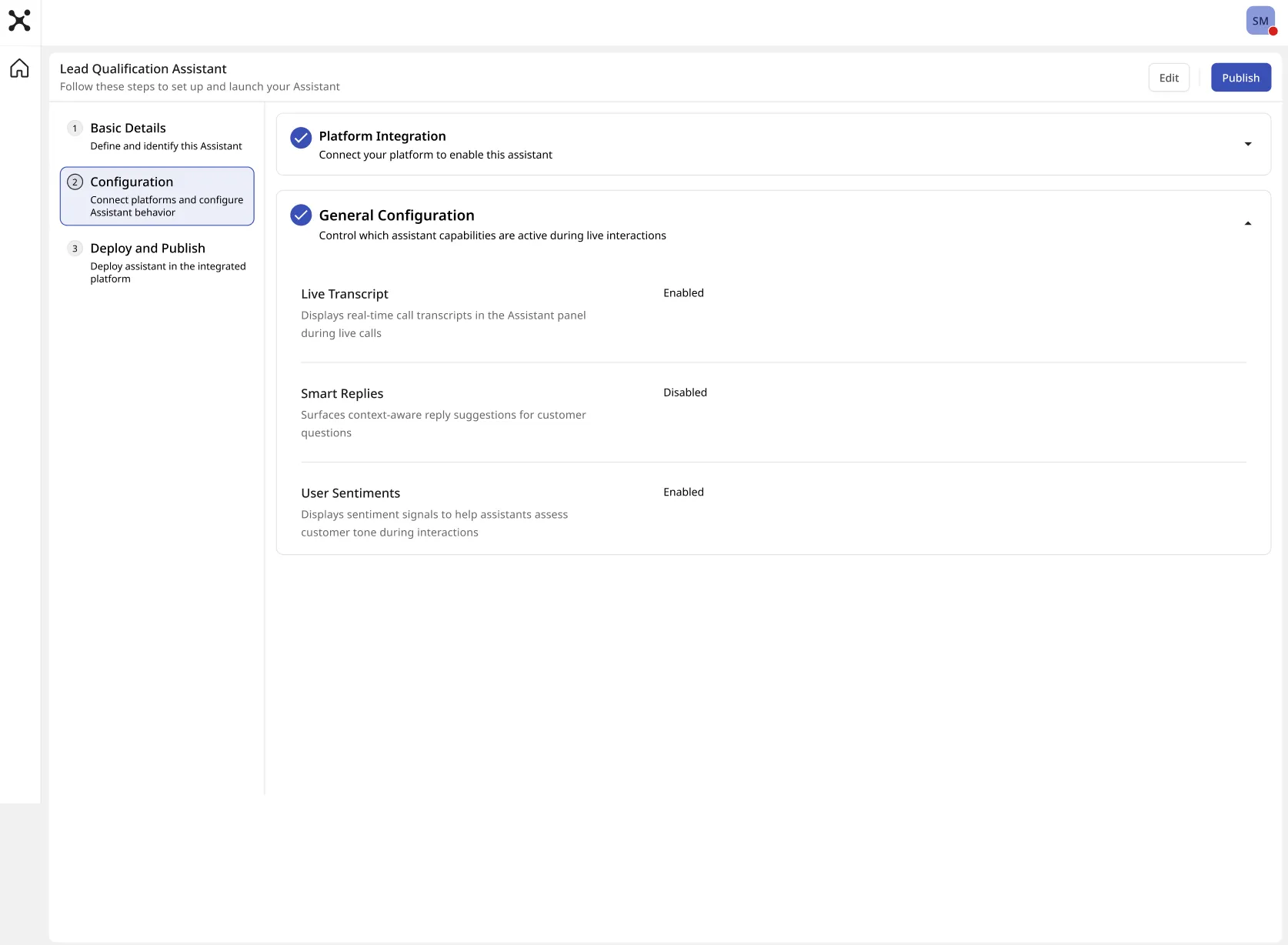
You can enable or disable:
- Live transcript (Voice only)
- Smart Replies
- Real-time sentiment
What happens after this step
The new settings are saved.
They will not affect agents until you re-publish.
Step 5: Save Changes
What to do
- Click Save and Next to complete the edit flow
What happens after this step
Your updates are stored in AI Assist.
Agents still see the old version.
Step 6: Re-Publish the Assistant
What to do
- Click Publish

What happens after this step
The updated version becomes the new Live version.
The old version is replaced.
This step is required for any change to take effect.
Clear Rules
Editing
- Editing only saves changes
- It does not affect live agents
Re-publishing
- Re-publishing makes changes active in AI Assist
- Agents still need the updated package if required
Testing the Updated Assistant
Only real interactions confirm success.
Voice Testing
What to do
- Make a real inbound or outbound call on a mapped campaign
What to check
- Transcript appears
- Smart Replies match the new documents
- Sentiment is correct
Chat Testing
What to do
- Start a real chat from a mapped queue
What to check
- Smart Replies match the new documents
- No transcript panel is shown
- Replies follow the new behavior