License Management — Multi-CC Manager portal
Overview
License Management in the Multi-CC Manager portal is where a central platform administrator reviews the global license pool purchased for the deployment and allocates (splits) that entitlement across contact centers (environments) such as DefaultCC, Setup, Demo, CC1, CC2, and so on.
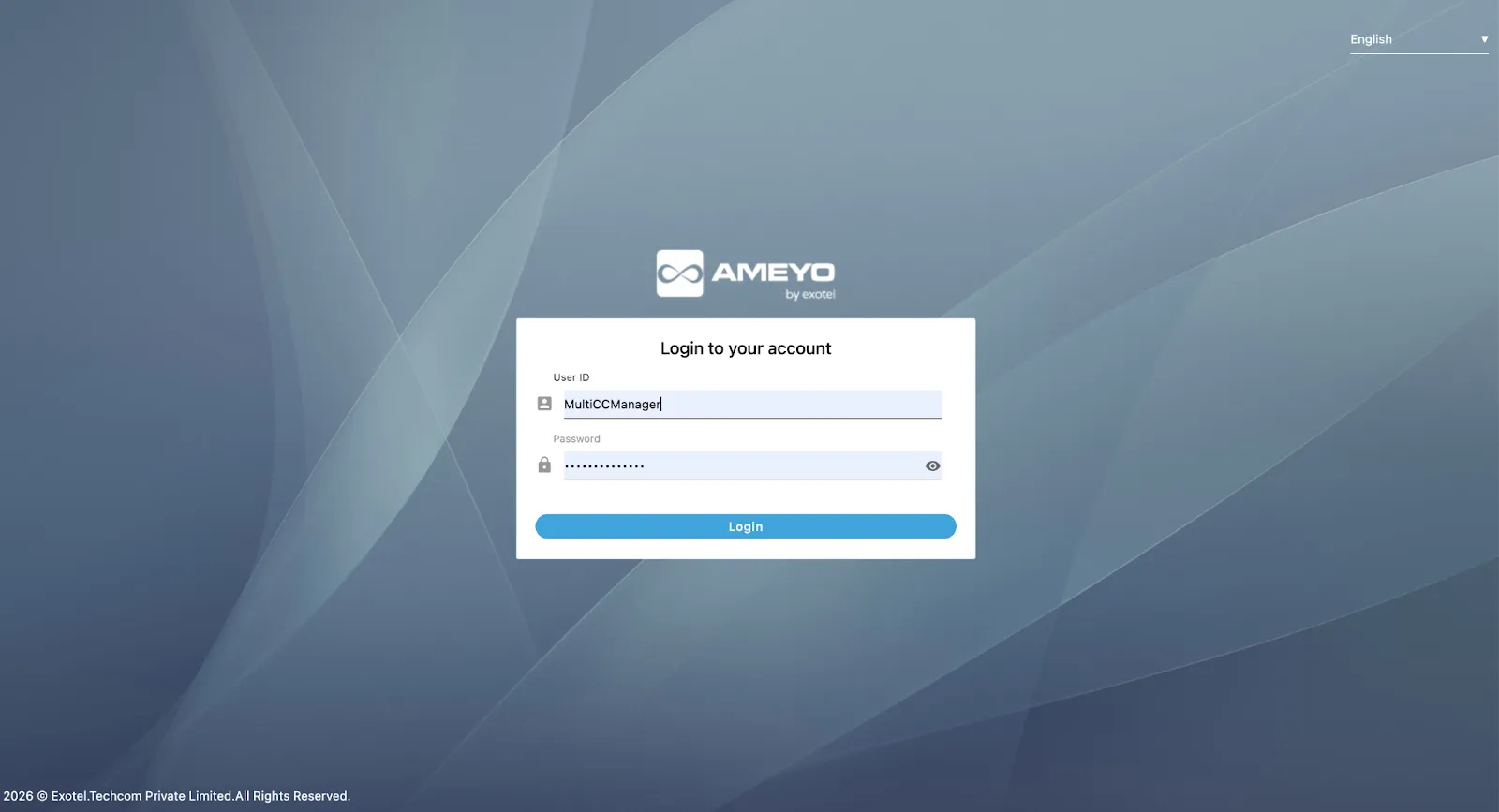
This guide is for people who sign in with Multi-CC Manager credentials. Typical entry and deep links use your deployment host and port, for example:
- Multi-CC Manager app: https://<host>:<port>/app/
- License Management tab: https://<host>:<port>/app/#customTab1
Replace <host> and <port> with production values. Sample URLs are illustrative only.
How It Works
What you are managing
- Each row is one license item (feature toggle, numeric quota, or role-related cap).
- Available license is the global entitlement for that row (what the contract allows for the whole system).
- Environment columns are per contact center: what you assign to each CC from that global pool.
Think of it as one global budget and many child contact centers: each CC receives a slice only where the product allows that license to be multi-tenant (splittable).
Multi-CC Manager — open the app and License Management
- Log in to the Multi-CC Manager web app (for example at /app/ on your host).
- In the top bar, open License Management (the product label is License Management).
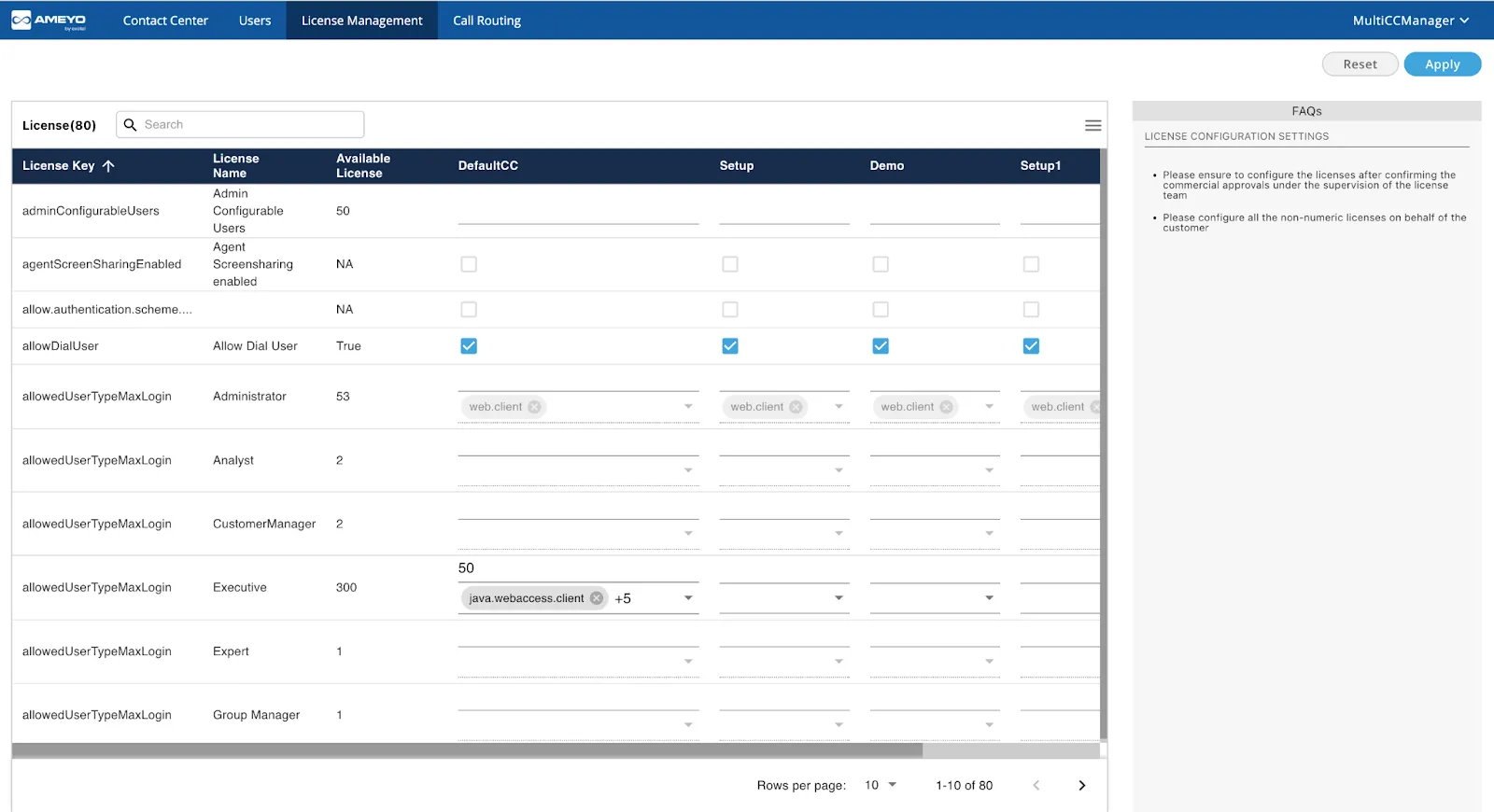
Read the license grid

Area | Meaning |
|---|---|
License key | Internal name (for example adminConfigurableUsers, allowDialUser). Support and engineering use this in logs and configuration. |
License name | Friendly label (for example “Admin Configurable Users”, “Allow Dial User”). |
Available license | Global limit or status for the deployment: a number, True / False, or NA, depending on license type. |
Environment columns (DefaultCC, Setup, Demo, CC1, CC2, …) | What you allocate to that contact center for the row. |
Types of rows you will see
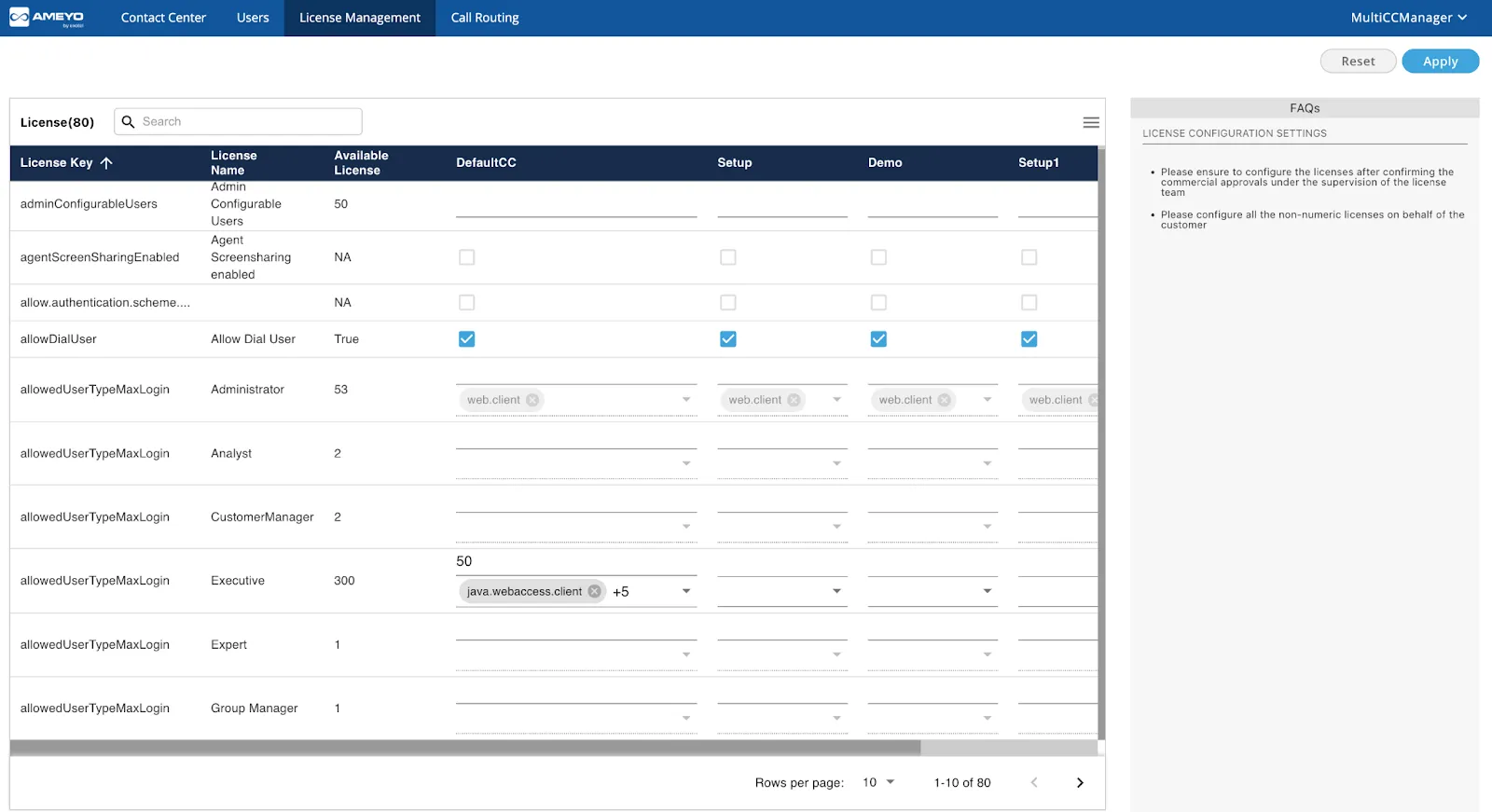
- On/off (boolean) licenses: Available may show as True, False, or NA. Environment cells are often checkboxes: checked means the feature is on for that CC, unchecked means off. Example: allowDialUser — “Allow Dial User” with checkboxes per environment.
- Numeric / quota licenses: Available is the total cap for the whole deployment (for example 50 admin-configurable users, 300 Executive logins). You type numbers per environment; each CC consumes part of the pool. For many numeric multi-tenant items, the sum across all CCs must not exceed Available; otherwise save/update should fail validation (numeric sum / license validation error).
- Role-based login limits (allowedUserTypeMaxLogin): one row per role (Administrator, Analyst, Customer Manager, Executive, …). Available is typically a global maximum for that role (exact enforcement follows product rules). Cells may combine numbers with client or channel tags (for example java.webaccess.client) so limits can differ by how users connect (web access versus other clients). Tags and indicators such as “+5” in the UI represent per-client-type slices inside that CC.
After you save
Runtime license checks in each contact center use the values you set for that CC. Changes can affect logins, user creation, and feature visibility immediately after a successful save.
Prerequisites
- Persona: Multi-CC Manager (central / platform administrator) access—not the normal single-CC Administrator login path for day-to-day CC admins.
- Process: Use change control: record old versus new allocations per CC before large edits.
- Safety: Prefer validating changes on non-production contact centers first when your organization allows it.
- Master contract: Increasing Available totals usually requires vendor or deployment steps (new or updated license material); this screen distributes entitlement—it does not by itself increase the purchased global pool.
Configuration Steps
- Location: Multi-CC Manager web app → sign in (example path /app/).
- Action: Confirm you are in the correct Multi-CC Manager session for the deployment you intend to change.
- Location: Top navigation → License Management.
- Action: Open the License Management view (example hash route #customTab1 on some builds).
- Location: License grid → column Available license for the row you care about.
- Action: Treat Available as the ceiling for pooled numeric keys; do not plan allocations above it without a master-license change.
- Location: Environment columns (DefaultCC, Demo, etc.).
- Action: For boolean rows, set checkboxes per CC. For numeric rows, enter each CC’s share; if the UI exposes client/channel tags, adjust those when your license model requires per-client splits.
- Location: Save / Apply control for the screen (wording depends on build).
- Action: Submit changes. If validation fails (for example sum over Available), reduce one or more CC columns or adjust the master license, then retry.
- Location: Search box and pagination (for example title License (80) meaning 80 rows).
- Action: Use search to find a license key or license name; use rows per page and next/previous to move through long lists.
Configuration parameters
License rows are identified by license keys (machine names). Values you set per environment column are stored as per–contact-center license allocation in the product backend; exact persistence names are not part of this user guide. Use the table for operational mapping (UI ↔ meaning ↔ examples).
Key / parameter | Description | How to configure | Constraints & options | Sample |
|---|---|---|---|---|
License key (row identifier, e.g. adminConfigurableUsers) | Stable internal name for the license row; used in support and logs. | Rows are defined by the deployed license—you do not create keys in this UI. | One row per licensed item the product exposes. | adminConfigurableUsers |
License name (display label) | Human-readable title for the row. | Display only; search matches this text in many builds. | Shown next to or instead of raw key in UI. | Admin Configurable Users |
Available license | Global entitlement for that row for the whole deployment. | Set from master license / deployment, not by typing into this column as an arbitrary cap. | Numeric, Boolean, or NA by license type. | 50 (users) |
Environment allocation (per CC column) | What that contact center may consume for the row. | Multi-CC Manager → License Management → edit the cell for the target CC column. | For pooled numerics: sum of CC cells ≤ Available where the product enforces pooling; booleans: on/off per CC. | 20 in DefaultCC, 10 in Demo |
allowDialUser (example boolean key) | Whether dial user capability is allowed, expressed per CC. | Toggle the checkbox in that CC’s column for the row labeled for this key / name. | Checked = enabled for that CC; unchecked = disabled. | Enabled on DefaultCC, disabled on Demo |
allowedUserTypeMaxLogin (example role-grid key) | Caps logins per role, sometimes with client/channel dimensions. | Enter numbers (and adjust client tags if shown) in the cells for each CC. | Must respect Available and product rules for that role and client type. | Executive + java.webaccess.client slice |
If Available is too low for the totals you need across CCs, you need a license / deployment change to raise the global entitlement—editing only the grid cannot invent new Available capacity.
Use Cases
- Balance production and demo: Keep Demo small numeric allocations so DefaultCC retains most of a shared user or login pool.
- Disable a feature for one CC: Use a boolean row to turn a capability off for a specific contact center while leaving it on elsewhere.
- Role and channel fairness: Use allowedUserTypeMaxLogin-style rows to cap Executive (or other role) usage separately for web access versus other clients where the UI exposes those dimensions.
Benefits
- Single pane for global entitlement and per-CC allocation where multi-tenant splitting is supported.
- Per-CC feature toggles for many boolean licenses without opening each CC’s Administrator workbench for every flag.
- Validation on save helps prevent over-allocation against the purchased pool for pooled numeric items.
- Search and pagination make large license tables easier to navigate.
Limitations
- Misallocation risk: Raising one CC without lowering others can hit sum validation or starve another CC.
- Technical keys: Operators need training to map License name ↔ operational impact (for example adminConfigurableUsers caps admin-created users in that CC).
- Wide grids: Many environment columns and many rows increase the chance of missing a critical row; pagination requires discipline.
- Immediate effect: After save, users in a CC can see blocked logins, failed user creation, or disabled features—treat production edits as high risk.
- Not every key is splittable: Only licenses the product treats as multi-tenant can be managed this way; others may not accept per-CC splits.
Related Topics
Term | Meaning |
|---|---|
Contact Center (CC) / Environment | A tenant slice (for example DefaultCC, Demo) with its own users and configuration. |
Available license | Global entitlement derived from the system license for that row. |
Allocation | The number or checkbox state you set in a CC column. |
Multi-tenant license | A license the product allows to split per CC; validated in the backend. |