Getting Started & Navigation
3. Getting Started
Target Audience:
All Users
Description:
A quick-start guide focused strictly on accessing the platform and understanding the main dashboard and menus.
3.1. Accessing the Platform
3.1.1 Existing users
To access the CQA console, you will need your organization's unique Tenant ID and user credentials.
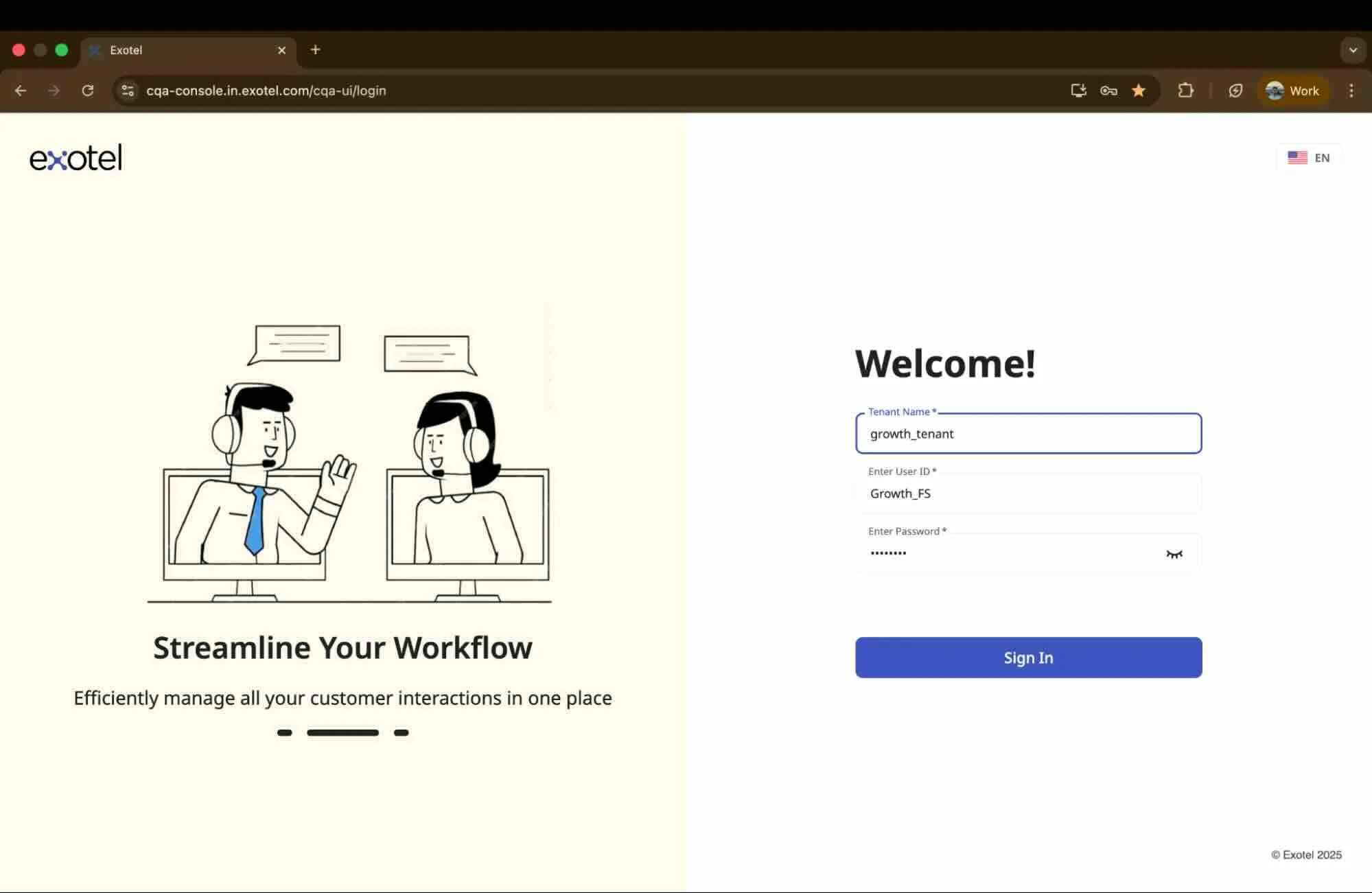
- Navigate to the URL: Open your browser and go to the CQA Console login page (e.g., cqa-console.in.exotel.com).
- Enter Tenant ID: Enter your Tenant Name/ID to identify your organization.
- Enter Credentials: Input your username and password.
- Log In: Click the button to access the platform.
3.1.2 First-Time Login (Invited Users)
If your Administrator has invited you to join the CQA platform, you must complete your registration via email before accessing the console.
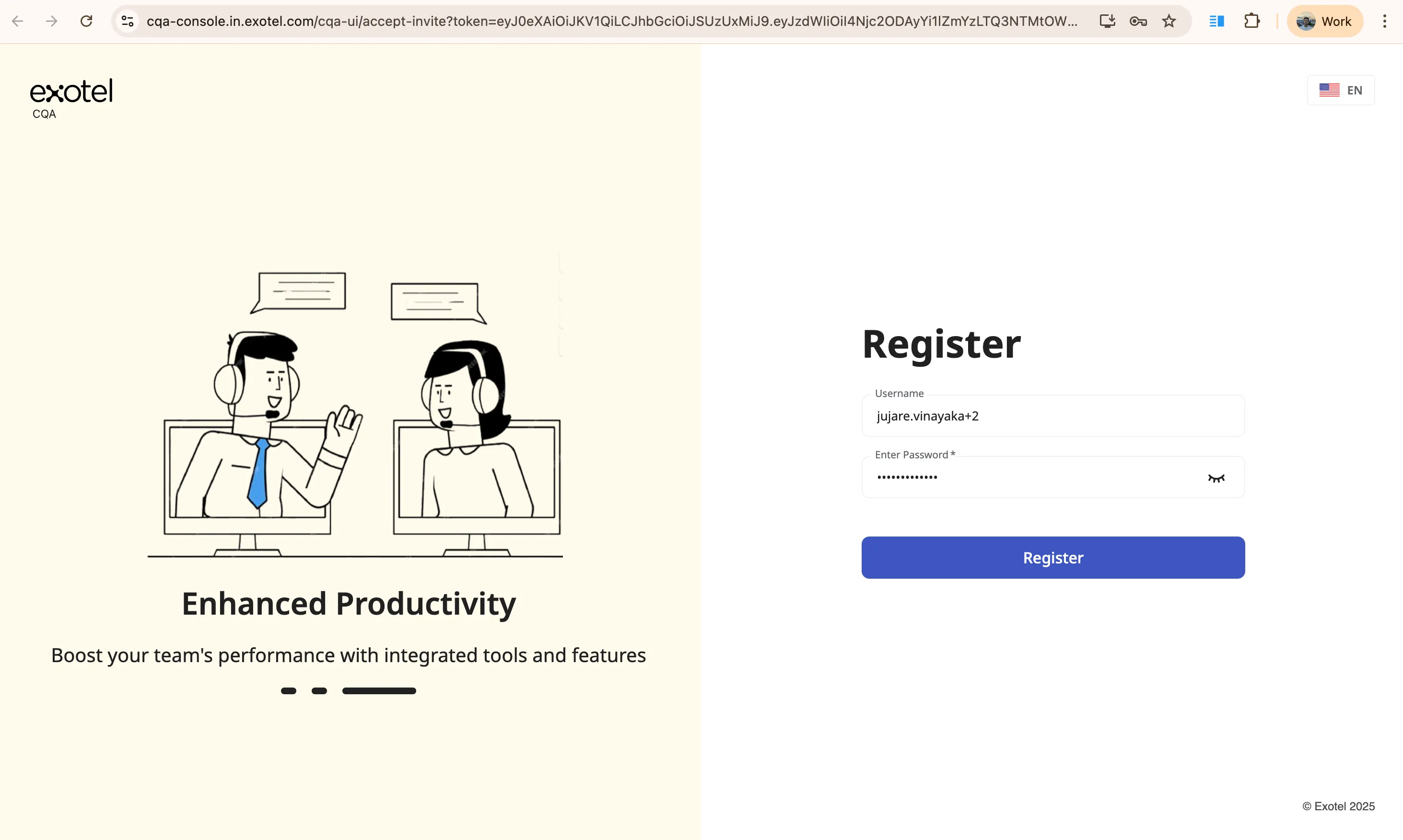
- Welcome Email: Look for an email titled "Welcome to CQA!" in your inbox.
- Accept Invitation: Click the Accept Invitation button within the email. (Note: For security purposes, this link is strictly valid for 72 hours).
- Register Credentials: You will be redirected to a registration page. Your Username will be pre-filled. Enter and confirm your secure password, then click Register.
- Log In: Return to the main login page, enter your Tenant ID, Username, and newly created password to sign in.
3.1.3 Forgot Password
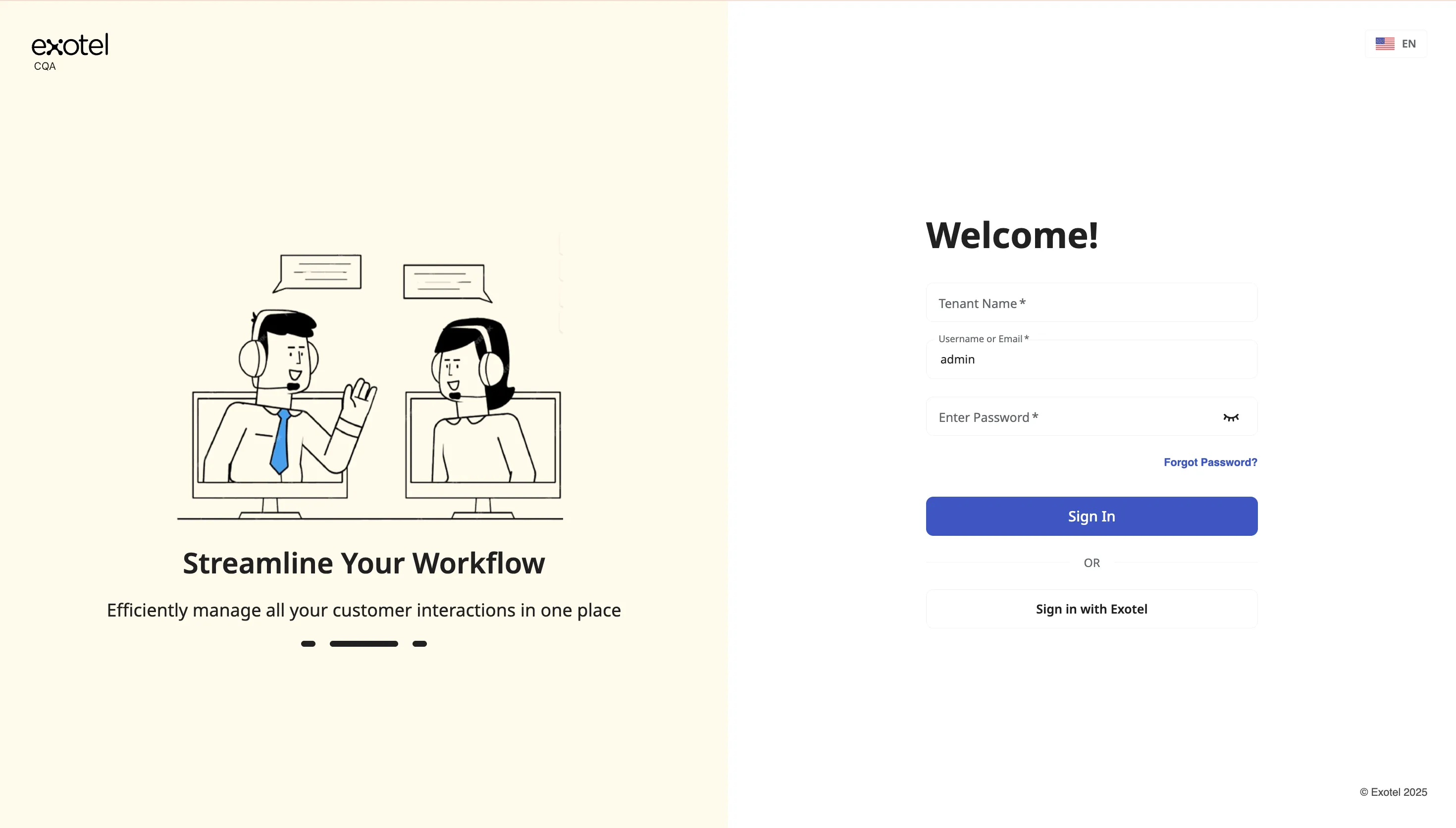
Goal: Reset your CQA password yourself from the login page — without waiting for an administrator to intervene. This flow also re-enables accounts that were locked after too many failed login attempts.
How it Works:
- You request a reset from the login page.
- CQA emails a one-time reset link to the address on your user account.
- You set a new password that meets the password policy, then are signed in automatically.
Steps:
- On the CQA login page, click Forgot Password?
- Enter the email address associated with your CQA user account and submit the request.
- Check your inbox for the password-reset email. Open the link and set a new password (and confirm it).
- After a successful reset, you are logged in directly.
Notes:
- Reset links expire after 30 minutes. If the link is expired or already used, request a new one from the login page.
- New passwords must follow the password policy (minimum length and character rules; password must not contain your username or email). The form shows specific feedback if a rule is not met.
- If you do not receive an email, wait a few minutes and try again later. Repeated requests in a short window may be rate-limited.
- Completing Forgot Password also unlocks an account that was locked due to failed login attempts.
3.2. The Home Page: Analytics Dashboard
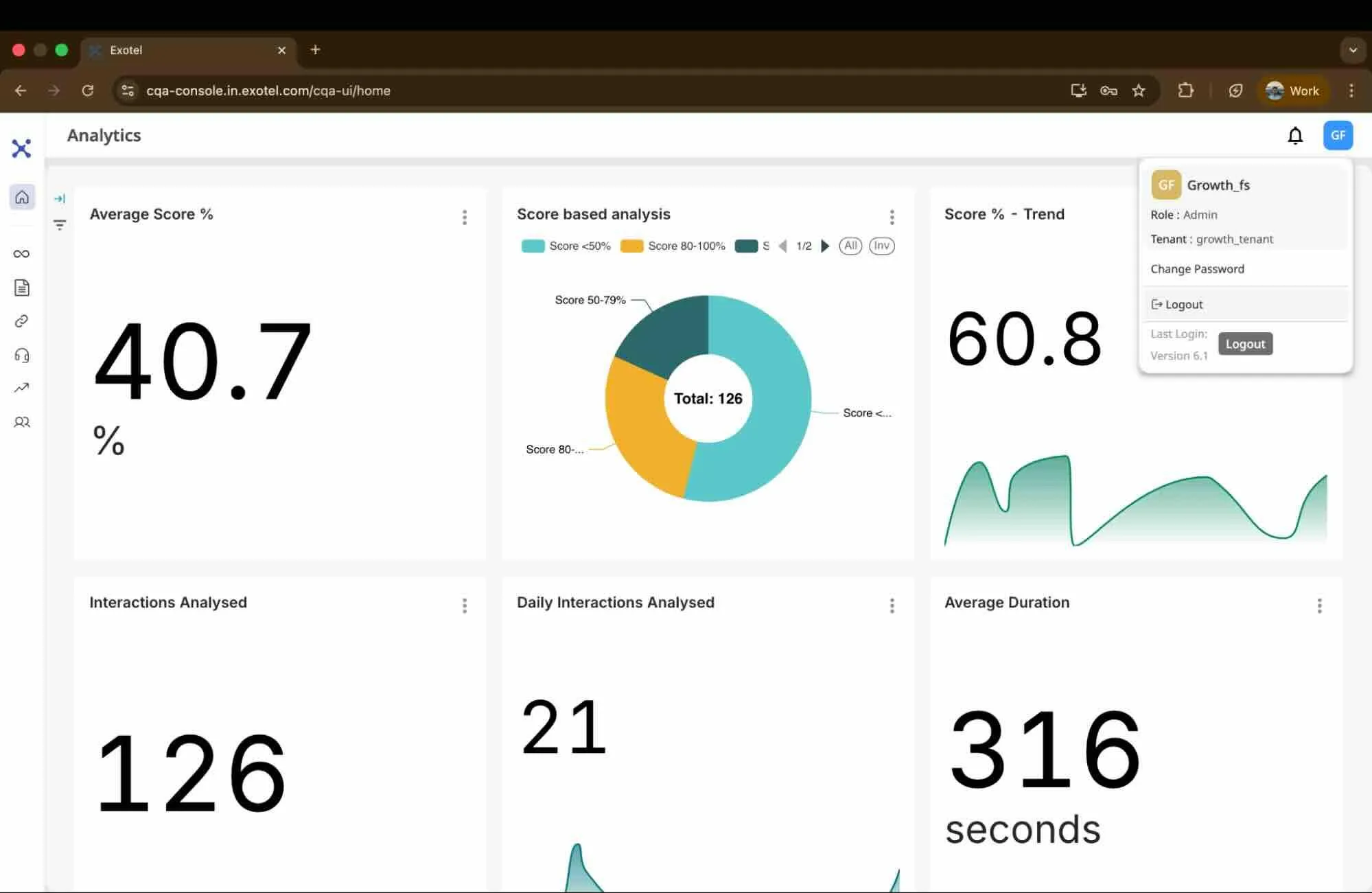
Upon successful login, you are immediately directed to the Analytics Dashboard. This is the default home page for all users.
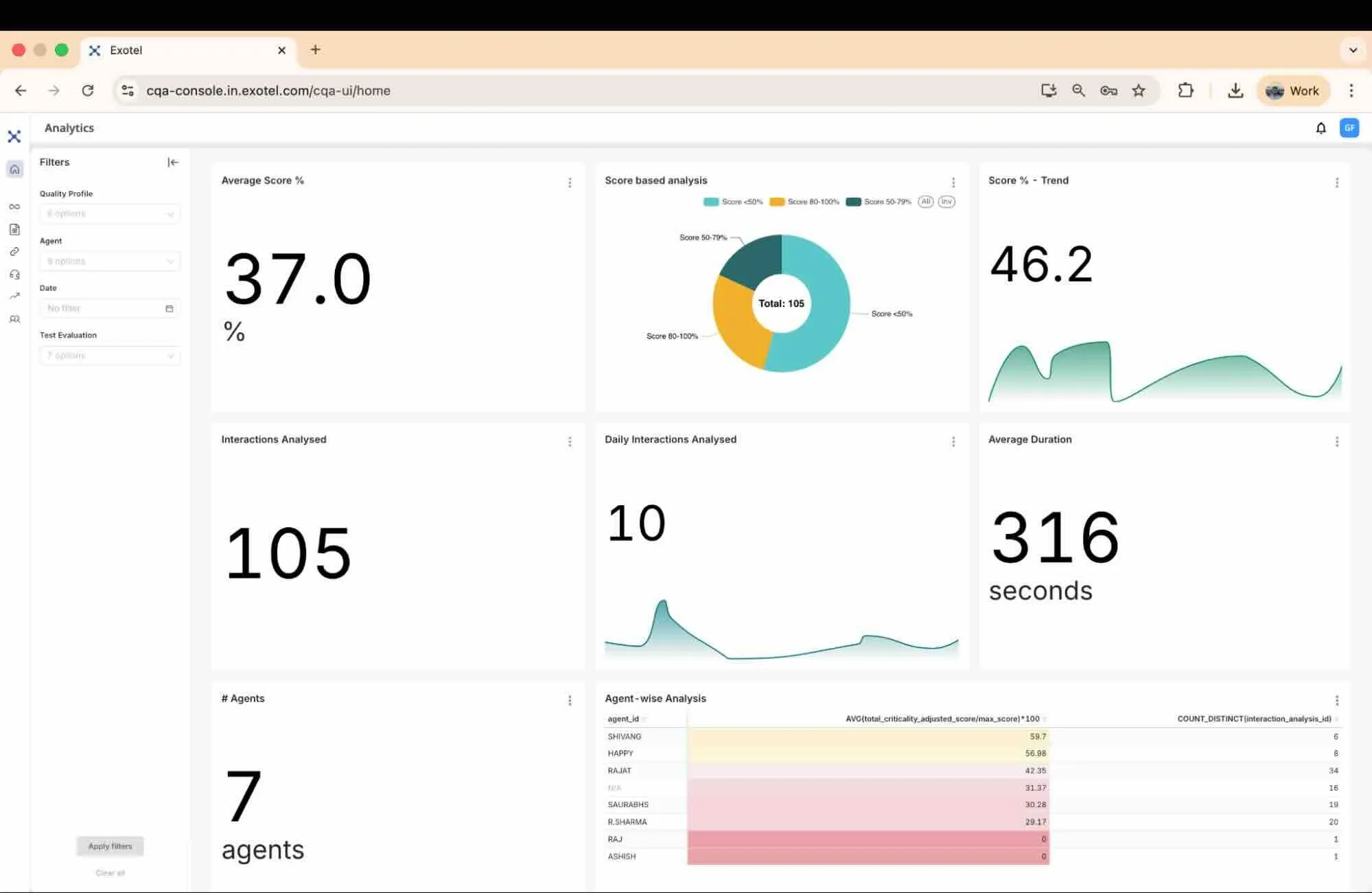
Note: The dashboard by default shows the analysis for a specific Quality Profile. User can however de-select the Quality Profile to see the analysis across all the Quality Profiles.
- Central Overview: The main area displays widgets showing high-level metrics like Average Score, Interactions Analyzed, and Trends.
- Navigation Sidebar: Located on the left, this bar provides access to all core modules:
- Home: Returns you to the Dashboard.
- Metadata: Configure system data fields.
- Quality Profiles: Create and manage Quality Profiles.
- Assignment Rules: Automate analysis logic.
- Analysis List: View logs of processed calls.
- AI Insights (available on request — contact your CSM to enable):
- Agent Summary: Org / Team / Agent coaching views under AI Insights.
- QP Insights: Portfolio-wide and per-profile Quality Profile health.
- Integrations (available on request — contact your CSM to enable ): Under REST APIs, register systems of record for Second-Order KPI Scoring, then bind them on Quality Profile KPIs via Use Tool.
- Report History: View the history of reports exported.
- Test Evaluation: Run ad-hoc tests on batches of recordings.
- Filter Panel: On the dashboard, a panel on the left allows you to filter the visualized data by Quality Profile, Agent, Date, or Test Evaluation.
Data Privacy & Customization
Tenant-Specific Analytics & Custom Dashboards: The CQA analytics engine (powered by Superset) utilizes a strictly isolated, tenant-specific architecture. This means your data visualizations are walled off and secure.
- Need Custom Reporting? Because dashboards are scoped to individual tenants, they can be deeply customized. If the standard CQA dashboards do not capture your unique operational metrics, contact CQA Support. Our team can build and configure customized reporting views tailored entirely to your specific workspace's needs.
3.3. User Profile & Logout
In the top right corner, you will find your user profile menu. Use this to:
- View your account details.
- Log Out: Securely exit the session.