Send a call summary when you transfer to an agent
When your voice agent transfers a caller to a person, it can send a short summary of the conversation in the same transfer request. Your agent sees what the caller wanted without asking them to repeat it. You only add a webhook and tick one box. There is no separate summary setup.
Before you start
- What you need: access to Voice Agents, and a webhook URL that receives the transfer, such as your contact centre, CRM, agent desktop or Exotel AI Assist.
- How it works: before the transfer, the agent writes a summary, sentiment, intent and entities from the call so far, and adds them to the Pre-Agent Transfer webhook request.
- Important: the transfer waits a moment while the summary is written. Your agent must already transfer calls. See Hand a call to a human agent.
Step 1: Open your agent's webhooks
- Open your agent and click Edit agent.
- In Configure, click Webhooks.
- Click the + icon and choose Pre-Agent Transfer. If your agent already has one, open it instead.
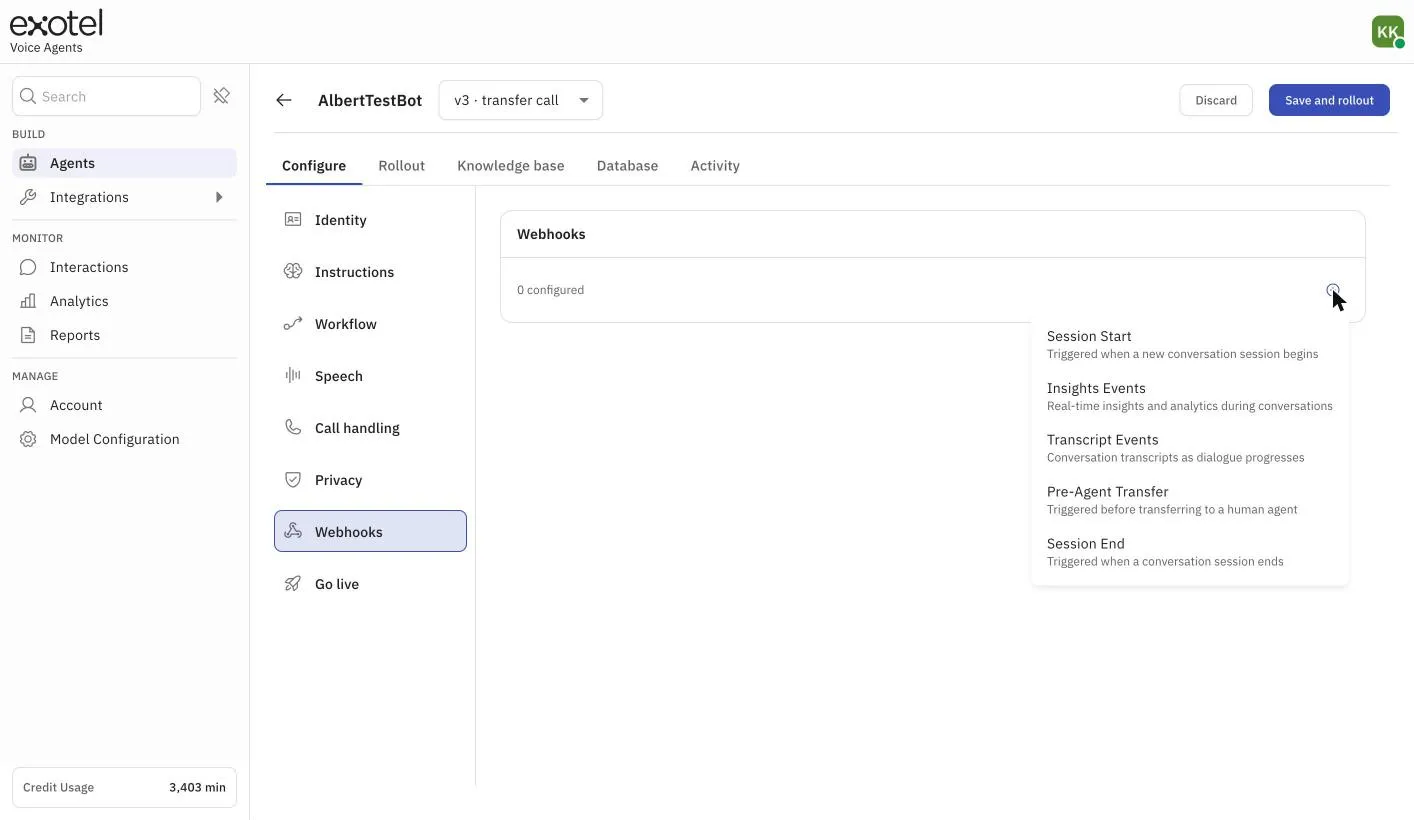
Figure 1 — Add a Pre-Agent Transfer webhook.
Step 2: Add your URL and turn on insights
- In Webhook URL, paste the URL that should receive the transfer.
- Set Authentication and Headers if your endpoint needs them.
- Leave Timeout and Retry configuration as they are unless you need to change them.
- Tick Include insights.
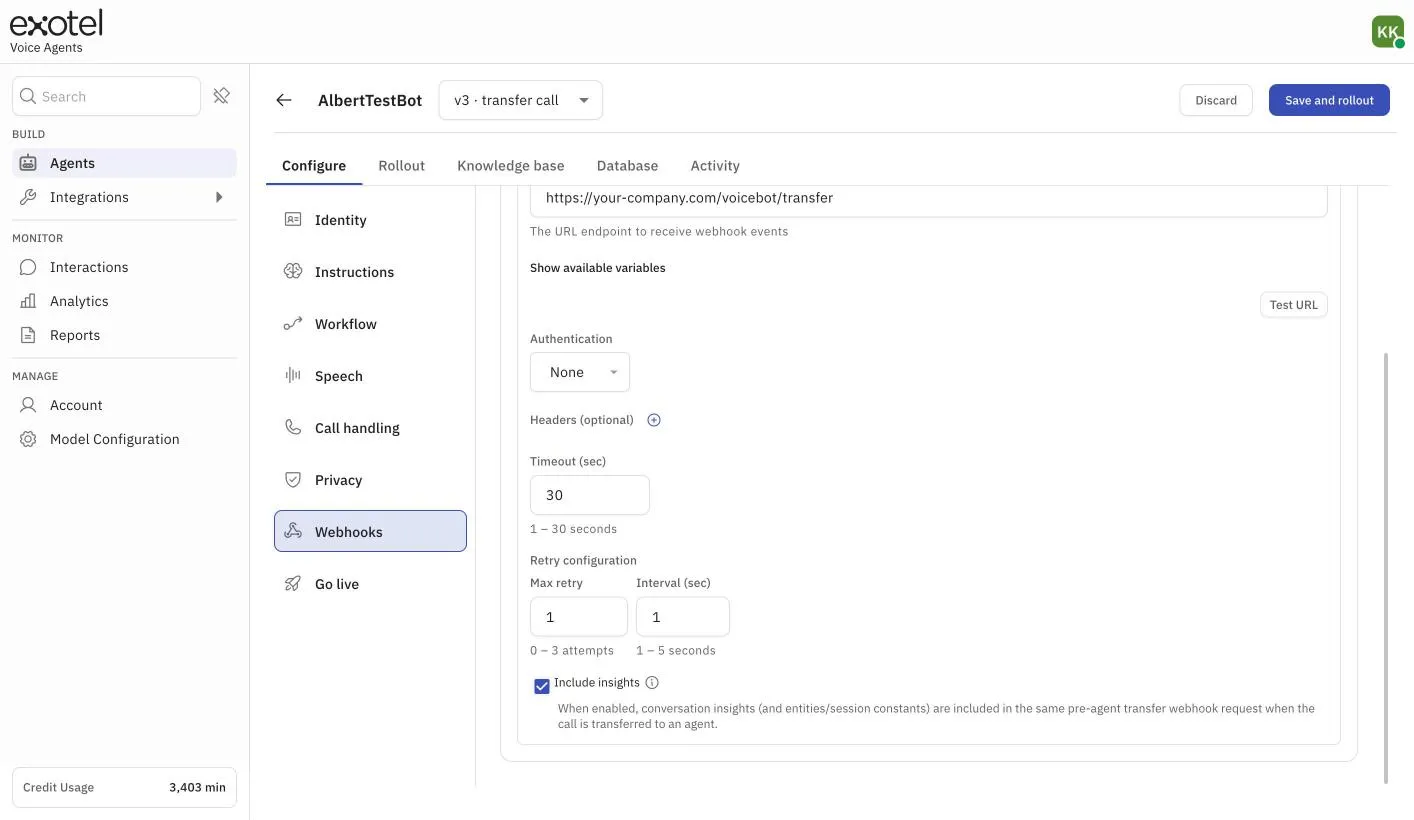
Figure 2 — Tick Include insights on the Pre-Agent Transfer webhook.
The transfer request then carries:
- Summary of the conversation so far
- Sentiment and intent of the caller
- Entities from the call, such as names, IDs and amounts
- Your session entities and constants
Step 3: (Optional) Get insights during the call
To also receive insights while the call is still going on, click + again, choose Insights Events and enter the URL that should receive them.
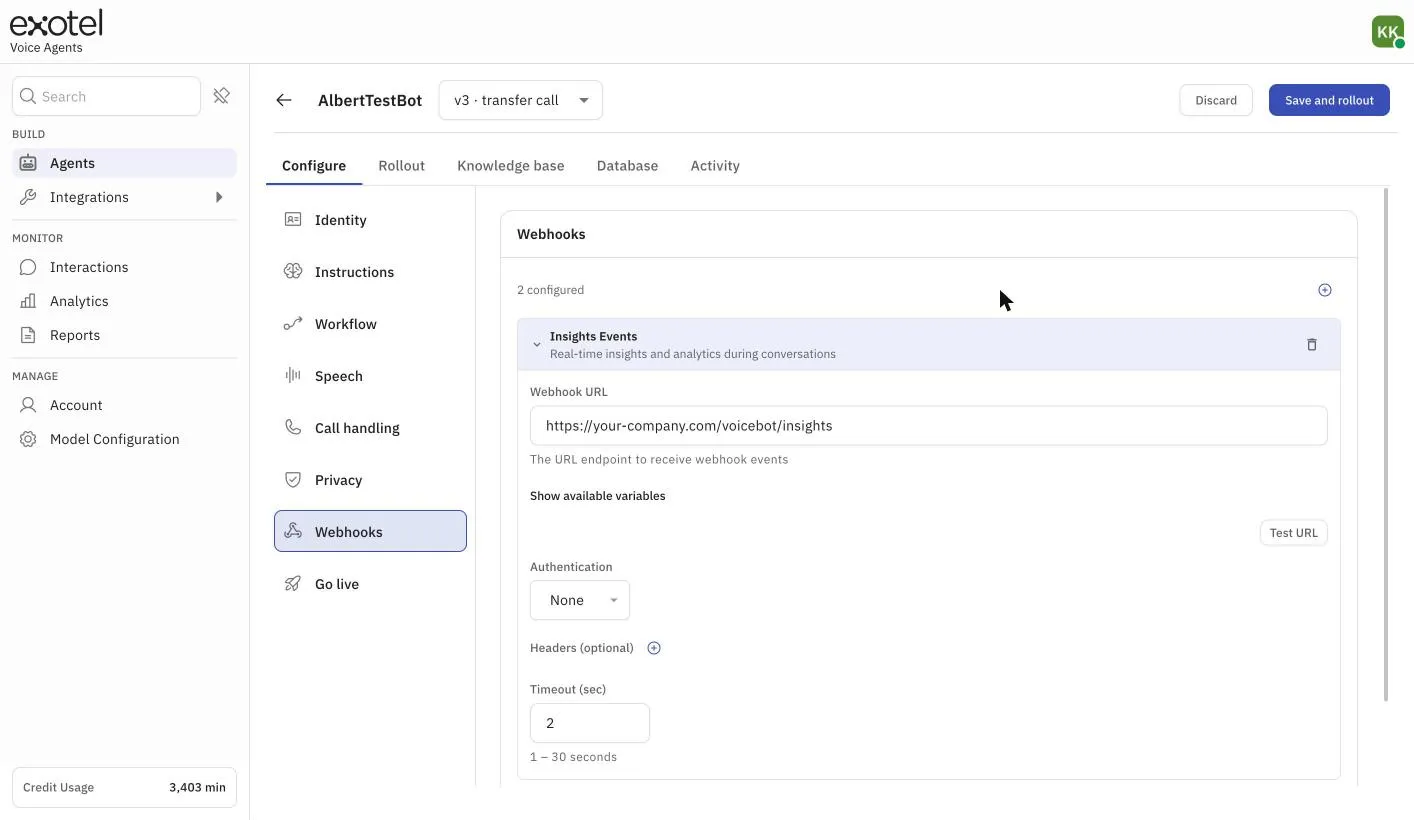
Figure 3 — Add an Insights Events webhook.
Using Exotel AI Assist? Add both webhooks below. Replace ACCOUNT_ID with your AI Assist account ID and SOURCE with your contact centre source.
- Pre-Agent Transfer: https://ai-assist.in.exotel.com/ai-assist/api/v1/accounts/ACCOUNT_ID/ai-assistants/pre-agent-transfer with Include insights ticked
- Insights Events: https://ai-assist.in.exotel.com/ai-assist/api/v1/accounts/ACCOUNT_ID/ai-assistants/handover-context?source=SOURCE
Your agent then sees the summary card in the AI Assist panel when the call reaches them.
Step 4: Save and test
- Click Save and rollout.
- Call your agent, talk for at least one turn, then ask for a person.
- Check that the transfer reached your webhook, or the AI Assist panel, with the summary.
FAQ
The transfer arrived, but the insights are empty. This happens when the caller asks for a person before saying anything the agent can summarise. Talk for at least one turn before you test the transfer.
Can I change how the summary is written? Not from the UI yet. Every agent uses the same built-in summary setup.
Will this slow down the transfer? Slightly. The transfer waits briefly while the summary is written.