Dispositions
It contains two sub-tabs - Disposition Class and Disposition Plan.
Disposition Class
This tab is used to define disposition codes and classes for the calls. Disposition class is a set or logical grouping of disposition codes. Disposition code is the reason of call disconnection which agent selects while disposing any call.
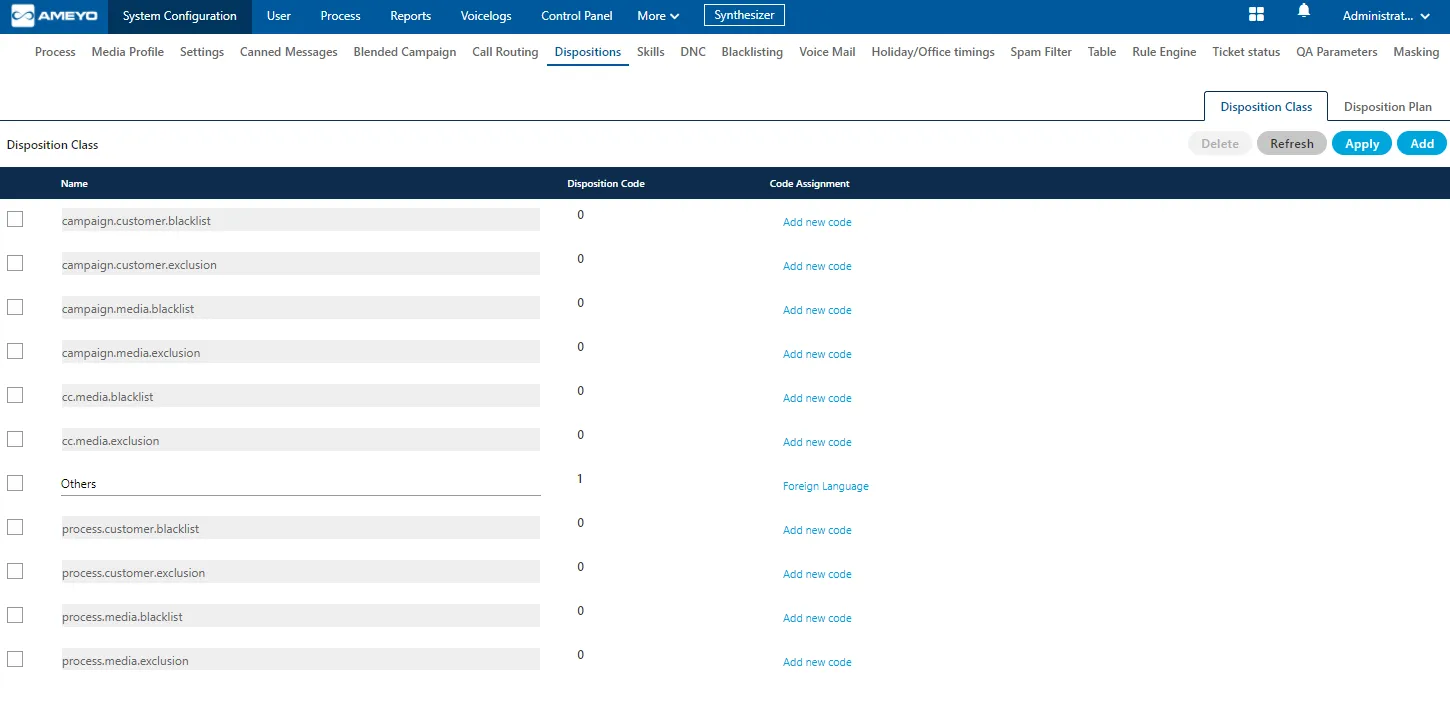
Administrator can perform the following steps here.
- The Administrator can add "Disposition Class" by clicking "Add" button. "User Defined" type will appear for the Administrator created disposition classes.
- The Administrator can also add "Disposition Code" by clicking "Add New Code" option for a disposition class.
Disposition Class and Disposition Code supports 100 characters.
Supported special characters : / ? # [ ] ! $ & ( ) * + , ; = < > % { } | \ @ . - _ and {Space}.
Disposition Plan
This tab is used to create disposition plan and assign the disposition codes in that plan. From here, administrator can select the disposition codes which needs to be assigned in created disposition plan.
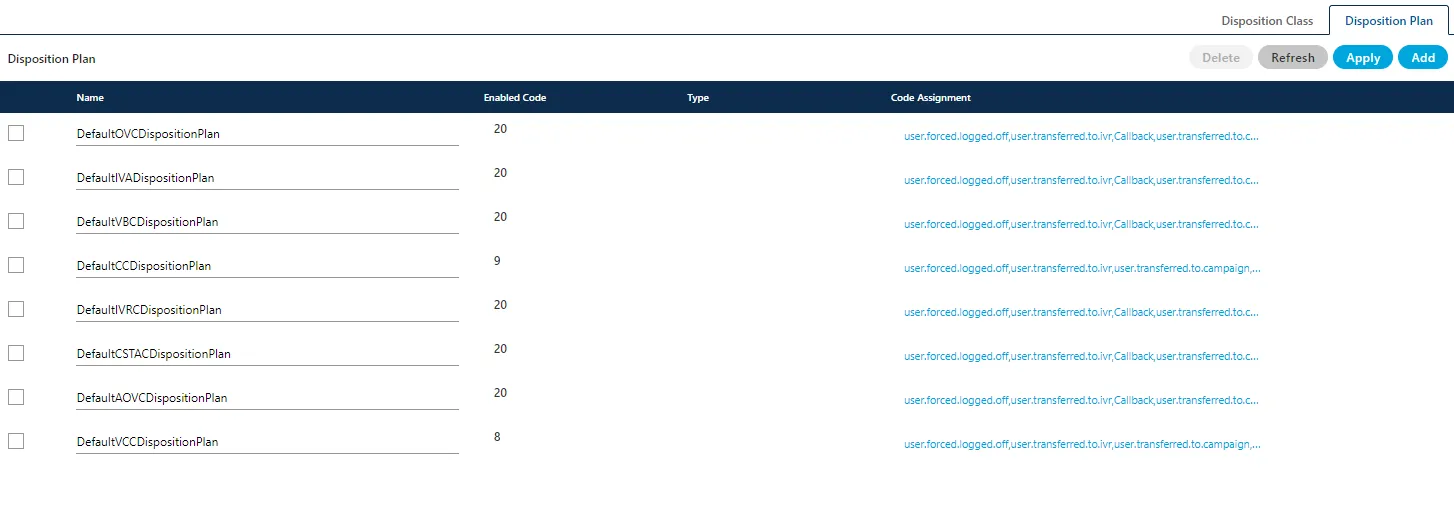
Perform the following steps.
- To add a new Disposition Plan, click "Add" and provide a name in the text field and click "Add New Code" to add the code.

"User Defined" will be the type for custom disposition plans added by the Administrator.
- To change the code for an existing disposition plan, select it and click "Code Assignment option". It shows the following box for both adding and modifying the code assignments.
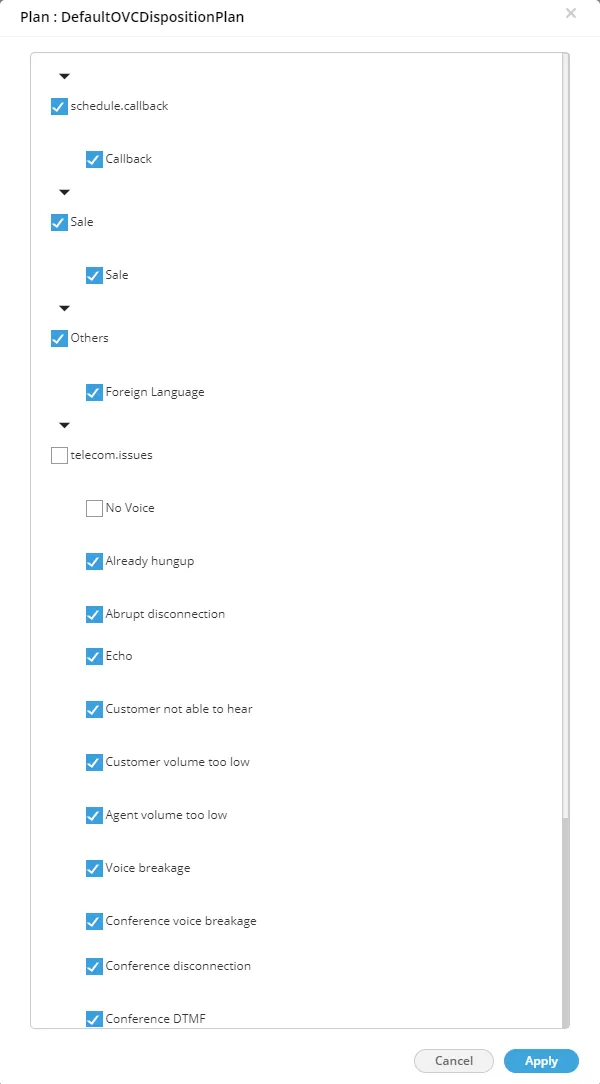
- Select the checkboxes of different disposition codes which has to be assigned in that disposition plan. Uncheck those which you do not want to assign in the selected disposition plan.
- Click "Apply" to save the changes. Rather, you can click the "Refresh" button to discard the changes.
Disposition Options for CC Users
Ameyo offers the following options of dispositions for the Users.
Two Level Disposition:
It means that the user can select the disposition in the hierarchical way. The user has to select the Disposition Class first and then select "Disposition Code".
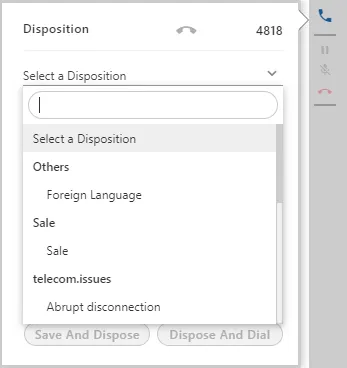
Two-level Disposition has been made default. However, the businesses can still perform the backend configuration to make "one-level" disposition as default.
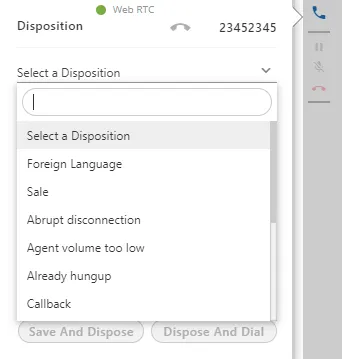
One-level Disposition :
It means that the user can select the disposition in the simple way, that is, the selection of the disposition is in the simple way and all the nested dispositions come in a single hierarchy(one after another). In this feature, the user can select only the main disposition but not the sub disposition.
Enable One-level Disposition (If Required)
Disable the two-level disposition to enable the one-level disposition. Perform the following steps.
- Execute the following command to login to the PostgreSQL Console and access the database.
psql -U postgres ameyodb
- Run the following query to disable the two-level disposition and enable the one-level disposition.
INSERT INTO server_preference_store (context_type,context_id,key,value) VALUES ('campaign','<campaign_id>','showTwoLevelDisposition','false');
- Run the following query to exit from the database.
\q
We have provided support of 100 characters for Disposition Class and Disposition Code.