Inbound Call
All the functionalities of Inbound call for supervisor and group manager are similar as that of agent.
Whenever the agent receives an incoming call or an outbound call assigned by the dialer, a pop-up appears on the screen that overrides all other tasks.
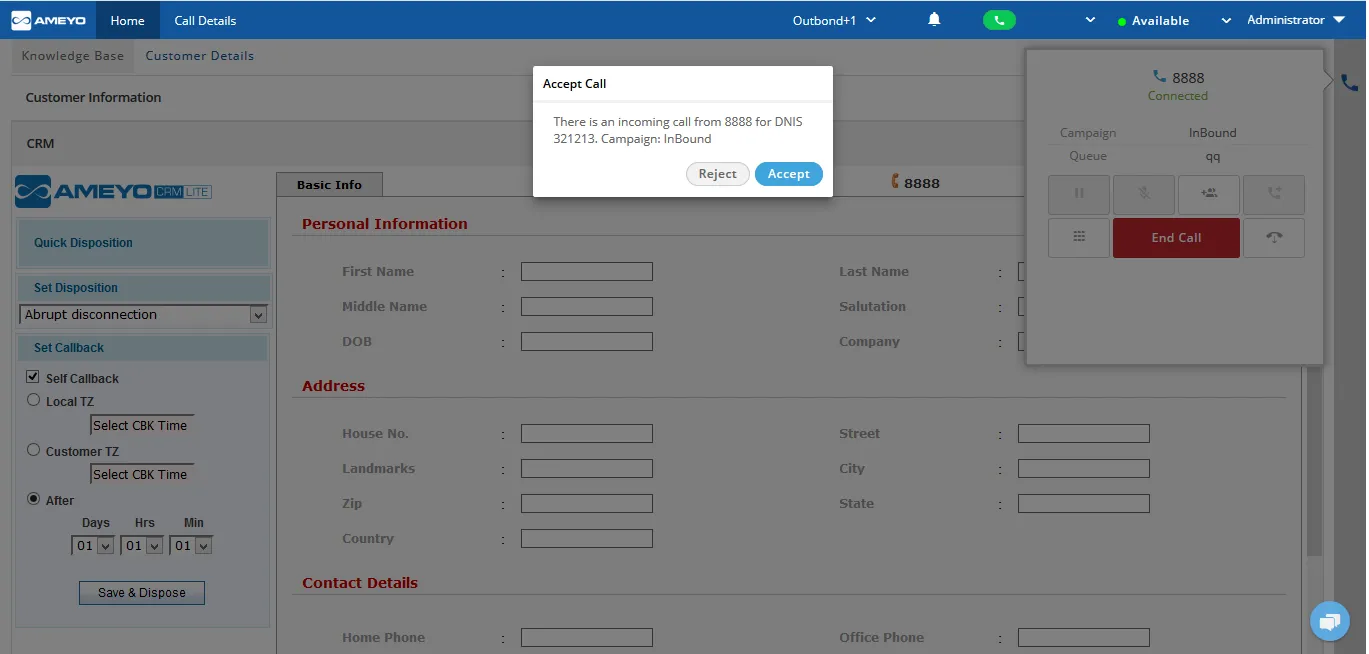
However, this Accept and Reject pop-up will not be available during the Auto-dial call and manual operations.
The Supervisor can click "Accept" to accept the incoming call, whereas the Supervisor can click "Reject" to reject the call.
This pop-up to accept or reject the call is not displayed when the user is performing manual operations such as dialing the calls manually.
After clicking accept, the call will be connected and the agent can communicate with the customer.
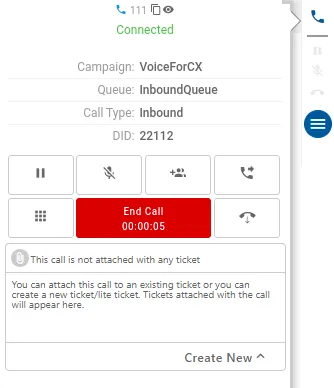
Call Control Functions are discussed in "Call Control Functions" page.
Refer to "CTI Display" Page to know about the CTI Display with an inbound or outbound call.
The agent can add the notes during or after the call. Know more...
After the call the agent can dispose the call. Know more...
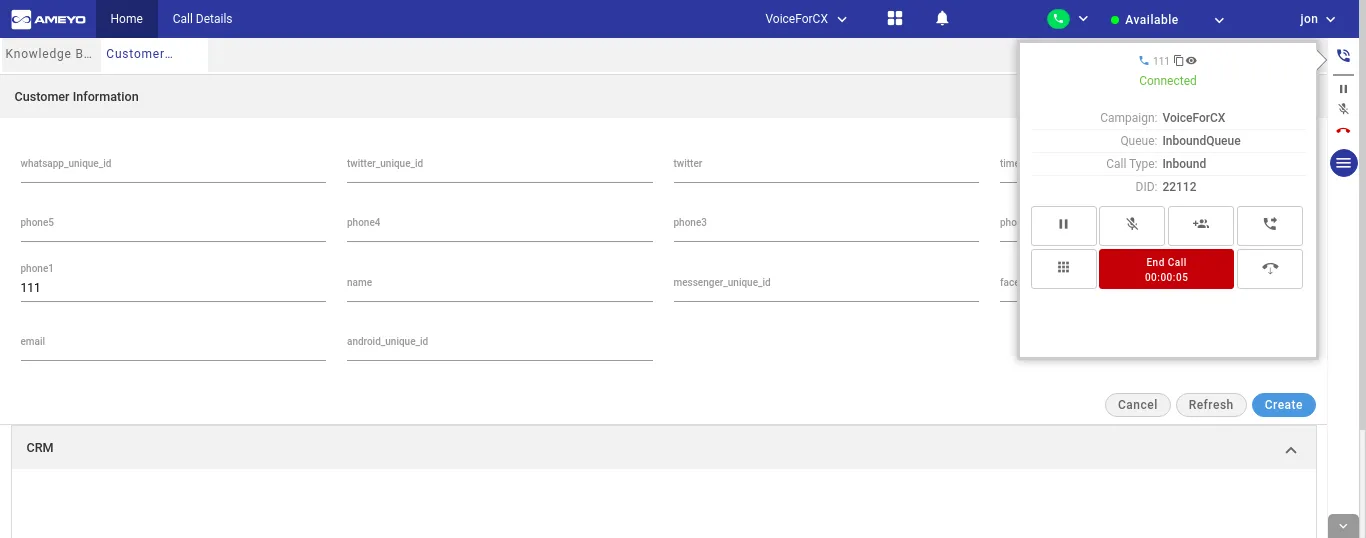
Now, the DID number will be displayed in the telephony panel of the agent. The agent can see the DID number on which the call has been received. It helps the agents to know the destination number at which the customer made the call to reach that campaign and queue.