Manage Inbound Campaign
0 min
Supervisor can manage the inbound campaigns in which it has been assigned.
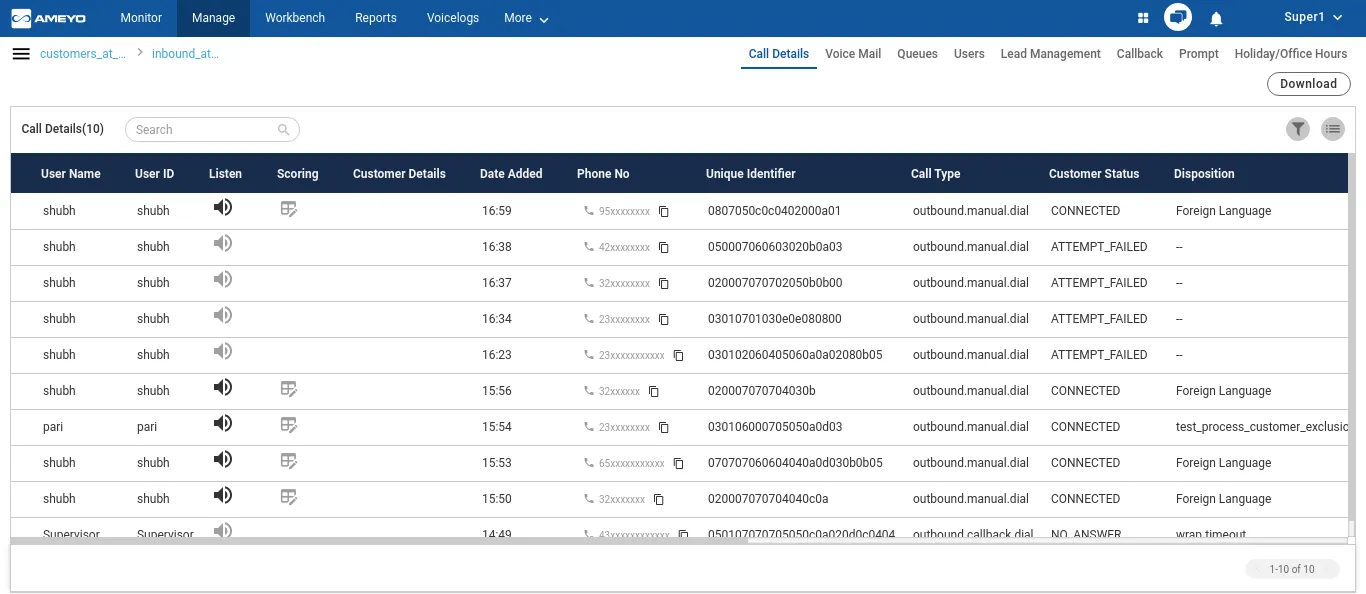
Figure: Manage Inbound Campaign
It contains the following tabs.
- Call Details: Here, the Supervisor can view the call details. Know more...
- Voice Mail: Here, the Supervisor can access the Voice Mails left by the customers when the customer was not attended because of any reason. Know more...
- Queue: Here, the Supervisor can add, edit, and delete the queues in the Interaction Campaign. Know more...
- Users: Here, the Supervisor can assign or unassign the users in this campaign. The Supervisor can also manage the skills of the users. Know more...
- Lead Management: Here, the Supervisor can enable or disable the lead, map a lead to any queue, and view the lead summary.Know more...
- Callback: Here, the Supervisor can add and manage the callbacks. Know more...
- Prompt: Here, the Supervisor can manage the Prompts. Know more...
- Holiday/Office Hour Configuration: Here, the Supervisor can manage the Holiday Configuration and Office Hour Configuration. Please refer to "Holiday/Office Hour Configuration" Page of "Chat Campaign". Know more...
Have a question?
Our knowledgeable support team and an awesome community will get you an answer in a flash.
To ask a question or participate in discussions, you'll need to authenticate first.