PACE State in process settings
Overview: State Tab in Process Settings (Licensable)
The States and Rules tabs in Process Settings are designed to integrate PACE (ProActive Connect Enhancer) with the Ameyo system. PACE acts as a customer provider, and together with Ameyo’s Predictive Dialer, it forms the complete PACE Solution. PACE maintains the customer cache from which the dialer picks records for outbound calls.
PACE is used when customer behavior patterns are known in advance. Based on this behavior analysis, specific rules can be created to optimize call strategies and improve overall productivity.
Business Use Cases
1. Connected Success or Connected Fail Division
For a contact center where a connected call represents a sale, some calls may result in dispositions such as FAILED, AMD, or PROVIDER_FAILURE. When PACE is active, the system can be configured not to redial such numbers frequently—or at all—based on predefined rules. This prevents unnecessary retries, saving bandwidth and improving efficiency. Conversely, if required, connected numbers can be prioritized for dialing again.
2. Division Based on Collection Process
In collection or sales workflows, customers move through defined stages such as “Sale Converted,” “Payment Done,” or “Procure to Pay.” Each stage corresponds to a dialing strategy that helps achieve the business objective. These stages can be represented as states within PACE, and transitions between them occur as rules execute.
3. Division Based on Call Timing If customers typically do not answer in the morning (e.g., while commuting), this data can be used to reschedule calls for more effective times. For example: If (SYSTEM_DISPOSITION='NO_ANSWER' OR SYSTEM_DISPOSITION='PROVIDER_TEMP_FAILURE') then CallAroundTime='05:00:00' and NotCallBefore='04:00:00'.
This enables smarter redial strategies using knowledge of customer availability patterns.
States
In PACE, customers are grouped into states, and each state can be assigned a specific dialing percentage. The dialer distributes calls based on these percentages. To enable PACE in Ameyo, three default states must be created:
- freshNumber – Represents newly uploaded contact numbers
- catNumber – Represents numbers with a defined Call Around Time (CAT), such as preferred contact hours
- ns – Represents numbers without a defined Call Around Time
To activate PACE, ensure that “PACE Based Customer Provider” is selected in the settings of a Parallel Predictive Campaign.
"State" Tab in Process Settings allows you to create the states and assign the Dialing Percentage to each state.
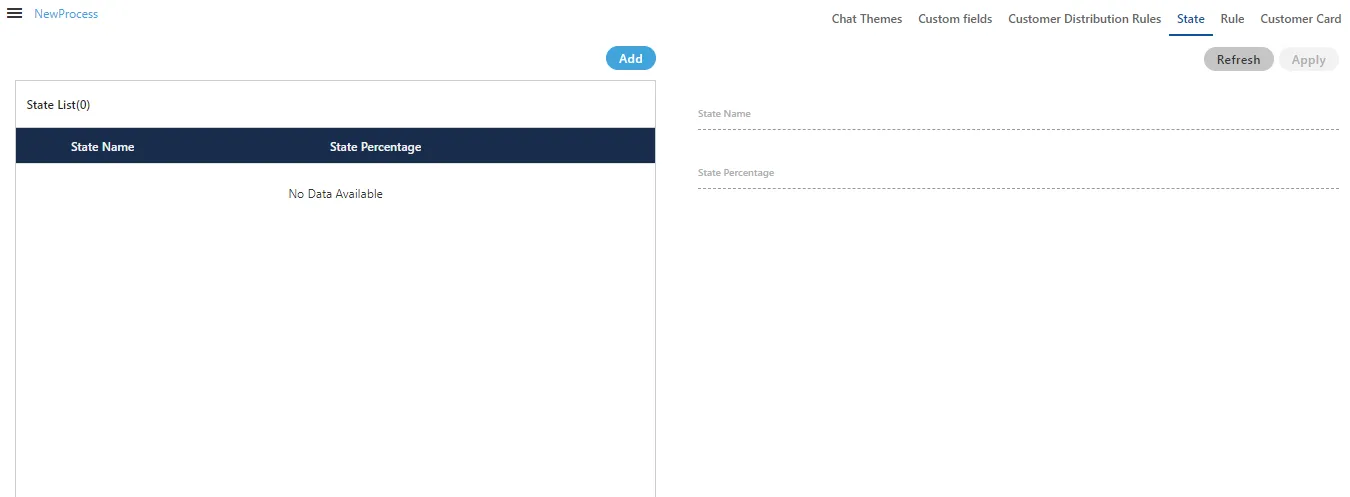
Add a State
To create a new state:
- Click Add in the State tab.
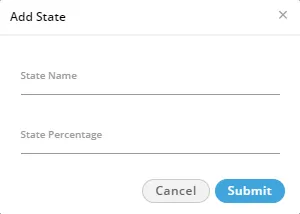
- In the pop-up window, enter the State Name.
- Specify the Dialing Percentage for the state.
- Ensure the total percentage across all states does not exceed 100.
- Create multiple states as needed, distributing up to 100% among them.
Default States
You must have to create the following three default states to enable the PACE even if you assign zero to very less dialing percentage to them.
- freshNumber: It is a group of fresh numbers.
- catNumber: It is a group of numbers for which CAT (Call Around Time) is set. Call Around Time is the preferred time duration (such as during office hours 10 AM to 7 PM) of a customer to contact for any communication.
- ns: It is a group of numbers for which CAT (Call Around Time) is not set.
Modify a State
To modify an existing state:
- Select the state from the list to display its details in the right section.
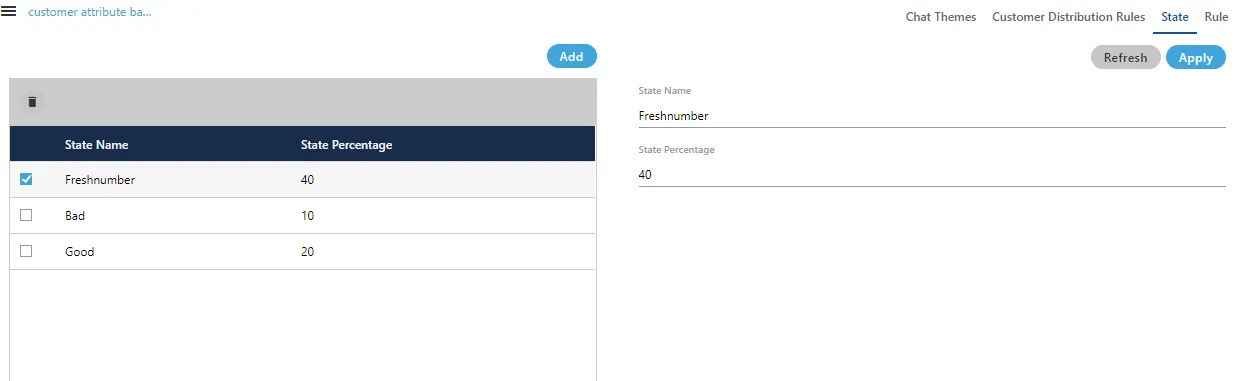
- Update the State Name or State Percentage as required.
Make sure that total percentage in all states should not exceed 100%.
- Click Apply to save the changes, or Refresh to discard them.
Delete a State
The Deleted State cannot be restored. If a state is being used in PACE and Predictive Dialling, then the deletion of that state will impact the functioning of PACE and Predictive Dialing.
To delete a state:
- Select the state you wish to remove.
- Click the Delete icon.
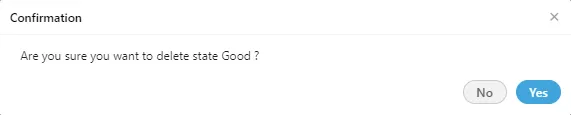
- Review the warning message displayed.
- Click Yes to confirm and permanently delete the state.