Preview Manual Dialing
All the functionalities of Outbound calling for Preview Manual Dial for supervisor and group manager are similar as that of agent.
Preview Manual Dialing enables the agents to first view the available information about the customer and provides a timeframe before dialing the customer. In this time-frame, the agent can also click "Call" to call the customer.
Perform the following steps to make a Manual Preview Dial call.
- Click
 button, a small pop-up slides to left at the top right corner.
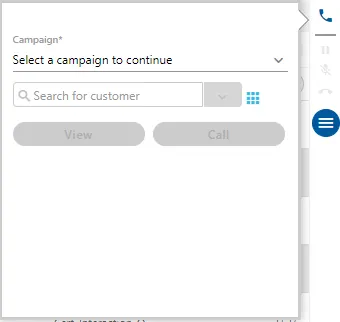
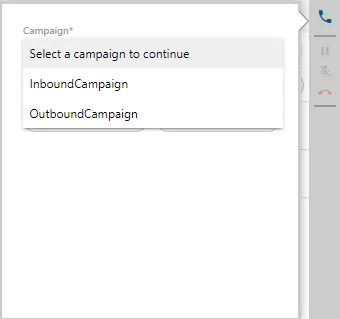
- If there are more than one campaign that supports the outbound calls, then agent has to select one the campaign first from which the call has to be made.
- Click
 icon to show the numeric keypad.
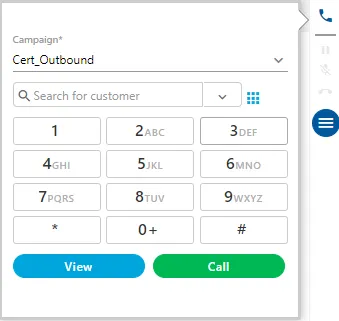
- The agent can either type the number through keyboard or this numeric keypad to punch the number.
- After entering the number, click button to view its information.
- If the number is not registered in the system, an error message is displayed.
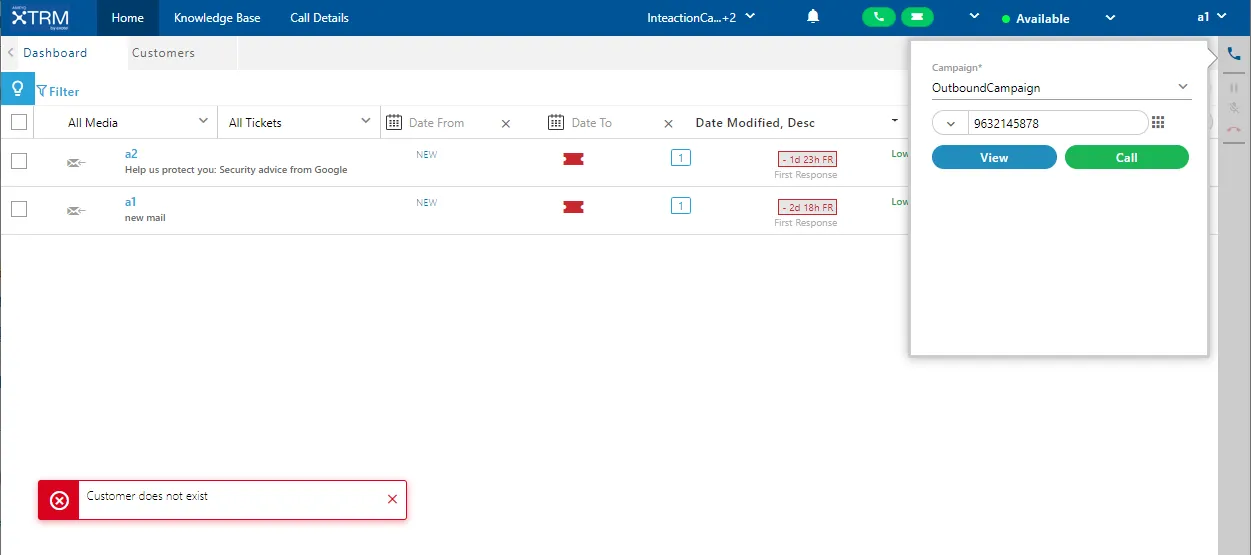
In such a case, you can click "Call" button that provides you the options - "Create and Dial" and "Dial Only."
- If the customer is available, its information is displayed on the screen. The timer runs that shows after how much time the call will be connected to the customer.
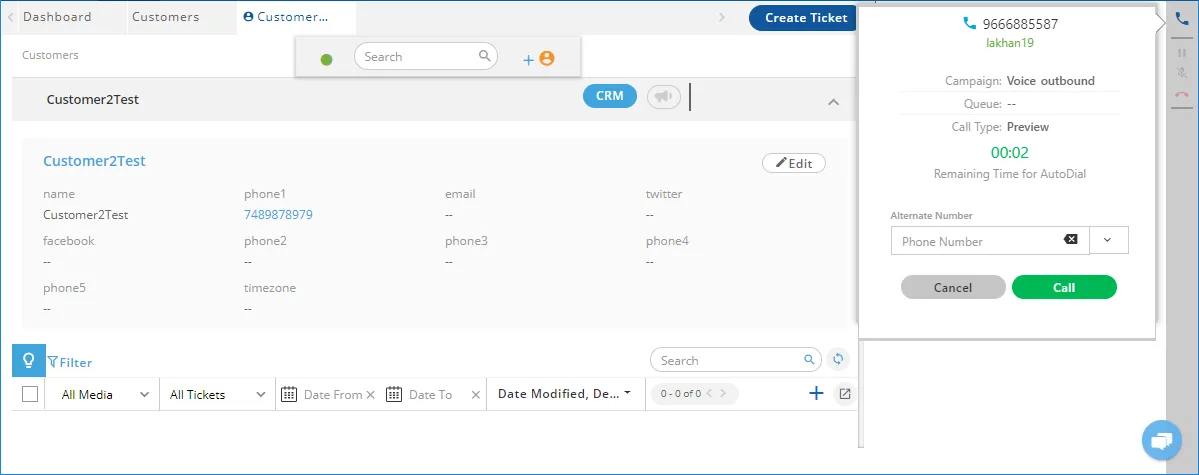
If there is another number of the customer, then the agent can provide that number in the alternate number textbox of the telephony panel.
- The agent can either wait for the auto dialer to connect the call or click "Call" manually. The call is connected and the dialer starts to dial the customer's number.
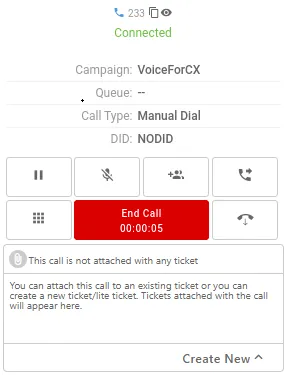
Now, the Keypad will be replaced with the call control functions.
- The agent can add the notes during or after the call.
- After the call the agent can dispose the call.
Added the Animation and Red Color to Call Duration Timer
After a specified duration, the timer of Call Duration will be displayed with animation in red color. Refer to the following screenshot.
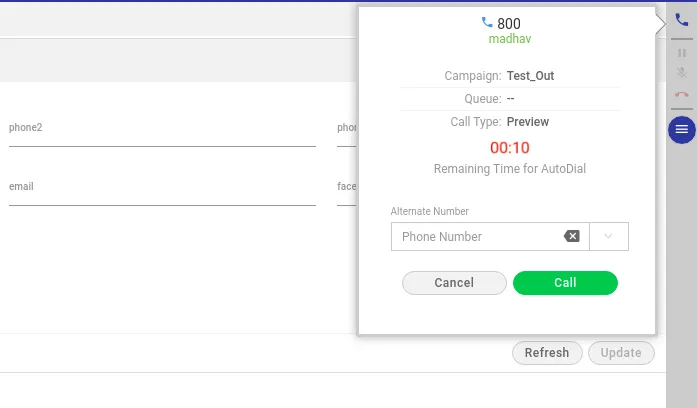
Warning time and color are not configurable. It can be configured in the code by the Developer as of now.