Make a Manual Dial Call
4 min
All the functionalities of Outbound calling for Manual Dial for supervisor and group manager are similar as that of agent.
Perform the following steps to make a manual dial call.
- In order to make a manual dial call, the agent has to click
 button, a small pop-up slides to left at the top right corner.
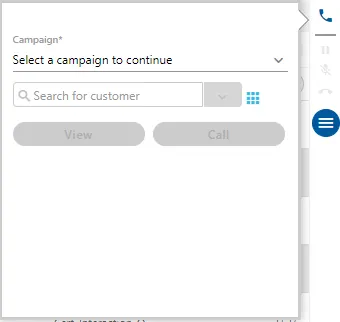
Figure: Manual Dial
- If there are more than one campaign that supports the outbound calls, then agent has to select one the campaign first from which the call has to be made.
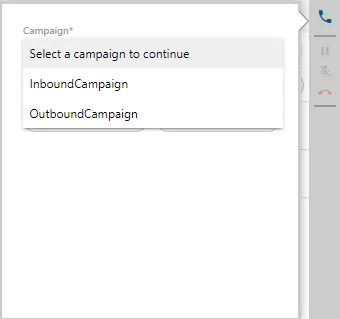
Figure: Campaign Selection
After selection of campaign, click  icon to show the numeric keypad.
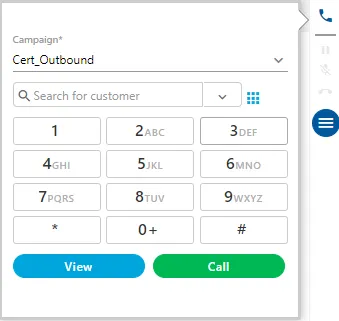
Figure: Numeric Keypad
- The agent can either type the number through keyboard or use this numeric keypad to punch the number.
- After entering the number, the agent can click "Call" button to dial it.
- If the number is registered, the customer information is displayed on the screen instantly.
- If the number is not registered in the system, the following pop-up is displayed on the screen.

Figure: Calling Manually to a New Number
It contains the following two options.
- Create and Dial: Click it to create the customer first in the system and then dial the number.
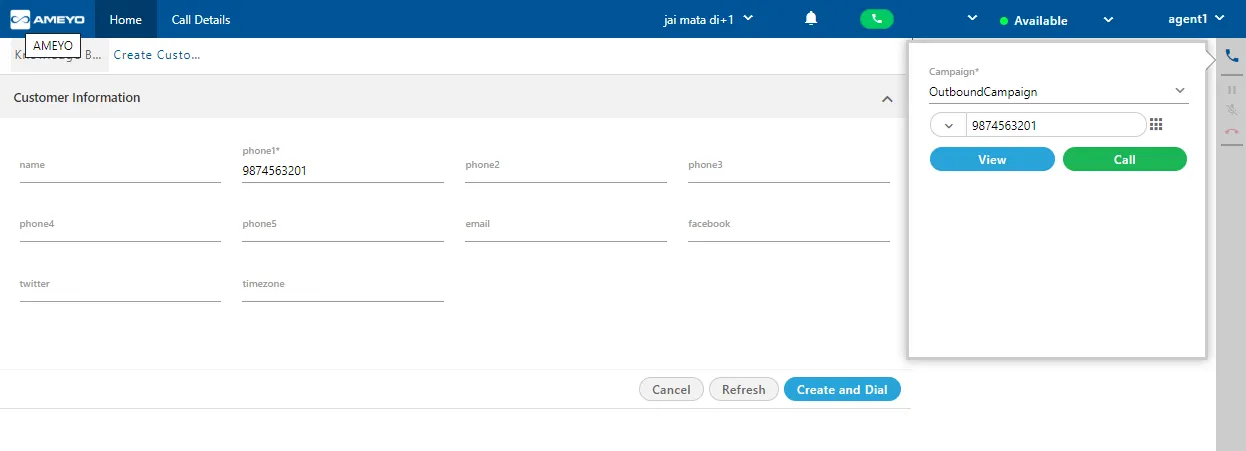
Figure: Create and Dial
Here, you have to provide the following inputs.
- Name
- Phone 2
- Phone 3
- Phone 4
- Phone 5
- Timezone
- After providing the inputs, click "Create and Dial" to save the customer details and dial the number. Before dialing, you have to select the campaign again.
- Dial Only: Click "Dial Only" to dial the call straightaway without saving the number with a new customer.
- The call is connected and the dialer starts to dial the customer's number.
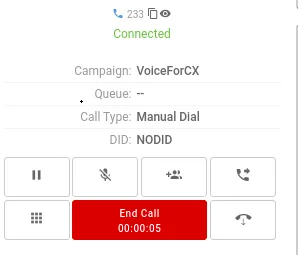
Figure: Calling a Customer
- Once the customer answers the call, the agent can talk to the customer.
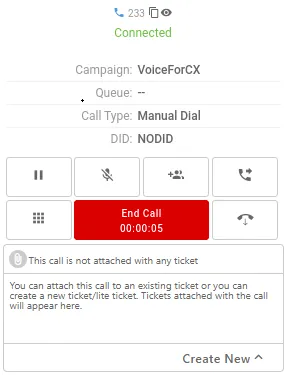
Figure: Ongoing Outbound Call
- The agent can add the notes during or after the call. Know more...
- After the call the agent can dispose the call.
In case of manual dial, the agent can create the customers, if they are not exist in the system.
It is not recommended to dial the call without creating the customer.
Have a question?
Our knowledgeable support team and an awesome community will get you an answer in a flash.
To ask a question or participate in discussions, you'll need to authenticate first.