View Customer Information and Click to Call
2 min
All the functionalities of Outbound calling for click to call for supervisor and group manager are similar as that of agent.
It is actually making the call through the customer information. Perform the following step.
- In "Customers" Tab, click the customer that has a phone number. Its information is displayed in a new tab.
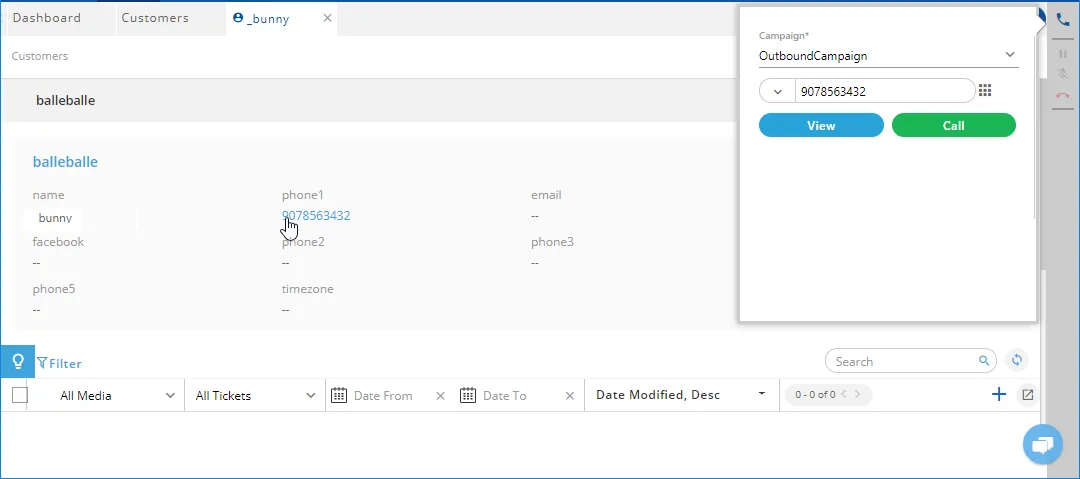
Figure: Calling a Customer through Customer Information
- Click the number. A pop-up slides from the left side that contains the Ameyo's telephony dialer.
- If there are multiple campaigns to facilitate outbound calls, the telephony dialer lists them and the agent has to select a campaign. After selecting the campaign, the call is connected and the dialer starts to dial the customer's number.
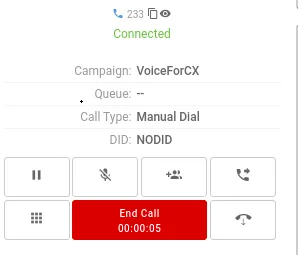
Figure: Calling a Customer
- Once the customer answers the call, the agent can talk to the customer.
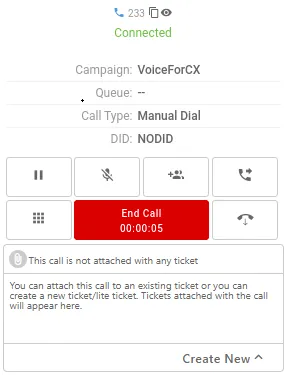
Figure: Ongoing Outbound Call
Now, the Keypad will be replaced with the call control functions
- The agent can add the notes during or after the call. Know more...
- After the call the agent can dispose the call.
Availability of DID Number in Telephony Panel
If the agent has initiated an outbound manual dial call, the Caller ID will be displayed on the telephony panel. If there is no Caller ID configured for that campaign, then "NODID" will be displayed. The same scenario applies to the Auto Dial and Callback calls.
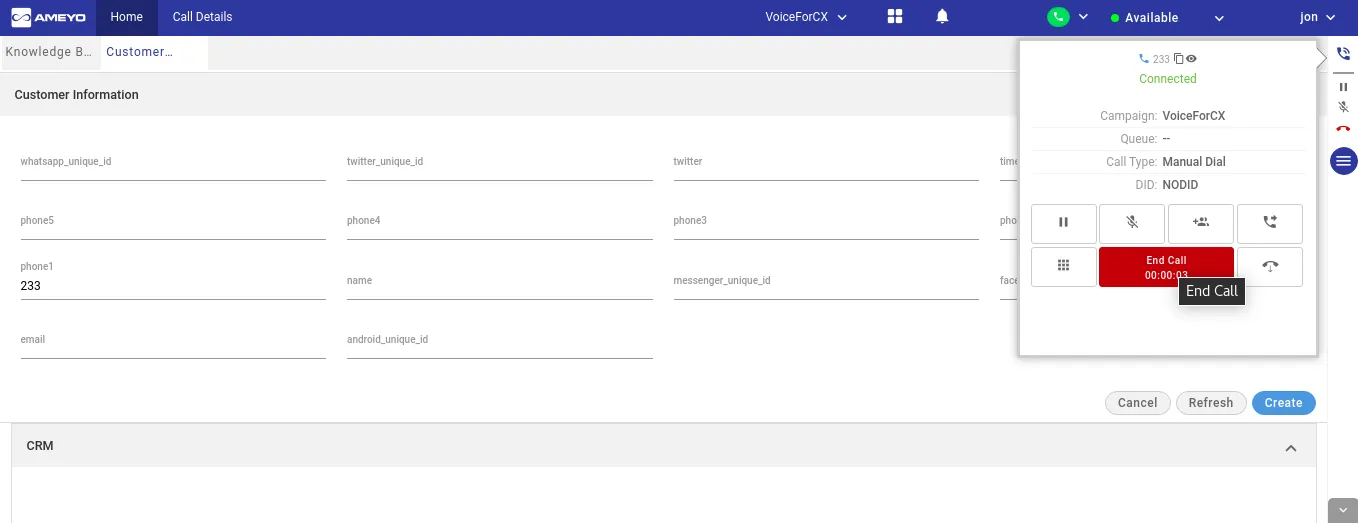
Figure: Caller ID showing for Outbound Calls at Telephony Panel
Have a question?
Our knowledgeable support team and an awesome community will get you an answer in a flash.
To ask a question or participate in discussions, you'll need to authenticate first.