User Guide: Zoho Desk
1. Overview
This guide outlines the features and workflows for agents using the Ameyo telephony toolbar integrated directly within the Zoho Desk interface. The integration provides a seamless telephony panel that overlays the Zoho Desk parent interface, allowing agents to manage calls without leaving their CRM.
2. Getting Started
2.1 Login
To access the telephony features, agents must first log in to the panel.
- Standard Login: Enter your assigned User ID and Password.
- Single Sign-On (SSO): Click on the Login via Zoho option to authenticate using your existing Zoho credentials.
2.2 Campaign Selection
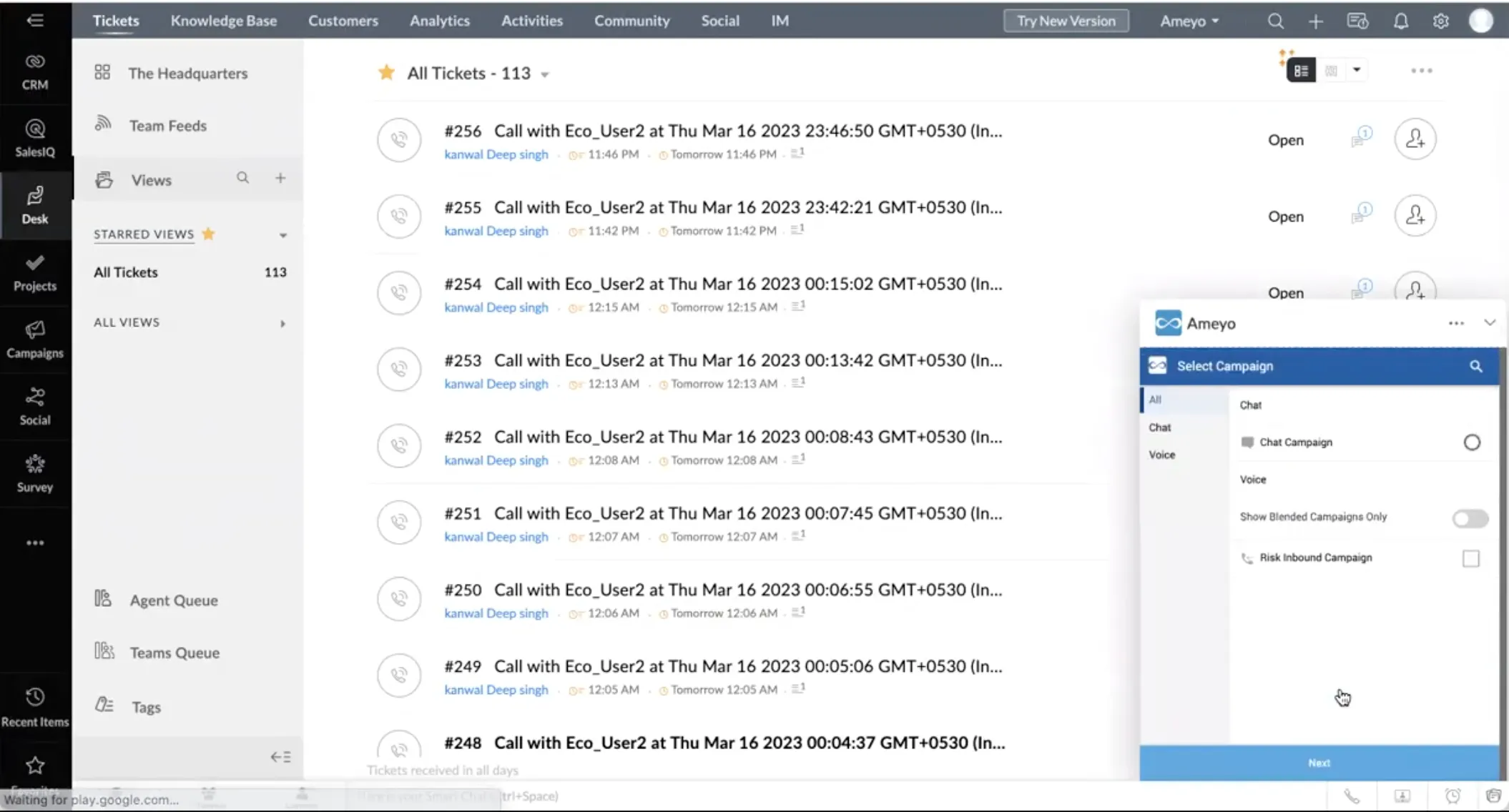
Once logged in, you will be prompted to select a Campaign. Choose the appropriate campaign you will be working under to proceed to the main interface.
2.3 Prerequisites
- WebRTC : The telephony panel operates on WebRTC technology. This is a browser-based calling system, meaning agents do not require physical mobile or landline phones.
- Phone as Extension : The toolbar also provides option to choose your phone number as an agent extension
3. Managing Agent Status
3.1 Availability
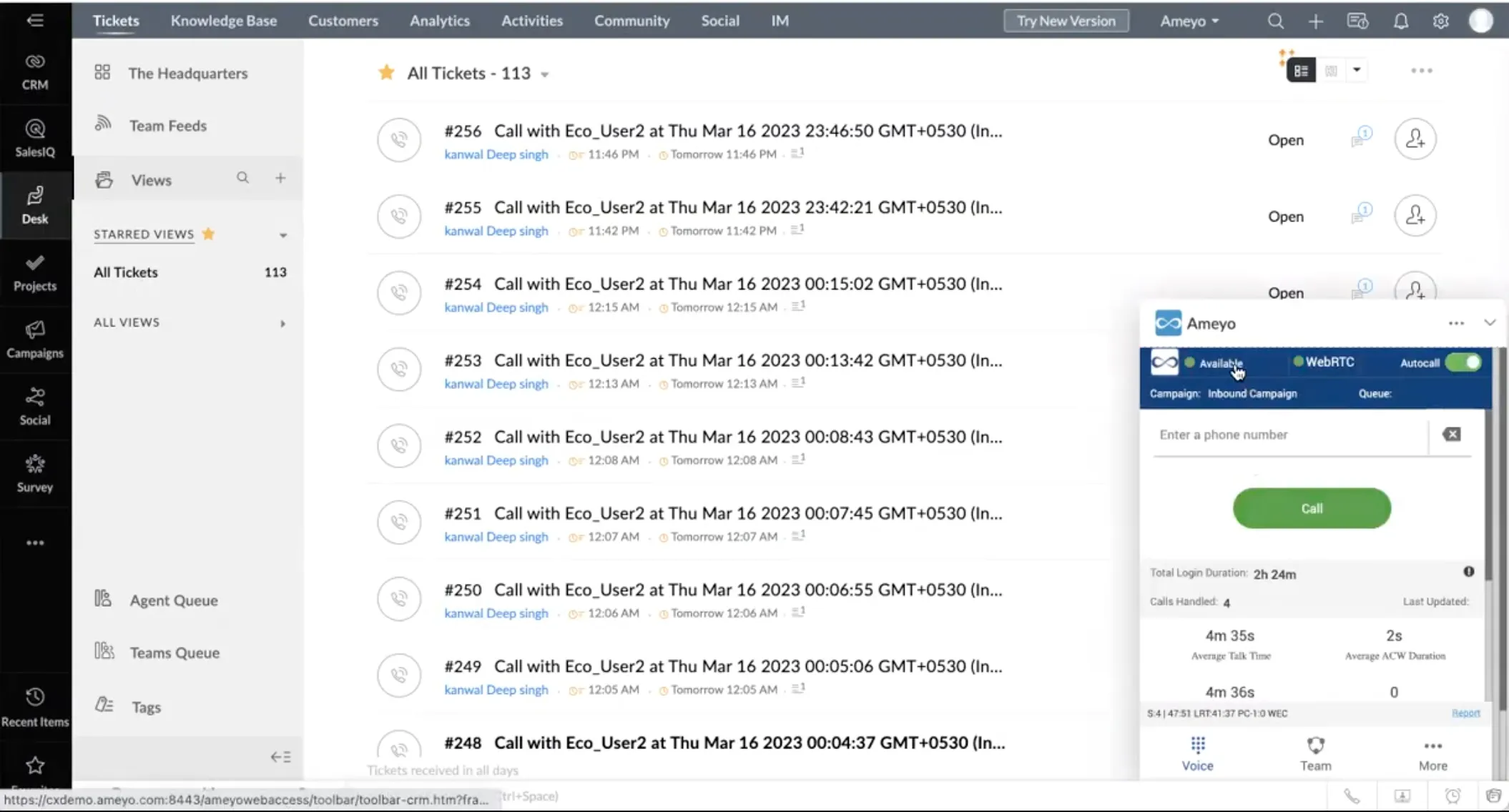
Upon a successful login, the agent's status should be marked as "Available" to receive calls.
3.2 Break Options
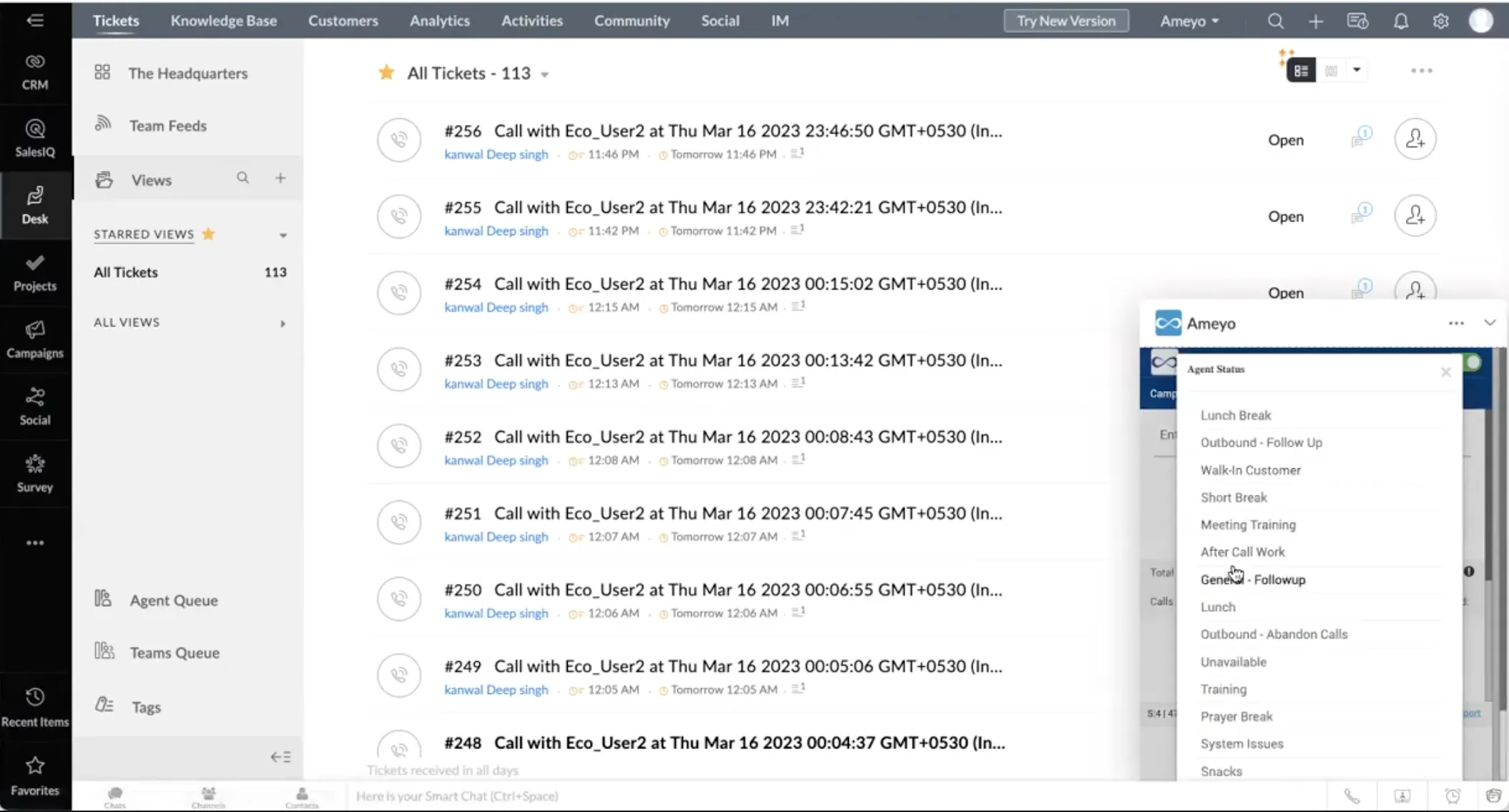
If you need to step away, you can select from a list of configurable Break Options within the panel to pause call distribution.
3.3 Auto Call Toggle
The panel features an "Auto Call" button. This acts as a toggle switch:
- On: You are ready to receive incoming customer calls or calls initiated by the automated dialer.
- Off: You can toggle this off to stop receiving calls if you need to focus on backend work or administrative tasks.
4. Call Management
4.1 Outbound Calling
- Click-to-Call: To initiate an outbound call, simply click on a customer's phone number displayed within the Zoho Desk interface.
- CTI Pop-up: Once the call is initiated, a CTI (Computer Telephony Integration) pop-up will appear, displaying relevant customer data to assist you during the conversation.
4.2 Inbound Calling
- IVR Navigation: Customers initiating inbound calls will navigate through a customizable IVR (Interactive Voice Response) journey before reaching an agent.
- Call Arrival: When the call lands on your extension, a CTI pop-up will appear showcasing customer-related data.
- History: You can view past interaction logs associated with that specific customer.
4.3 Call Controls
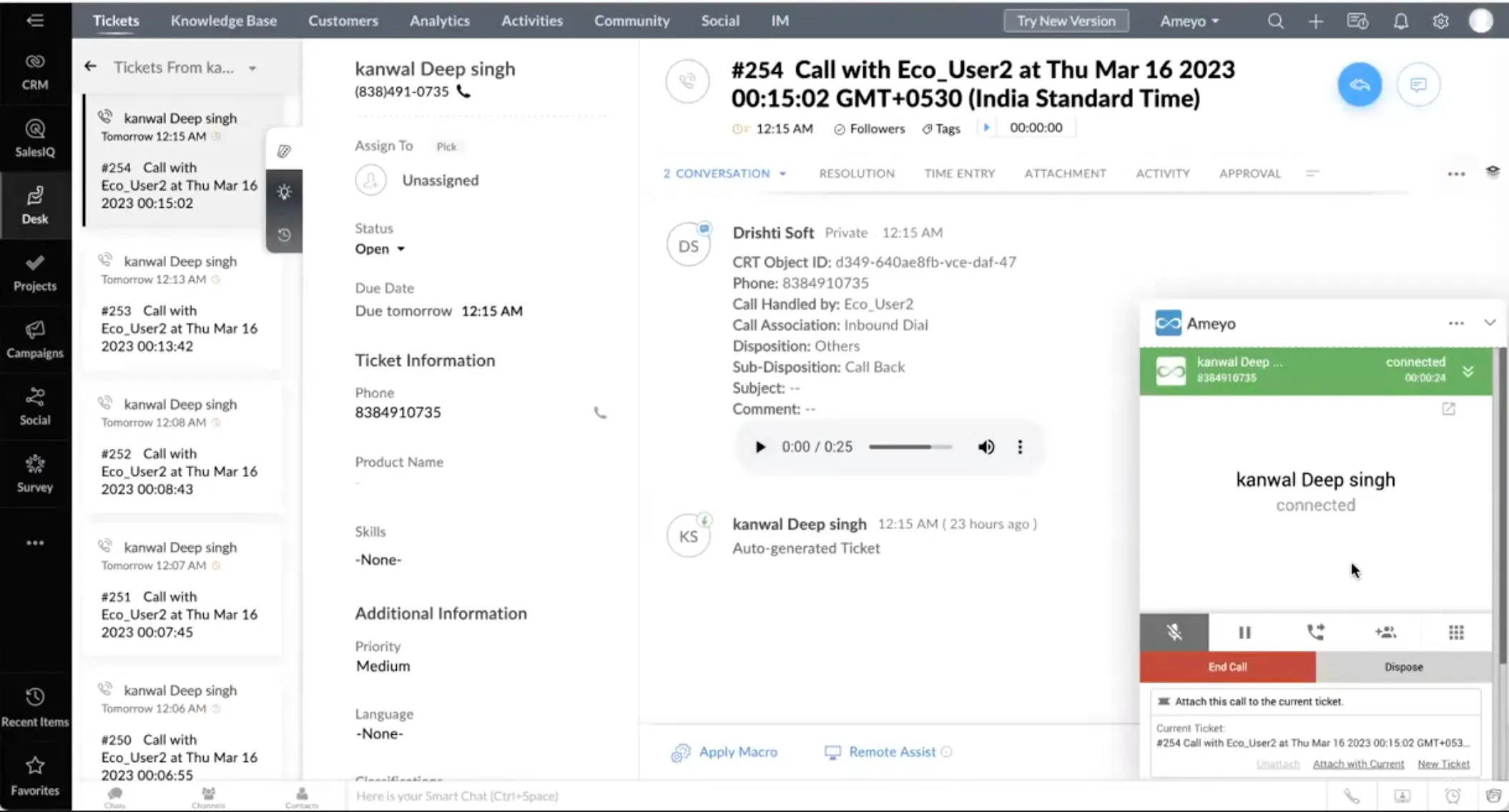
During an active call (inbound or outbound), the telephony panel provides a suite of standard controls:
- Hold: Pause the conversation.
- Mute: Mute your microphone.
- Conference: Add others to the call. You can invite a colleague or supervisor to join, or include a third party.
- Transfer: Transfer the active call to another colleague, a supervisor, or an external third-party number.
5. Call Completion & Follow-up
5.1 Call Disposition
To end a call, you must select a Disposition. This indicates the final outcome of the interaction (e.g., "Sale Made," "Issue Resolved," "Callback Required"). All disposition codes are configurable based on business requirements.
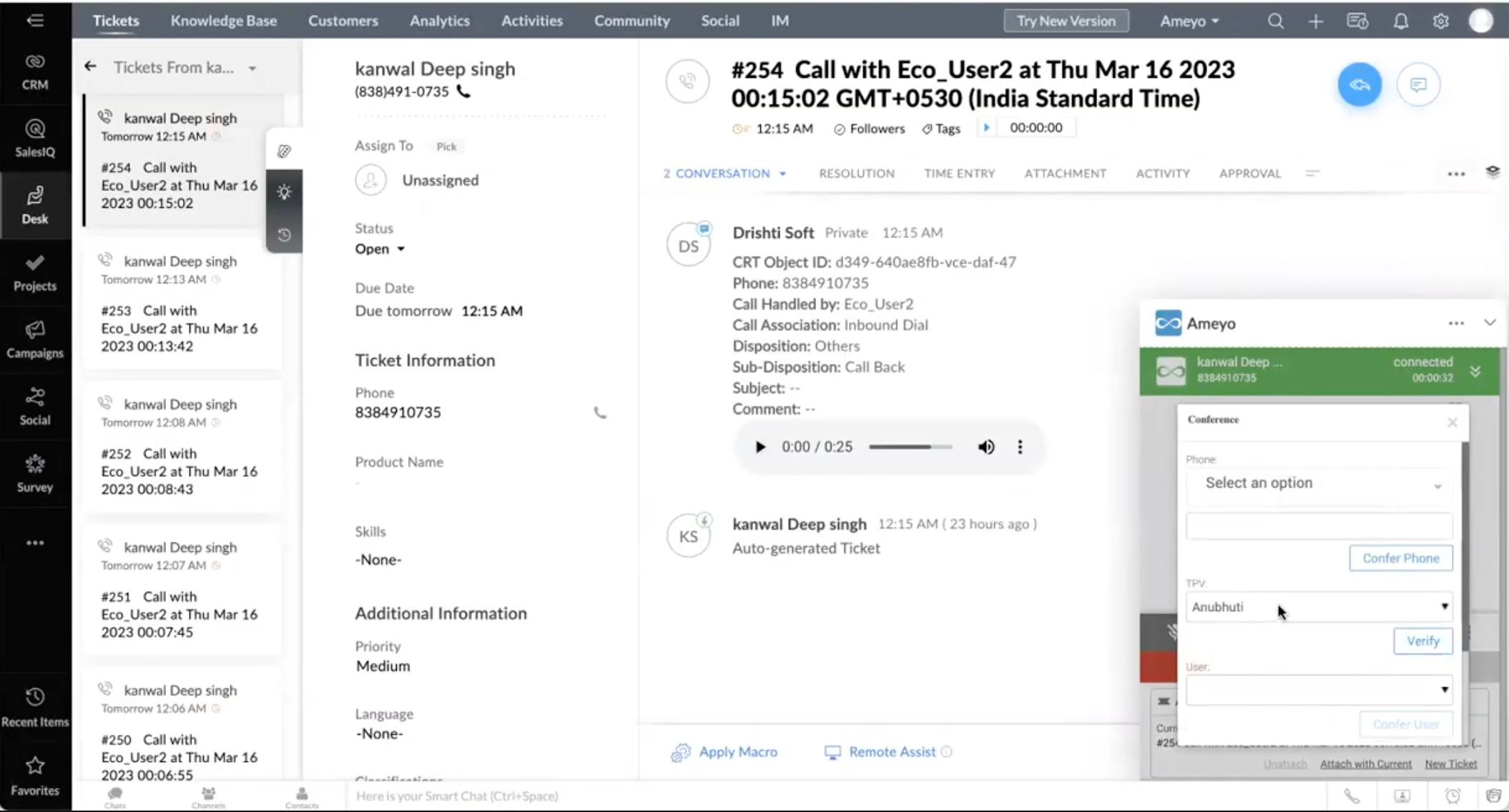
5.2 Post-Call Data (Post Dumping)
Once a call is completed and disposed, call details are pushed back ("dumped") into Zoho Desk automatically. This record includes:
- Customer's phone number
- Name of the agent who handled the call
- Call type
- Selected disposition
- Complete voice recording of the interaction
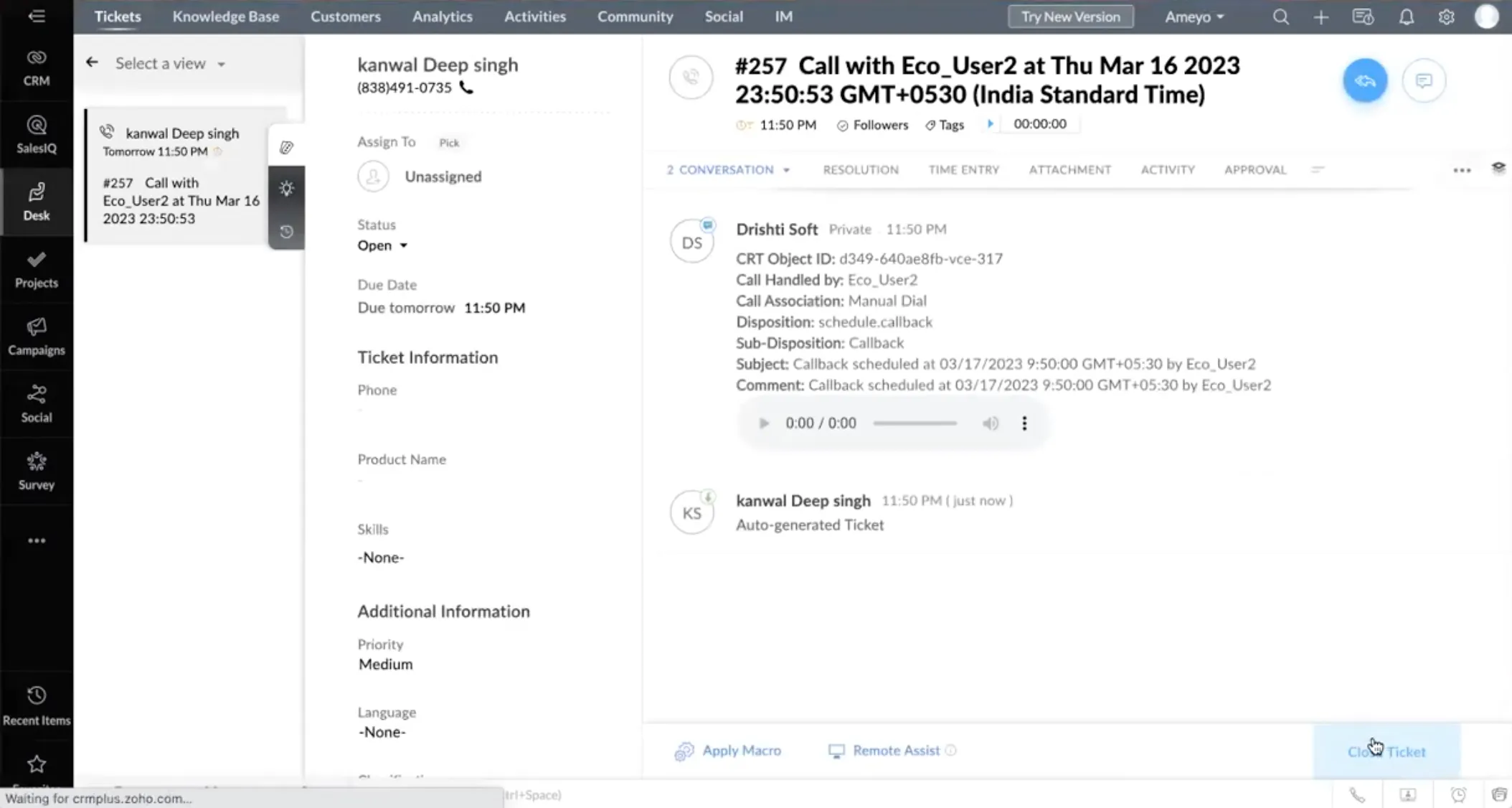
If a follow-up is required, agents can schedule a callback based on the customer's availability.
- Self-Callback: If you select this option, the system will initiate the callback specifically from your interface at the scheduled date and time.
- General Callback: If you do not select "self-callback," the system will initiate the call for any agent available in that campaign at the scheduled time.
Note: After saving the disposition (and callback if applicable), you become available to handle the next customer.
6. Collaboration & Analytics
6.1 Team Chat
The "Team" tab allows for internal chat communication. Agents can use this to message colleagues or supervisors for real-time support or suggestions without interrupting the workflow.
6.2 Agent Statistics
Agents have access to a personal dashboard viewing their performance metrics, including:
- Total login duration
- Number of calls handled
- Average talk time
- Average after-call activity duration
- Average handling time
- Average hold duration
- Callback statistics
- Break count and total break duration