Voicemail (Licensable)
In the Inbound Campaign, Voicemail are those Voice Messages which are left by the Customers when they were not connected to the agents because of any reason. "Voicemail" Tab lets the Supervisor fetch and listen to these Voicemails as per user, queue, or campaign.
This feature is licensable, hence ask your administrator for further information on the same. Voicemails should be configured by the Administrator first at System-level and then at queue-level.
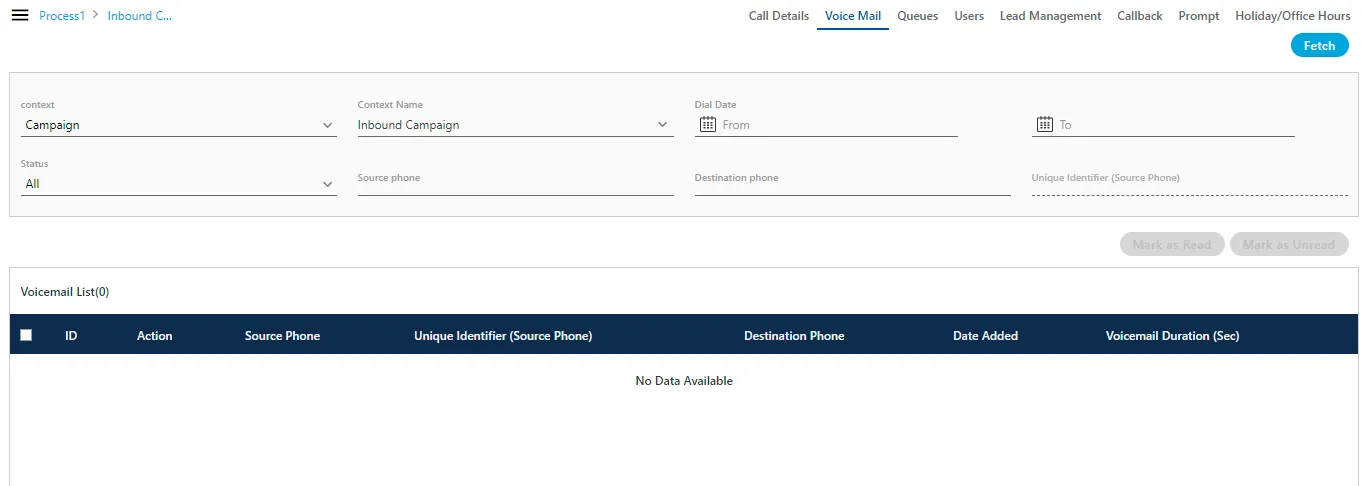
Perform the following steps to fetch the voicemails.
- In "Context" drop-down menu select any of the following values. "Context Name" drop-down menu populates the values as per the value selected in "Context" drop-down.
- User: Select it to fetch the voicemails related to a selected user. After selecting it, "Context Name" drop-down menu lists all users assigned to the campaign. Select the required user.
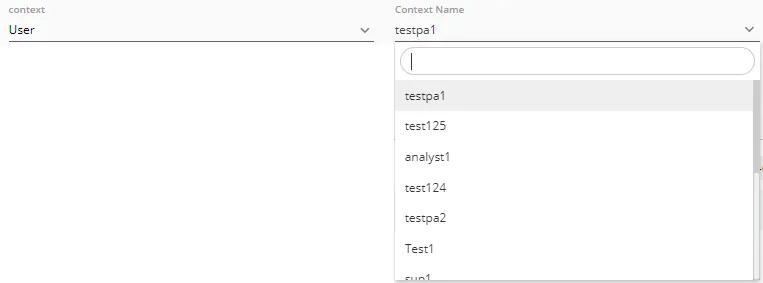
- Queue: Select it to fetch the voicemails for a queue. After selecting it, "Context Name" drop-down menu lists all queues of this campaign. Select the required queue.

- Campaign: Select it to fetch the voicemails for this campaign. After selecting it, "Context Name" drop-down menu lists the name of current campaign only.

- In "Status" drop-down menu, select any of the following options.
- All: Select it to fetch all voicemails whether they have been read or unread.
- Read: Select it to fetch only read voicemails.
- Unread: Select it to fetch only unread voicemails.
- Dial Date (Optional): Select it to fetch the voicemails recorded in the system between the duration of provided "From" and "To" dates. After selecting it, perform the following steps.
- Click "From" text field and select a date from the calendar.
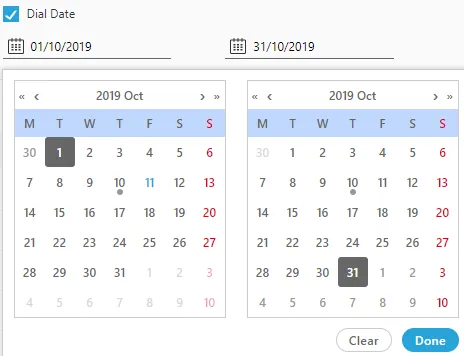
- Click "To" text field and select a date from the calendar.
- Source Phone (Optional): Enter the source phone number to fetch the voicemails generated from the provided source phone number only.
- Destination Phone (Optional): Enter the destination phone number to fetch the voicemails at the provided destination phone number only.
- Click "Fetch" button to fetch the voicemails.
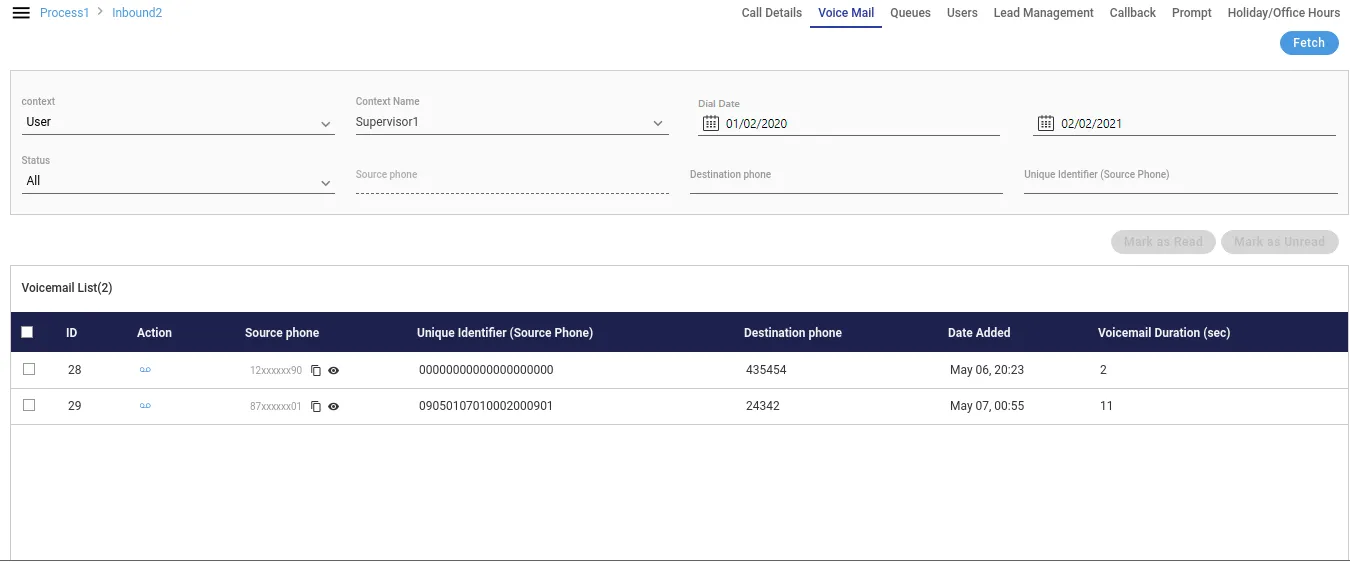
Fetched list of voicemails contains the following column information.
- ID: It shows the ID of the fetched voicemails. Each voicemail has a unique ID generated by Ameyo itself.
- Action: From the Actions column of the voicemail, the supervisor can listen to the voicemails. Click
 icon to listen the voicelog. A pop-up is arised.

The supervisor can download the voicemails as well. Click the download button and the downloading pop-up comes up.
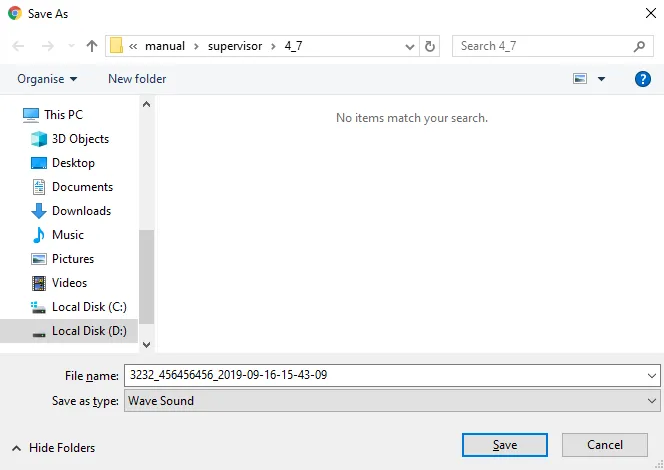
Click "Save" button to save the voicemail, else click "Cancel" button to cancel the downloading of the voicemail.
- Unique Identifier: It shows the unique identifier of the call, if the number masking is enabled. If number masking is not enabled, then it will be shown as blank.
- Source Phone: It shows the source phone number through which the call has been dialed.
- Destination Phone: It shows the destination phone number on which the call has been received at the customer side.
- Date Added: It shows the date and time on which the voicemail has been created.
- Voicemail Duration: It shows the total duration (in seconds) of the voicemail.
The supervisor can perform the following operations on the fetched list of the voicemails.
- Mark as Read: Select the voicemail and click "Mark as Read" button to mark the selected voicemail as read.
- Mark as Unread: Select the voicemail and click "Mark as Unread" button to mark the selected voicemail as unread.
- Delete: Select the voicemail which you want to delete. A confirmation pop-up arised. Click "Yes" button to delete the voicemail permanently, else click "No".

Note: The deleted voicemail can not be retrieved from in any manner.