VoiceMail
Overview
Voicemail is a feature that stores Voice Messages left by Customers when their call is not connected to an agent for any reason. This feature is licensable and can be configured at both the Campaign-level , Queue-level and User-level.
How it works (Administrator Configuration)
The Administrator manages the global recording and notification settings for voicemails.
System-Level Configuration
The Voicemail tab in the System Configuration menu controls global settings.
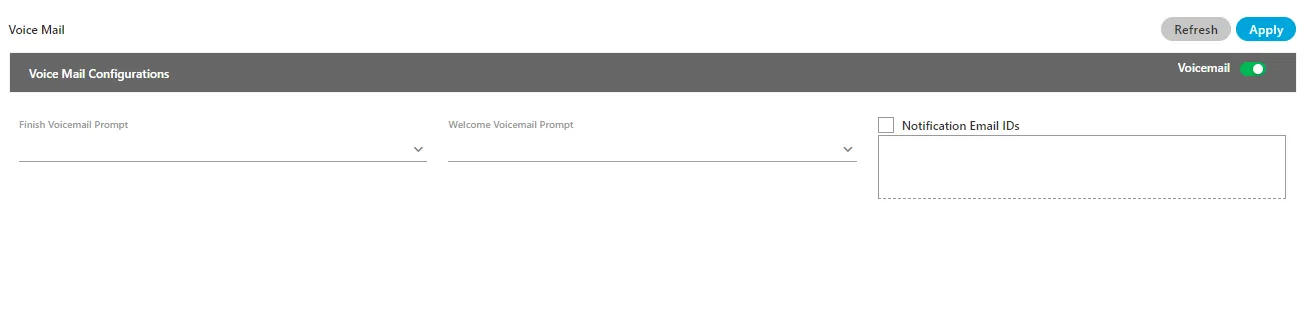
- Voicemail Toggle: Must be enabled by sliding the bar to the right for voicemails to be recorded across the system.
- Notification Email IDs: Check this box and enter multiple Gmail domain email addresses (separated by commas) to receive voicemail notifications.
- Welcome Voicemail Prompt: Select the prompt that plays at the start of the voicemail recording.
- Finish Voicemail Prompt: Select the prompt that plays at the end of the voicemail recording.
How it works (Supervisor Persona)
The Supervisor is the primary user who can fetch, listen to, and manage voicemails.
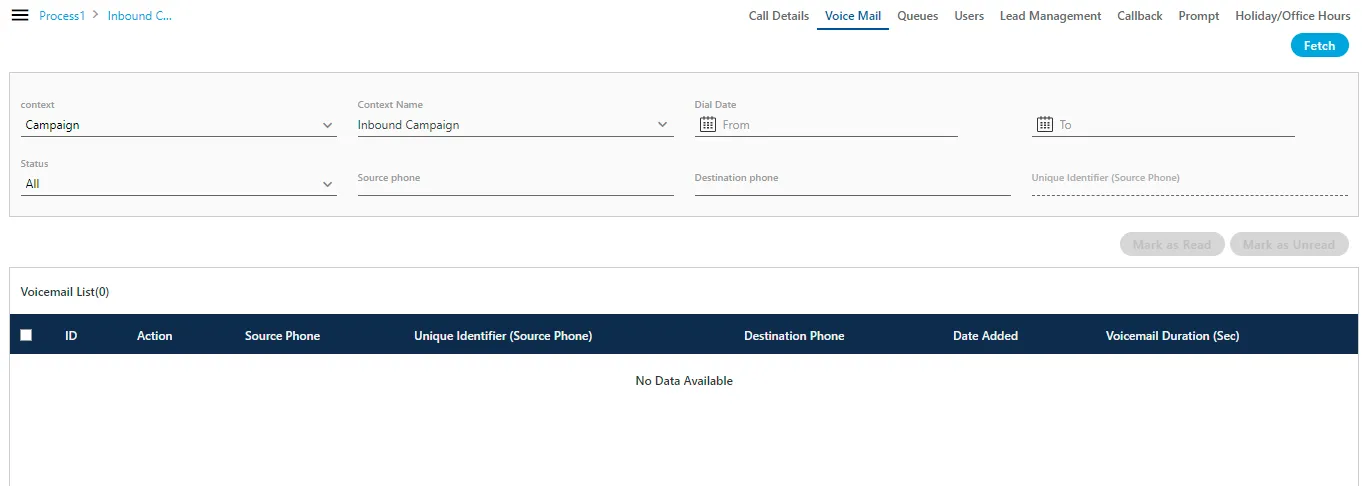
Access and Filtering
- Navigate to the Manage tab for an Inbound Campaign.
- Select the Voicemail tab.
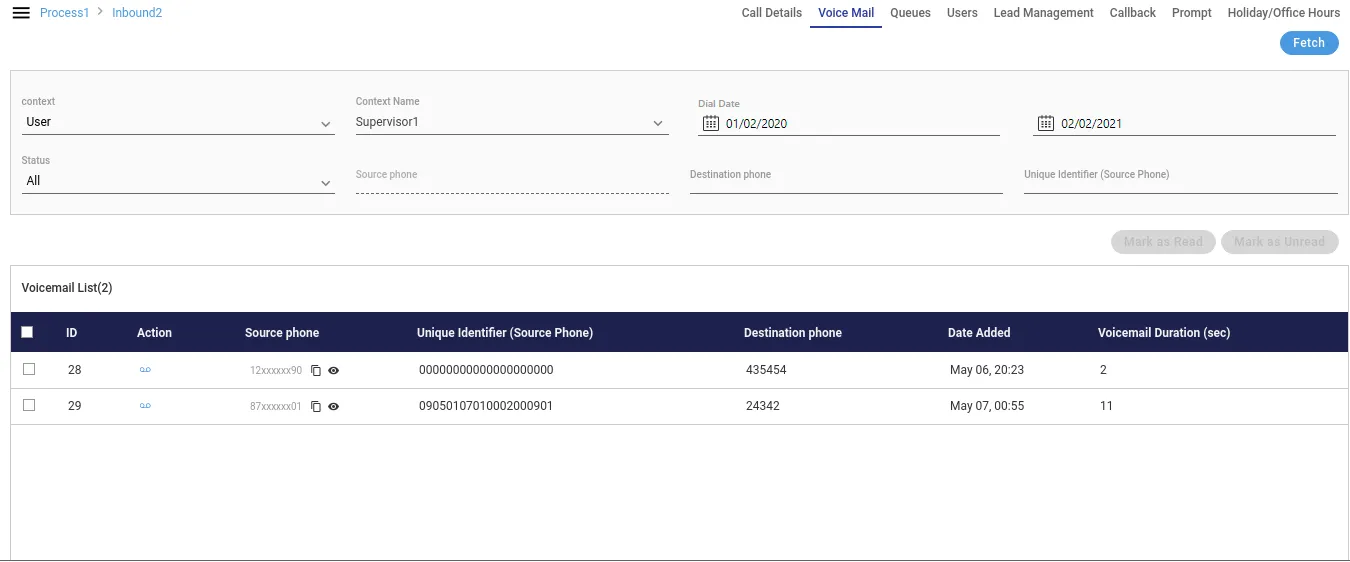
- Fetch Voicemails by selecting a filter Context from the dropdown:
- User: Fetches voicemails related to a selected user assigned to the campaign.
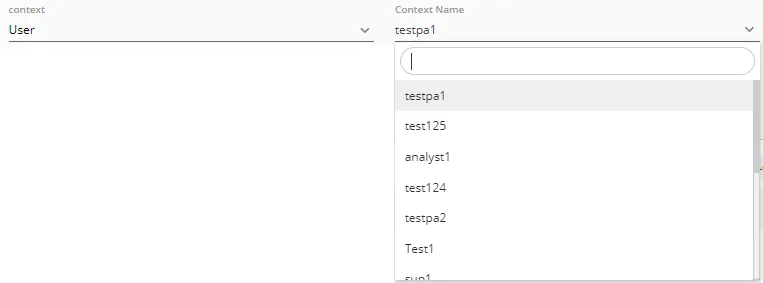
- Queue: Fetches voicemails for a selected queue within the campaign.

- Campaign: Fetches voicemails for the current campaign.

- Select the Status to fetch: All, Read, or Unread voicemails.
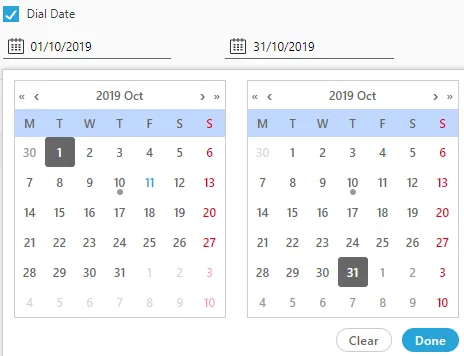
- Optionally, filter by Dial Date, Source Phone number, or Destination Phone number.
- Click Fetch to retrieve the list of voicemails.
Voicemail Operations
The fetched list contains columns for ID, Action, Source Phone, Destination Phone, Voicemail Duration, and Date Added.
Operation | Action |
|---|---|
Listen | Click the listen icon (D) in the Action column. |
Download | Click the download button within the listen pop-up. |
Mark as Read | Select a voicemail and click the Mark as Read button. |
Mark as Unread | Select a voicemail and click the Mark as Unread button. |
Delete | Select a voicemail and click the Delete button. A confirmation is required, and deleted voicemails cannot be retrieved. |
Queue-Level Configuration
In the Queue Management settings of an Inbound Campaign, the Administrator can configure voicemail for individual queues.
- Voicemail Toggle: An individual toggle switch allows the Administrator to enable or disable voicemail recording for that specific queue.
- Notification Email IDs: The Administrator can check a box to send voicemail notifications to the specified email IDs.
- Welcome/Finish Prompts: Specific welcome and finish prompts can be selected for this queue.
Prerequisites
- The Voicemail License must be procured for the contact center.
- The feature must be enabled by the Administrator at the System-level.
- The feature must be configured and enabled at the target Queue-level within the Inbound Campaign settings.
- The appropriate Welcome and Finish prompts must be uploaded and selected.
Benefits
- Reduced Missed Opportunities: Ensures that messages from customers who could not connect with an agent are captured, preserving leads or critical inquiries.
- Supervisor Control: Provides a dedicated interface for Supervisors to efficiently manage, listen to, and delete voicemails by user, queue, or campaign.
- Notification and Alerting: Notifications can be configured via email, ensuring key personnel are instantly alerted when a customer leaves a message.
Use Cases
- Post-Hours Inquiry Capture: A customer calls after office hours or during a holiday and is routed to voicemail, ensuring the message is recorded and can be addressed by an agent during the next shift.
- Agent Unavailability: All agents in the queue are busy, and the call exceeds the maximum waiting time. The system routes the call to voicemail to prevent a total call abandonment.
- Quality Review: A Supervisor uses the Voicemail tab and the Listen function to review messages for training purposes or to flag urgent customer issues for immediate follow-up.