Administrator Login
Overview
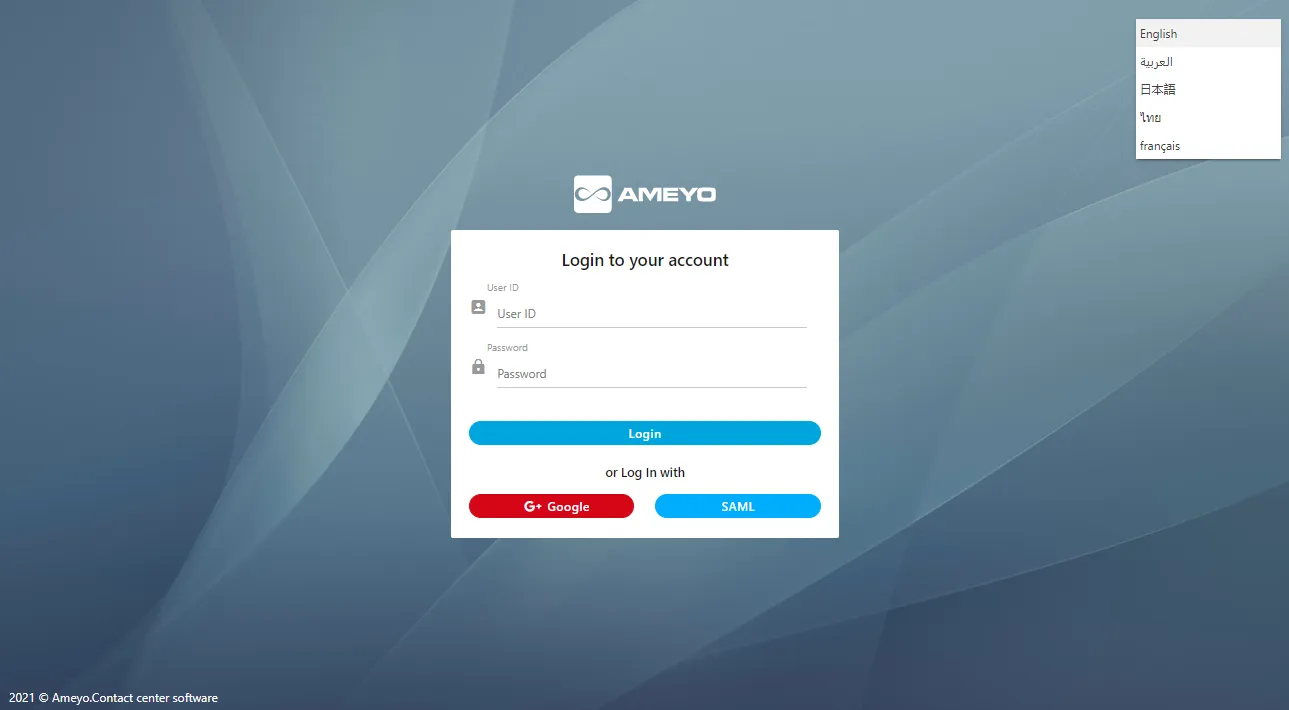
The Administrator has an access to web based interface with privilege to manage a single tenant, its campaigns, users, call managers etc. In order to access the administrator screen, user needs to select the desired language from the drop down provided at top right corner of the screen and login credentials to login to the Ameyo.
Ameyo Administrator Login
The Administrator has an access to web based interface with privilege to manage a single tenant, its campaigns, users, call managers etc. In order to access the administrator screen, user needs to select the desired language from the drop down provided at top right corner of the screen and login credentials to login to the Ameyo.
User Login & Single Sign-On (SSO)Login Methods
You can log in using one of the following methods:
- Normal Login: Enter your assigned User ID and Password and click Login.
- Login with SAML (Licensable): Click SAML to log in using the Security Assertion Markup Language (SAML) framework. This method allows for secure single sign-on by exchanging authentication information with a third-party Identity Provider (IDP).
SAML authentication is supported on Ameyo public cloud with a limitation of 800-900 consecutive logins at a time. OAuth authentication on cloud can be used for 10,000 consecutive logins at a time.
- Login with Google (Licensable): Click G- Google to log in using your G Suite (Google Business) account.
Language Selection
Before logging in, you can select your preferred language from the drop-down menu at the top-right corner of the screen. By default, the language is set to English. Available languages include English, French, Thai, Arabic, Japanese, Turkish, and Deutsch.
After the Administrator logins successfully, "System" tab is displayed in the browser.
✅ Summary
Feature | Description |
|---|---|
Normal Login | Log in using standard Ameyo credentials. |
SAML Login | Enterprise SSO using Identity Provider (e.g., ADFS). |
Google Login | SSO using a Google account. |
Licensing | SAML and Google authentication must be licensed and configured. |