Call Manager
A call manager is a particular form of application server that manages the setup or connection of telephone calls. The call server will receive call setup request, determine the status of destination devices, check the authorization of users to originate and/or receive calls, and create and send the necessary messages to process the call requests.
Commands to Configure Call Manager
To use the Call Manager in Administrator Interface, you have to execute the following commands sequentially at the server operating system where Ameyo Server is installed.
psql -U postgres <Ameyo_Database_Name>
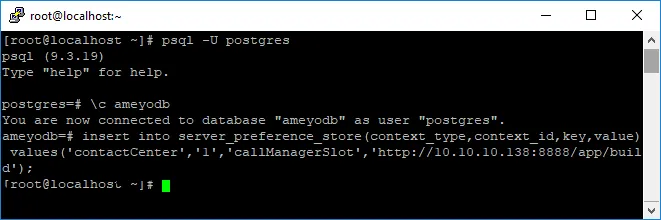
Now, go to "System" → "System Configuration" → "Settings" → "System Settings". Scroll down and click "Reload" button for "Reload Server Preference Store" to enable "Call Manager" tab on Administrator Console.
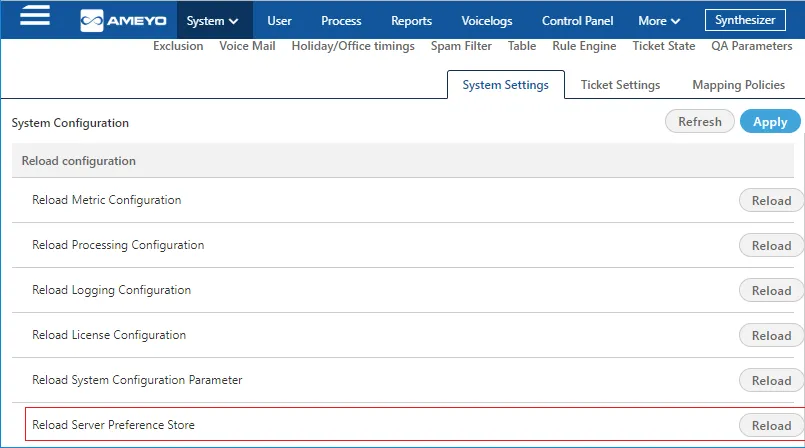
After reloading the Table, now re-login to Administrator Console to view Call Manager tab.
After relogin, go to More → Call Manager to view the Call Manager app. The following two sub-tabs are present here.
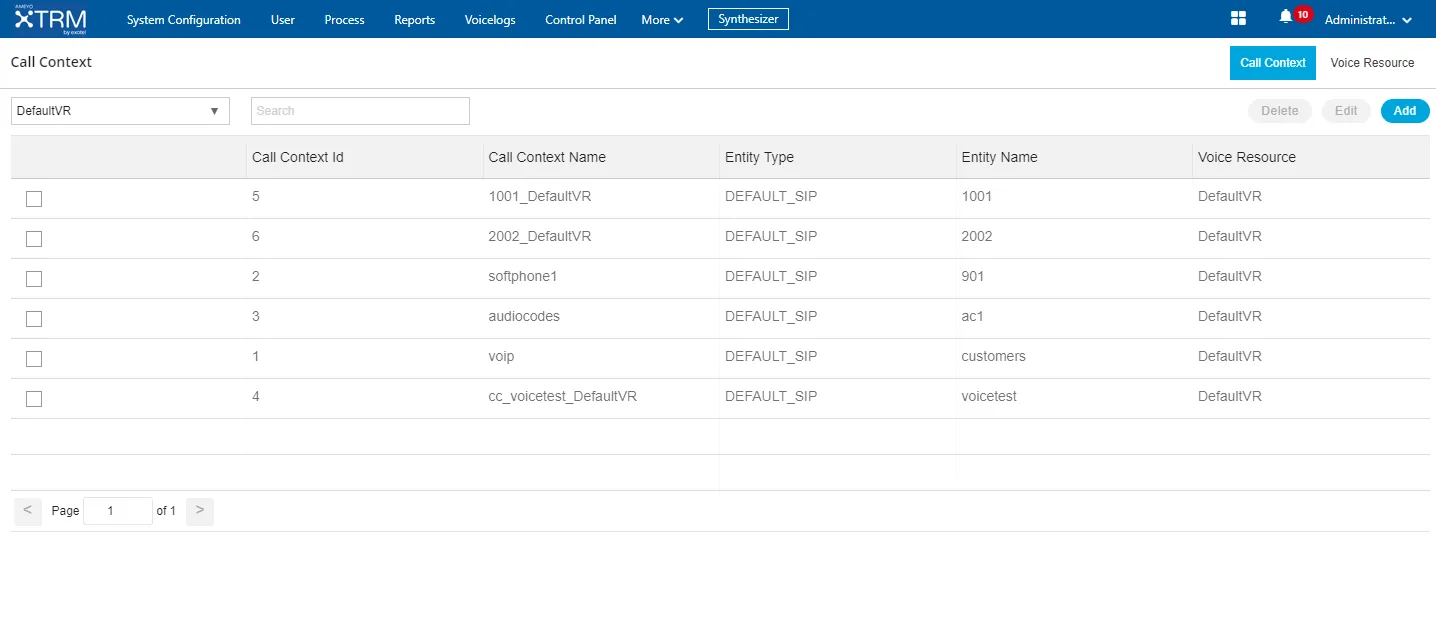
- Call Context TabCall Context Tab
- Voice Resource TabVoice Resource Tab
Disconnecting the Call when Voicelog Recording Fails
Businesses need Voicelogs for the following reasons:
- Quality and training purpose
- Compliance
- To respond to legal issues raised by consumers
- For legal pursuits in case the consumer has misbehaved or provided false information.
However, recording may encounter errors such as:
- Disk full
- Permission denied
- Codec errors including a bug or an unhandled packet
In case of recording failures, a notification is sent to the relevant users. But, the admin misses out on handling these cases and hence a loss of Voicelogs may occur. To prevent this loss, the Admin can prevent the call to continue in case of recording failures and the loss of Voicelogs can be prevented.
For manual dial, the ongoing calls are disconnected if there is an error in voicelogs recording, and further calls are prevented for some time so that the stakeholders can do the needful and resolve the issue. When an ongoing call is disconnected, the user is notified about the same. Notification is sent to the users and stakeholders, including supervisor and administrator. These notifications are of three types:
- Bell icon
- Toast notifications
- Desktop notification in case the user is not on the agent’s tab.
Once the error is fixed, the agent can perform manual dials. A consolidated notification is sent to stakeholders regarding the error that occurred during voicelog recording. By default, the consolidated message is sent after 10 failed calls. This unit is configurable.
In case of voicelog recording failure for inbound calls, the calls are disconnected and notification is sent to the users. The customer is also notified by playing a fixed message. This message is not configurable. The message does not require a specific configuration or prompt to be uploaded, and it works by default.
For auto dial, in case of multiple call failures, the auto dialer gets turned off and a notification is sent to the stakeholders informing the reason behind it. Wherever the issue is fixed, the auto dialer is turned on and a notification is sent to the stakeholders.
In the DB, the calls failing due the error in voicelog recording can be tracked in the call history table. hangup_details field has been introduced for vocielogs recording failures.
If the flag, isRecordingNeeded, is set as true and the voice resource recording state is down due to some error in voicelog recording, then the user can not initiate or receive any further calls. If the flag is false and the voice resource recording state is down due to some error in voicelog recording, the agent can initiate outbound calls and all other types of calls will also work fine.
The following are the recording states:
- Voice Resource
- Call Context
- Failover Policy Call Context
These states are available initially. After the monitor status event failure, these recording states are made unavailable. Once the timer job runs successfully or the voice resource is reloaded, these recording states are made available again.