Queue Monitoring in Inbound Campaign
This dashboard provides Supervisors with a granular, real-time view of the workforce (Agents) and the current call traffic (Customers). It allows for active management of ongoing calls, monitoring of agent states, and immediate intervention when necessary.
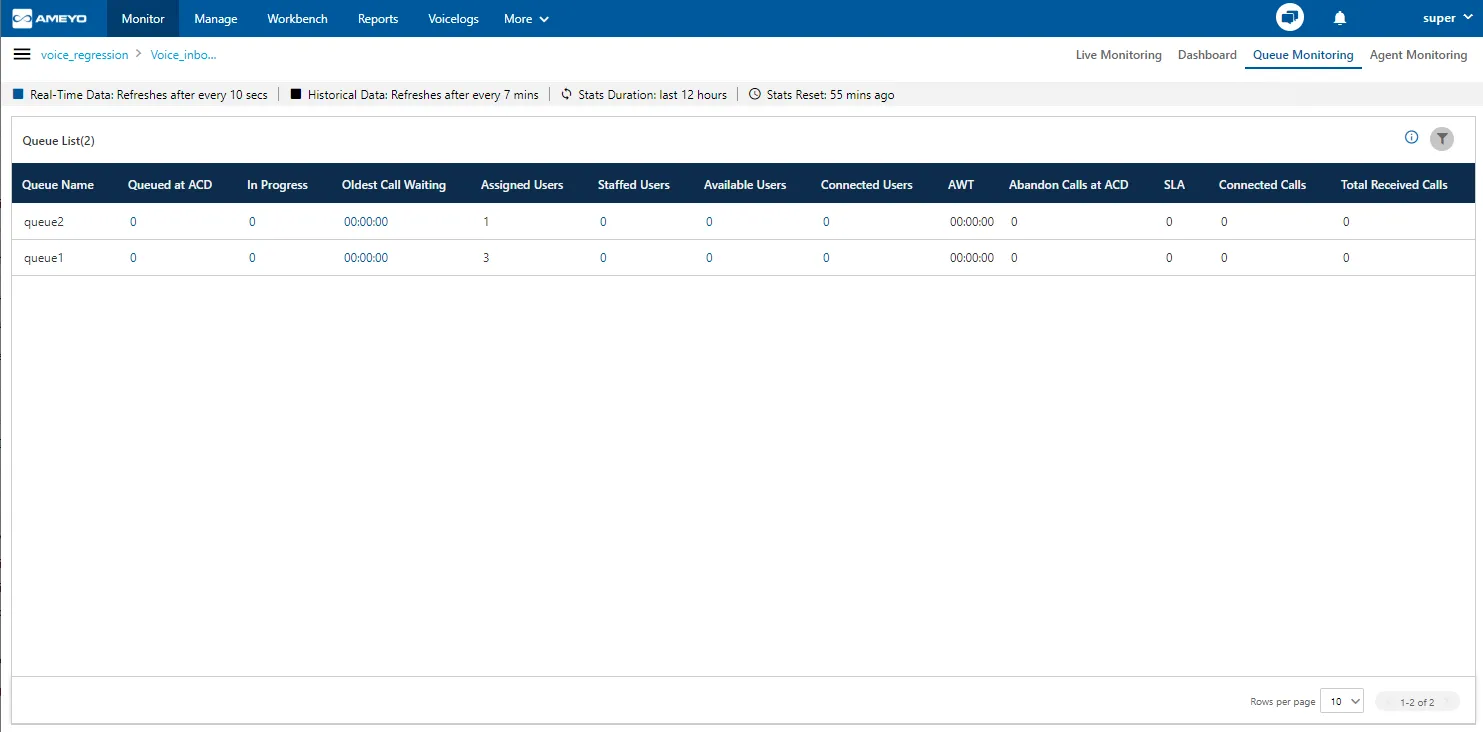
Data Collection Indications
On the top, a horizontal bar shows the indications of different data collection intervals.

- Real-Time Data: The Data Metrics, whose data is refreshed after 5 seconds, then it will be indicated with the border of blueish color.
- Historical Data: The Data Metrics, whose data is refreshed after every 5 minutes, then it will be indicated with the border of black color.
- Stats Duration: It informs about the time interval for which the statistics are showing on the page. Here, the time interval selected is the 02 hours.
- Stats Reset: It informs the interval after which the statistics were reset last.
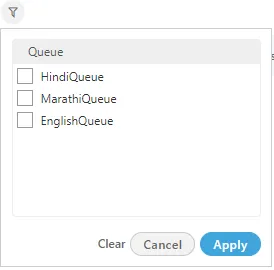
Filter
Supervisor can click  icon to filter the list of calls as per the selected queue.
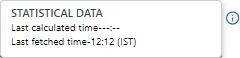
Additional Information
Hover the mouse over  icon to see the information on the data that is, Statistical data, Last calculated time and last fetched time.
Columns
It contains the following columns:
Real-Time Status Metrics
Data Refreshes: Every 5-10 seconds
Metric | Description |
|---|---|
Queue Name | Lists queues assigned to the campaign. Newly assigned queues appear within 10 seconds. |
Queued at ACD | Current number of calls waiting for distribution to an agent. |
In Progress | Total ongoing calls currently connected to agents (answered but not yet disposed). |
Oldest Call Waiting | The wait time of the longest-pending call currently in the queue (e.g., 10 minutes). |
User Availability Metrics
Data Refreshes: Every 5-10 seconds
Metric | Description |
|---|---|
Assigned Users | Total agents mapped to this queue (includes all states: Ready, Break, On Call, etc.). |
Staffed Users | Total agents currently logged in and assigned to this queue. |
Available Users | Count of extensions currently available to take a call. (Note: If an agent has two extensions, this counts as 2 available lines). |
Connected Users | Count of extensions currently engaged in a call. |
Cumulative Performance (Last 12 Hours)
Data Refreshes: Current data ~2.5 mins | Historical data ~32 mins
Metric | Description |
|---|---|
AWT (Avg Wait Time) | Average time calls waited in the queue before being connected.
|
Connected Calls | It is the count of calls that have been answered in the queue. If the call has been transferred to another queue in the same campaign, then it will be counted in Answered Calls only when the call has been completed. |
Total Received Calls | It shows the count of the total number of calls that has been closed with any disposition. It includes those calls also which are connected for the first time and those calls which have been dropped in the queue (that is not connected to any agent). |
Abandon Calls at ACD | Calls disconnected by the customer or system timeout while waiting for an agent. |
SLA % | SLA percentage is equal to the total connected calls within the threshold after reaching the Automatic Call Distribution (ACD) divided by the total number of received calls that reaches ACD.
SLA Calculation:
|



Definitions
Following are the definitions of metrics used in the above calculation.
- Threshold: The default threshold is 20 seconds but the administrator can change it in the Administrator Console.
- ACD: It is a standard term that means Automatic Call Distributor, which is a sophisticated system to answer and route inbound calls to the user-defined agents automatically. To know more about ACD, please check the respective feature Inbound Routing Strategies /Automatic Call Distributordocument
- Total Received Calls: It is the sum of Total Answered Calls (sum of all Inbound Calls and Transfer to Campaign calls), Total Abandon Calls at ACD, and Total Abandon at Ringing Calls.

- Total Answered Calls: It is the total number of calls answered by the Agents including both Inbound Calls and Transfer to Campaign calls.
- Total Abandon Calls at ACD: It is the total number of calls that are disconnected by the customer while waiting for the agent.
- Total Abandon Ringing Calls: It is the total number of calls that are disconnected when the phone of the agent (assigned to that call) is ringing.
Special Cases:
- Short calls (customer talk time <10 sec) are considered in Abandon calls at ACD as well in Connected calls.
- Cumulative wait time is considered in the campaign for re-ACD cases. For example, if the call is routed to different queue on timeout(when all the staffed agents are busy handling the calls), then the wait time calculated is the sum of the wait time of all the queues via which the call is routed.
It shows the data of last 12 hours. The Current Data on the User Interface will be updated in maximum 2 minutes 40 seconds, whereas the historical data will be updated in maximum 32 minutes 35 seconds.