WhatsApp Optimised Marketing Messages API
Marketing Messages API for WhatsApp (formerly MM Lite) is Meta’s next-generation solution for sending high-volume marketing templates. It utilizes Meta’s AI optimization engine to improve delivery rates and provides superior measurement tools to maximize the return on your marketing spend.
If your business relies on sending time-sensitive or promotional templates, the MM API offers significant advantages over the standard Cloud API delivery.
Key Benefits of Switching to MM API
The MM API provides exclusive features designed to improve message performance and deliver better business insights:
A. Automatic Delivery & Performance Boost
Feature | MM API Advantage |
|---|---|
Quality-Based Delivery | Uses Meta's machine learning to prioritize messages expected to have high engagement, leading to up to 9% higher deliveries compared to the standard Cloud API. |
Automatic Creative Optimization (Pilot) | Automatically enhances message visuals (e.g., image animation/filtering) to increase engagement. |
Time-to-Live (TTL) | Allows setting a custom validity period (12 hours to 30 days) so time-sensitive offers automatically expire if not delivered, enhancing customer experience. |
B. Advanced Measurement & Optimization
Insight | How MM API Helps You |
|---|---|
Performance Benchmarks | Compare your template's read and click rates against similar templates from businesses in your region. |
Tailored Recommendations | Receive evidence-based suggestions to improve the performance of underperforming templates. |
Web/App Conversion Metrics | Directly measure the impact of your marketing messages by tracking down-funnel events (e.g., Add to Cart, Purchase) on your website or app. |
Comparison: MM API vs. Cloud API
While both APIs use the same phone number and templates, their functions and capabilities differ significantly:
Feature/Metric | MM API (Supports Marketing) | Cloud API (Marketing) |
|---|---|---|
Delivery Logic | Quality-based optimization (improves high-engagement delivery). | Standard delivery; message quality does not factor into per-user limits. |
Conversion Tracking | Yes (Measures Purchase, Checkout, etc., on Web/App). | No |
Benchmarks & Guidance | Yes (Performance comparisons and recommendations). | No |
Template Media | GIFs and Basic Marketing formats supported. | Basic Marketing formats only (No GIF header). |
Message Validity (TTL) | Yes (Customizable 12 hours to 30 days for marketing messages). | Limited (Only for Auth/Utility messages). |
Getting Started with MM API
The MM API integrates seamlessly with the Cloud API and uses the same technical schema and billing model Please note that there are no integration changes because of accepting the MM Lite Terms and Conditions. We at Exotel will handle the required routings at our end so that your experience remains seamless and the same throughout
Requirements:
- You should have an active WABA and a connected WhatsApp Business Phone Number
- You must own the respective WABA in which you want to enable Marketing Messages service
Steps to onboard:
- As an admin user of your Business portfolio, log in into to the Meta Business Manager console through your Facebook ID
- Navigate to the Business Portfolio Section and retrieve the “Business Portfolio ID”
- Drop in an email to [email protected] or to your Account Manager with the Business Portfolio ID and the intent to onboard to MM Lite, and our team will initiate the invite to your Business
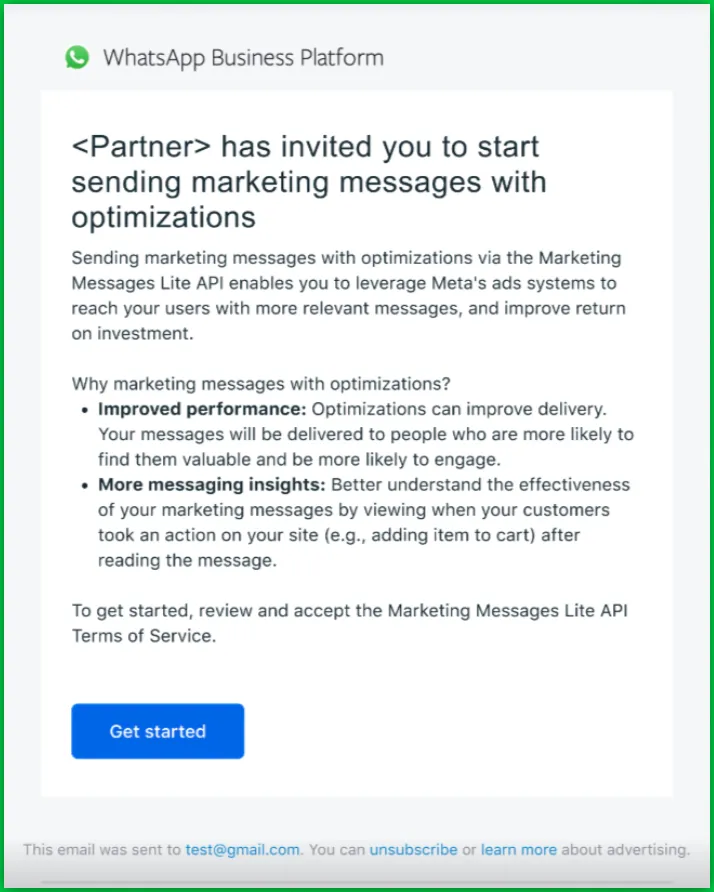
- Once the invite is confirmed from our team, please look out for an email from Meta Business to accept the MM Lite invite.
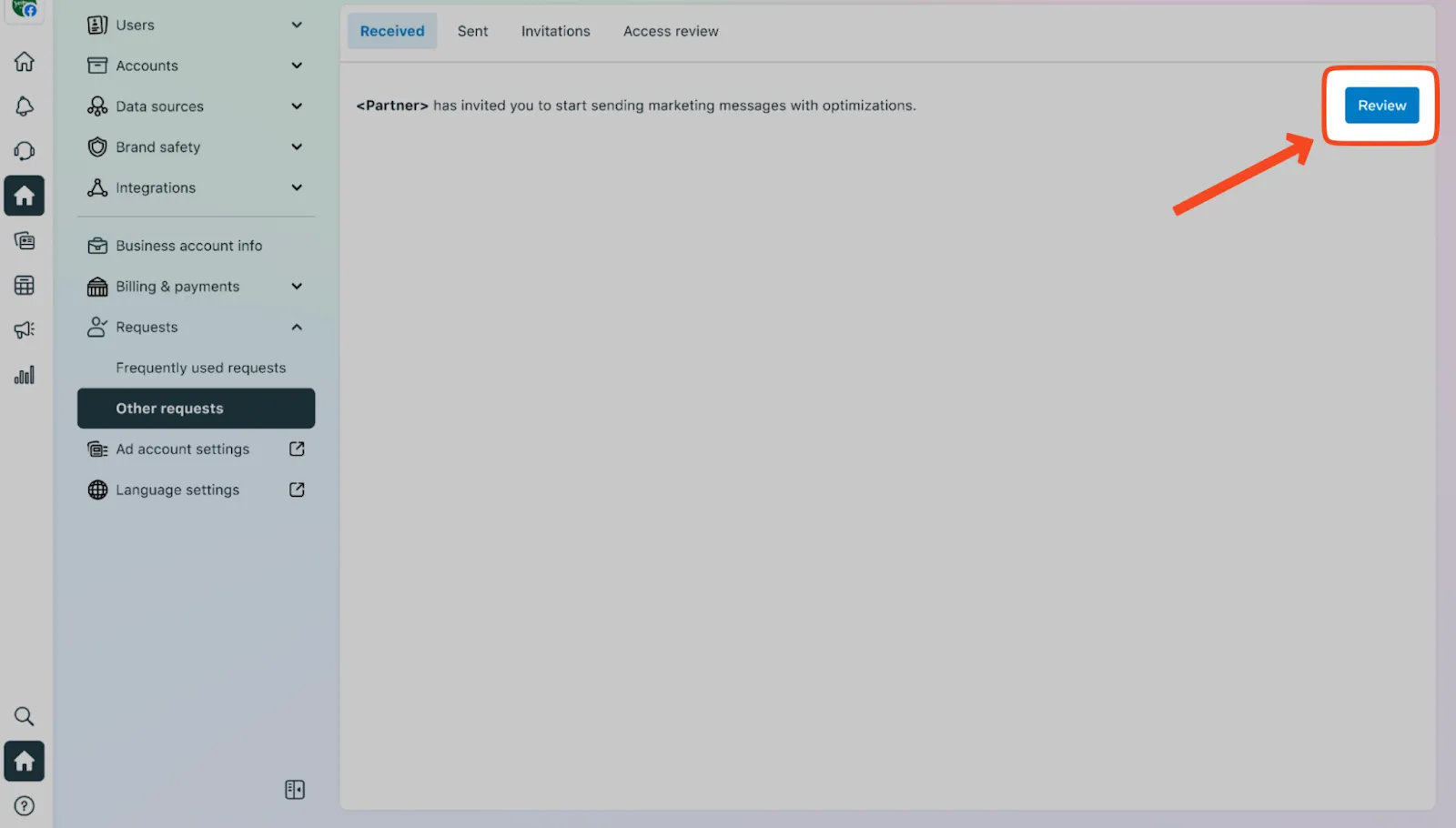
Alternatively, navigate to the “Request” section in your Meta Business Manager console to complete the onboarding process