Check Your Account and SMS Settings
3 min
Use this guide to check your Exotel account settings — including your Exotel SID — and to find your SMS settings in the dashboard.
Watch a short video
Exotel account settings
- Click the My account icon on the top right of your home page.

- Choose the Settings option on the sidebar.
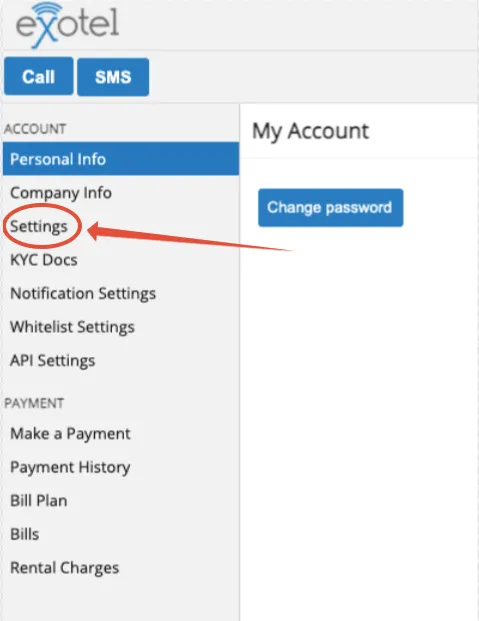
- Choose Exotel settings. You can see that your Exotel SID corresponds to your company name or account name registered with Exotel.
SMS settings
- In the sidebar of your home page, click the SMS Configurations option.
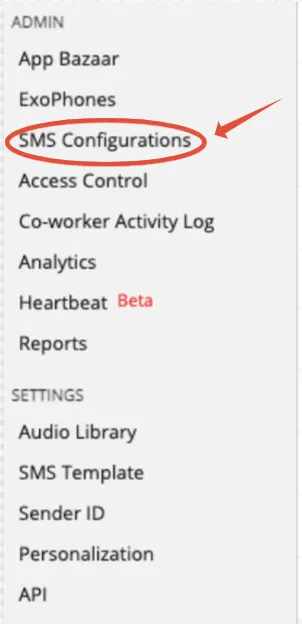
- You can customize your SMS template, SMS Sender ID, and SMS DLT entity ID. To use it, you will require approval from Exotel before you can use it.
Need help?
If you have any questions or concerns, connect with us using the chat widget on your Exotel Dashboard, or WhatsApp us on 08088919888.