Lock an agent so no one changes it by mistake
3 min
Once an agent is live and working well, you may want to stop anyone from changing it, for example during a big campaign or an audit. Freeze agent locks the agent. While it is frozen, no one can edit its configuration, prompts or settings, from the console or through the API. You can unfreeze it at any time.
Before you start
- Where it lives: Agents → open an agent → Freeze agent, at the top right.
- Calls keep running: freezing stops edits. It doesn't stop the agent from taking calls.
- You need a reason: every freeze and unfreeze asks for a reason, which is kept for your audit trail.
Freeze an agent
- Go to Agents and open the agent.
- Click Freeze agent at the top right.
- In Reason, type why you are freezing it, for example "Live for Diwali campaign, no changes until 15 Nov".
- Click Freeze agent.
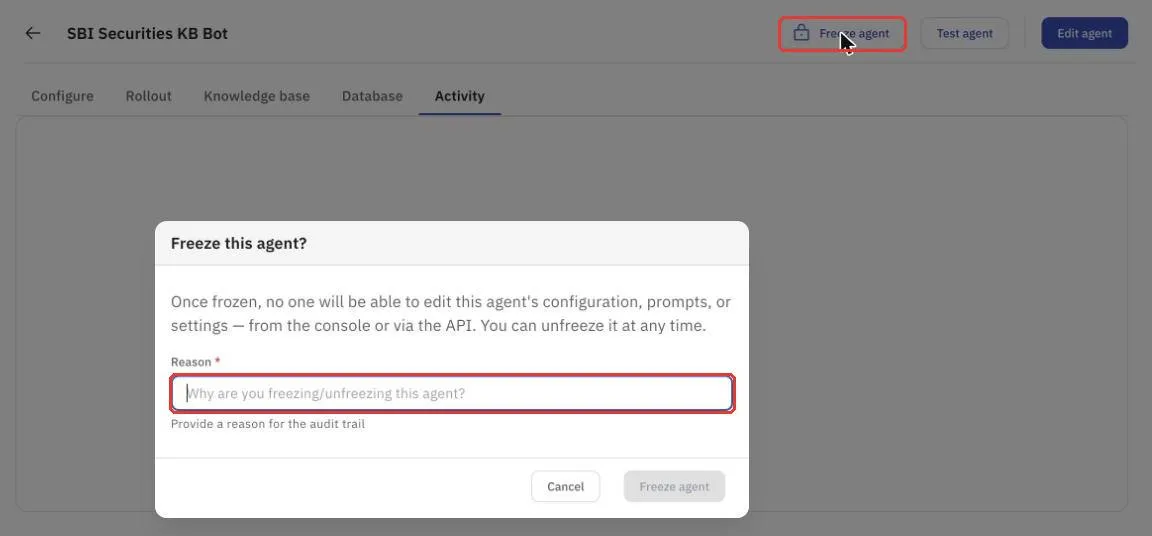
Figure 1 — Freeze the agent and give a reason.
Unfreeze an agent
- Open the agent.
- Click the button at the top right to unfreeze it.
- Type a reason and confirm.
You can now click Edit agent again.
See who changed what
Open the agent's Activity tab to see what has happened to the agent, such as freezes and unfreezes with their reasons. A new agent shows No activity yet.
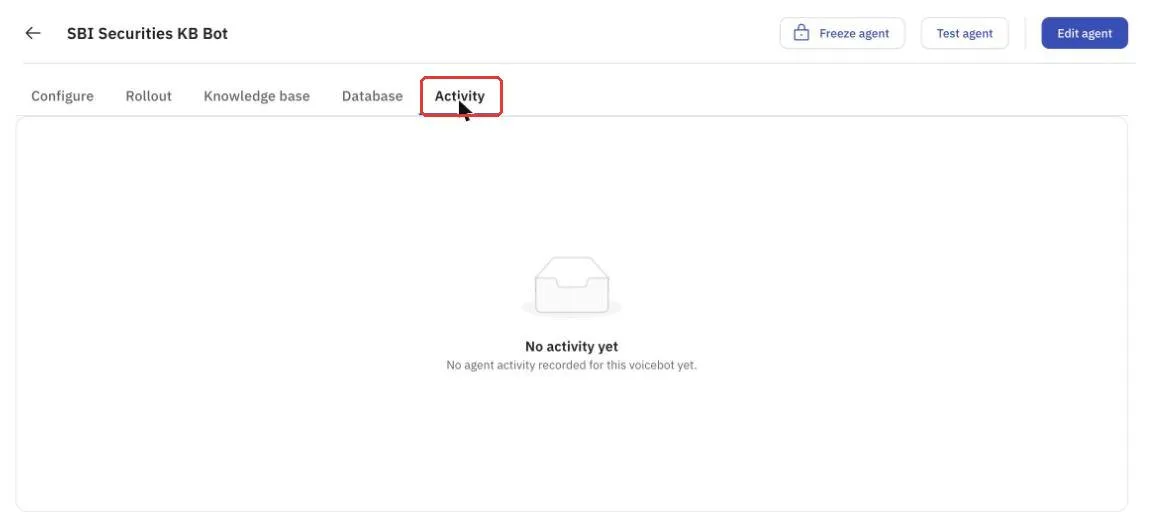
Figure 2 — The Activity tab on an agent.
FAQ
Does freezing stop calls? No. The agent keeps answering calls on its current versions.