Add a Co-worker
8 min
To add a co-worker to your Exotel account:
- Log in to your Exotel account.
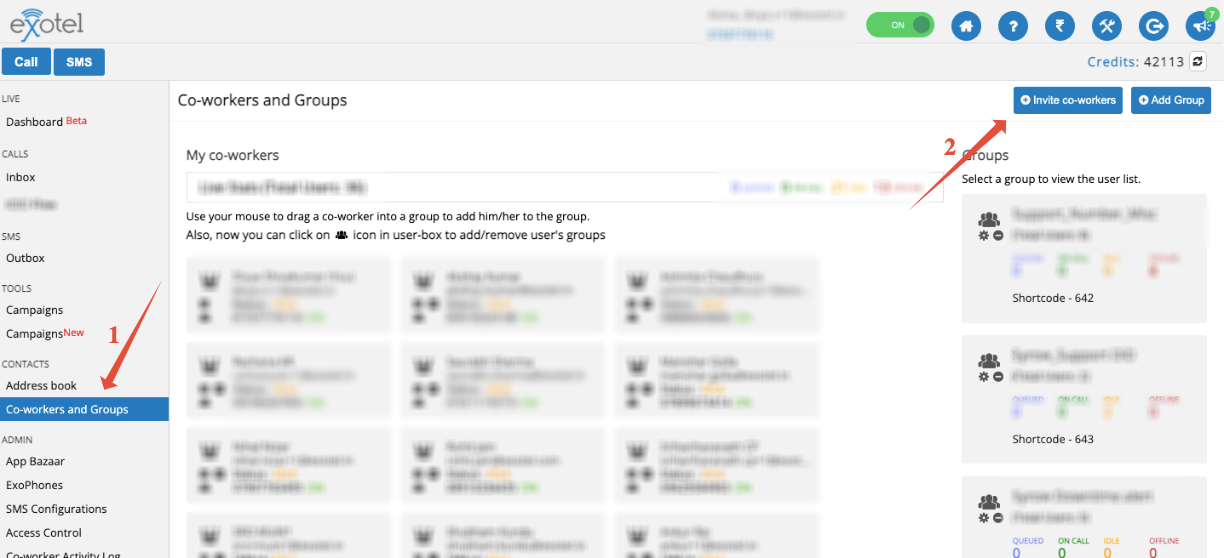
- Click Co-workers & Groups on the left panel.
- Click Invite Co-workers on the top-right corner.
Set Access Permissions
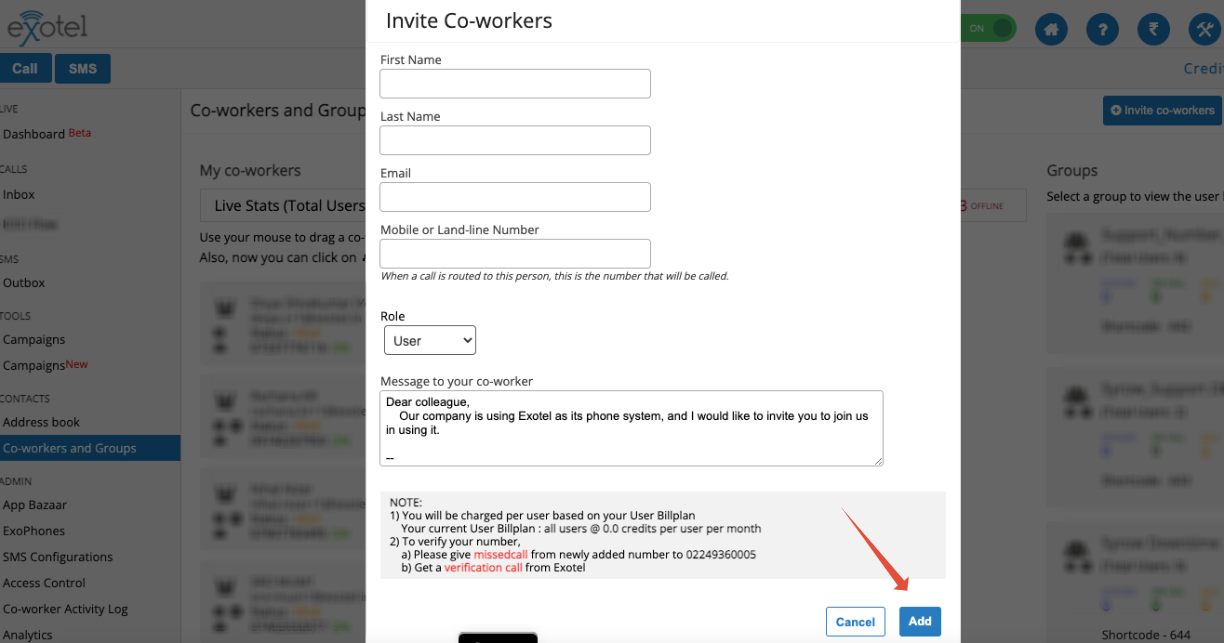
Choose the appropriate access level for each co-worker:
- User
- Supervisor
- Admin
For details on access rights, refer to the related article on User Roles and Permissions.
Verify the Co-worker’s Number
After adding a co-worker, they must verify their registered phone number to make and receive calls on Exotel.
To verify:
- Ask the agent to give a missed call from their registered phone to the number shown in the note.
- Once verified, the co-worker can start using Exotel for calls.
Password Generation
A generate password link is automatically sent to the co-worker’s registered email address.
Example:
If the original email ID is [email protected] and an alias is [email protected], the password link will be sent to the original address.
Co-worker Limit
The default maximum number of co-workers allowed per account is 50. To add more, please contact the Exotel Support team.
Watch a short video
Adding back a co-worker you deleted
Adding a co-worker who has no email address
Changing a co-worker's email address