Test New Business Logic Before Going Live
5 min
In many cases, you might want to improve your existing business logic. Once you've created the new business logic, you can test it before switching your callers over: route calls from a designated test number to the new flow, while every other caller continues through your existing flow.
Create a test contact list
- Log in to your Exotel dashboard and go to the Address Book page (http://my.exotel.in/addressbook).
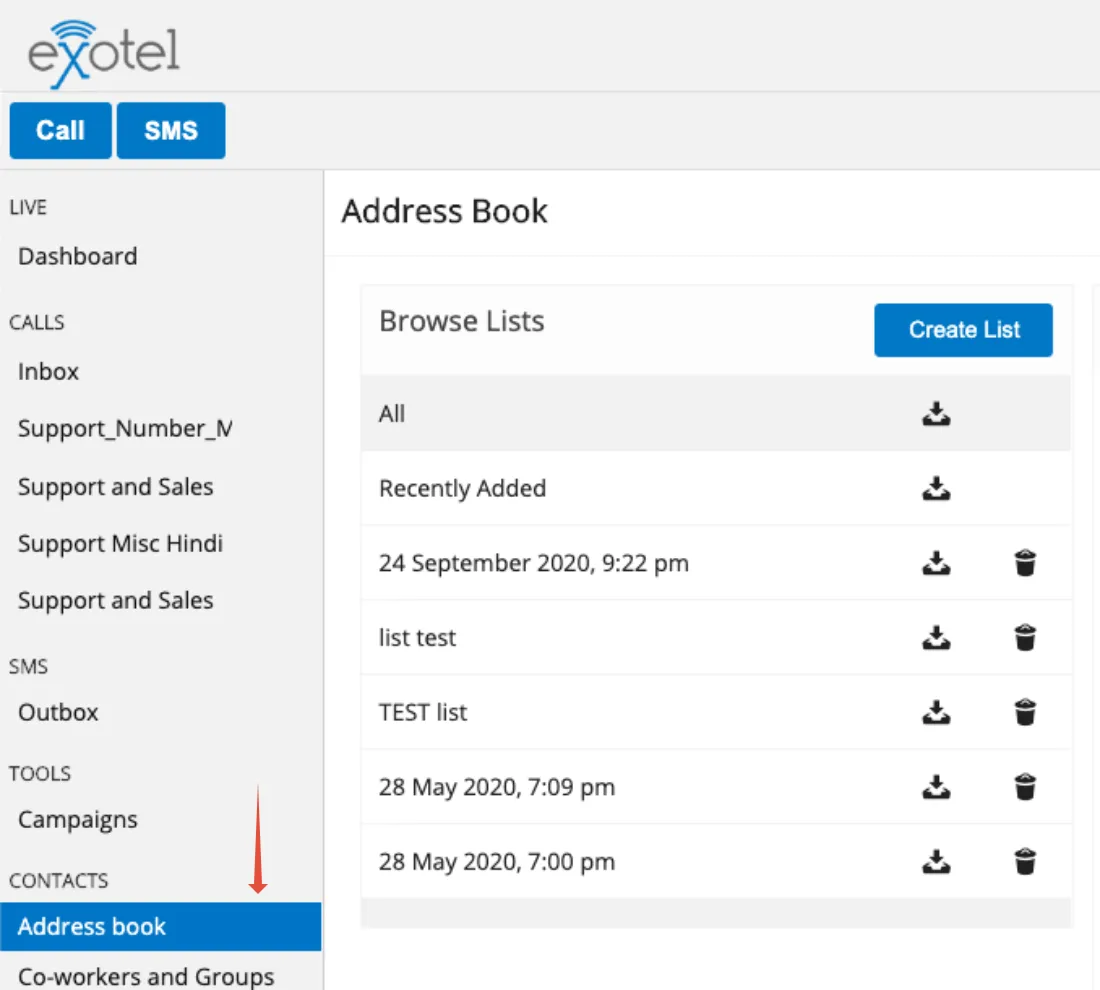
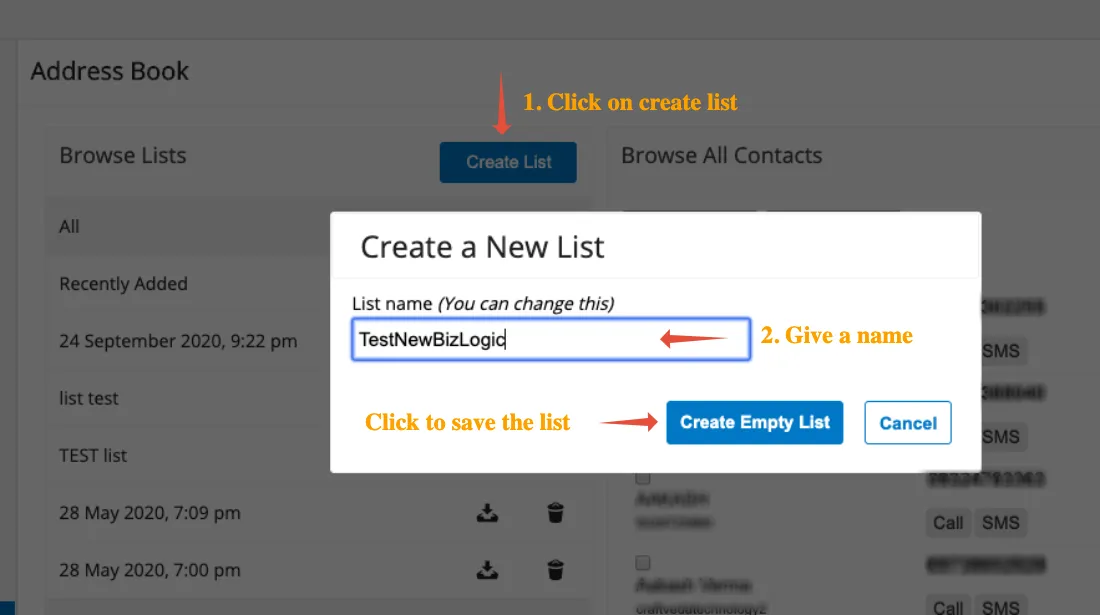
- Create a new list. Call it "TestNewBizLogic", or something else that's descriptive.
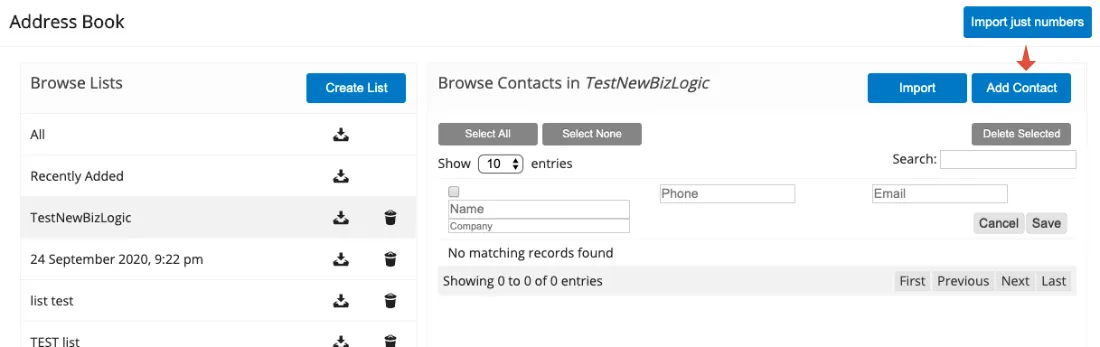
- Add the phone number of the person who will test the new business logic by using Add contact.
Set up the test call flow
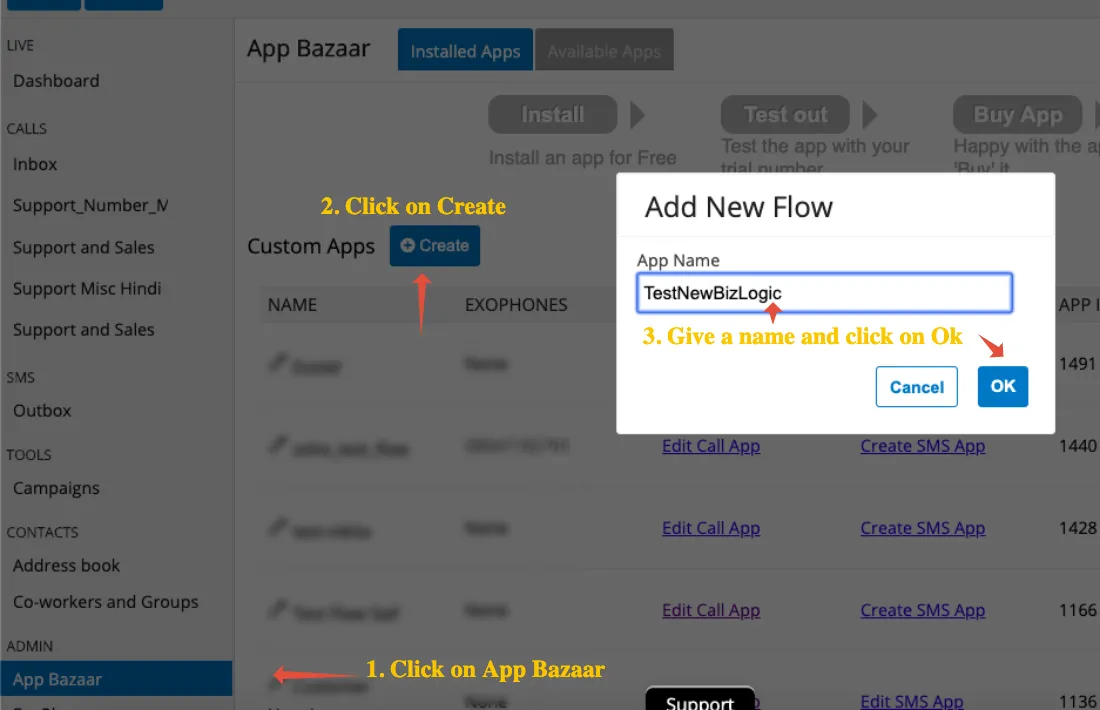
- Go to your app page (http://my.exotel.in/flows) and create a new app. Call it "TestNewBizLogic".
- Start with the Who's Calling applet and choose the "TestNewBizLogic" list.
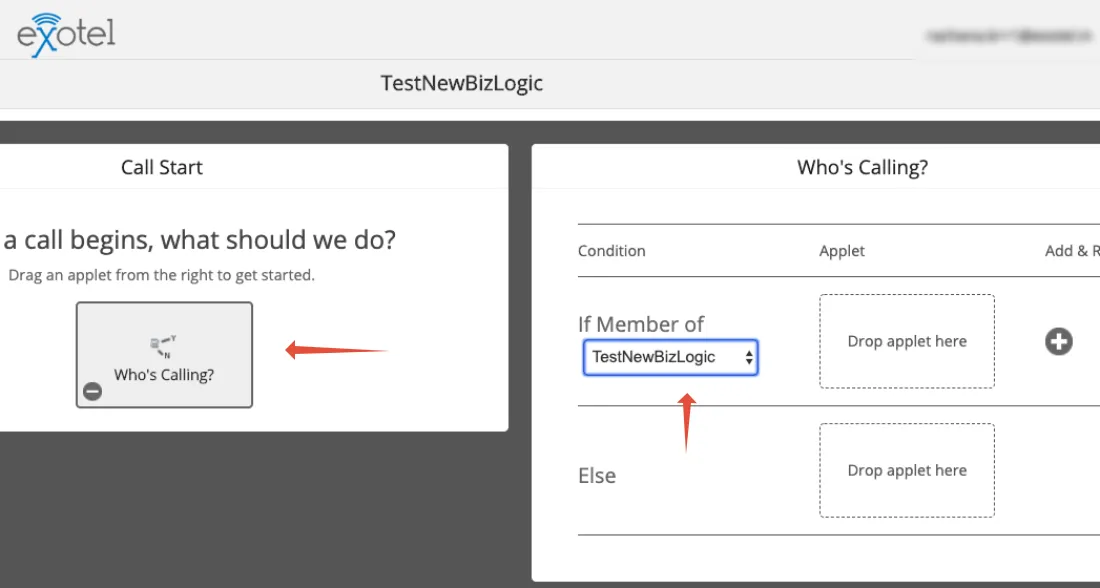
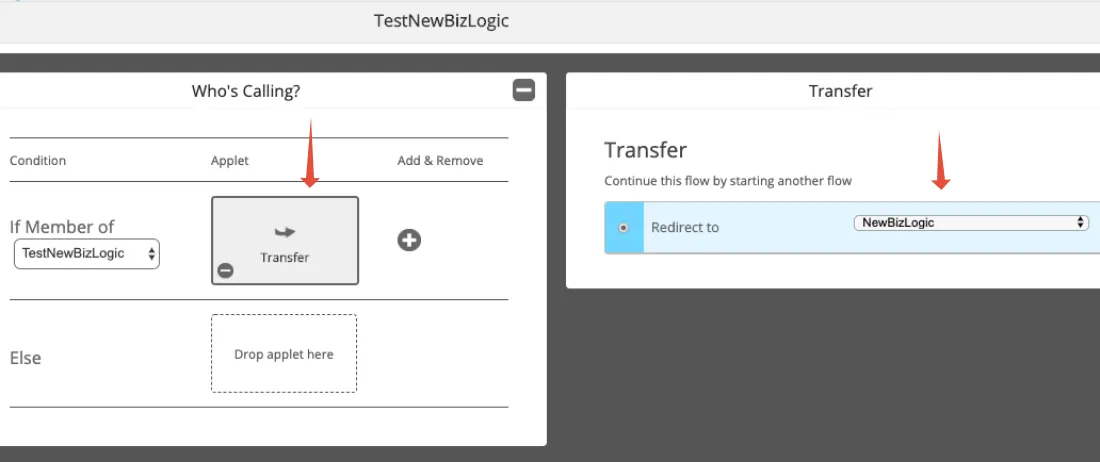
- If the caller is from the "TestNewBizLogic" list, use the Transfer applet to connect to the new business logic that you wish to test.
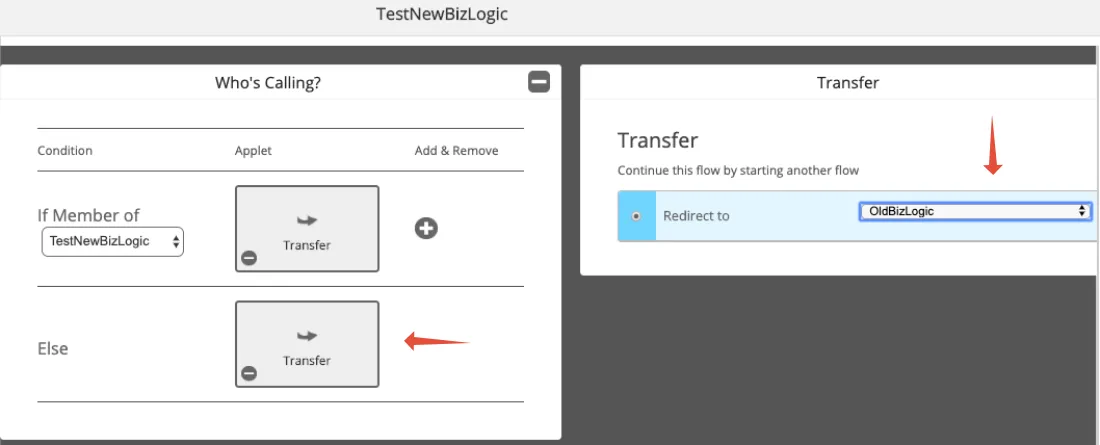
- If the caller does not belong to the "TestNewBizLogic" list, use the Transfer applet to connect to your old business logic.
Assign a number and test
- Go to your company numbers (http://my.exotel.in/numbers) and assign the number to "TestNewBizLogic". Refer to this support article on how to attach a number to a call flow.
- Call the number and check that all is well.
- After testing, if you wish to use the new business logic, assign the number to the new business logic.
Need help?
If you have any questions or concerns, connect with us using the chat widget on your Exotel dashboard, or WhatsApp us on 08088919888.