Agent On/Off Logs
4 min
In this article, you’ll learn how to use the Analytics feature in the Exotel Dashboard to track agent on/off time logs.
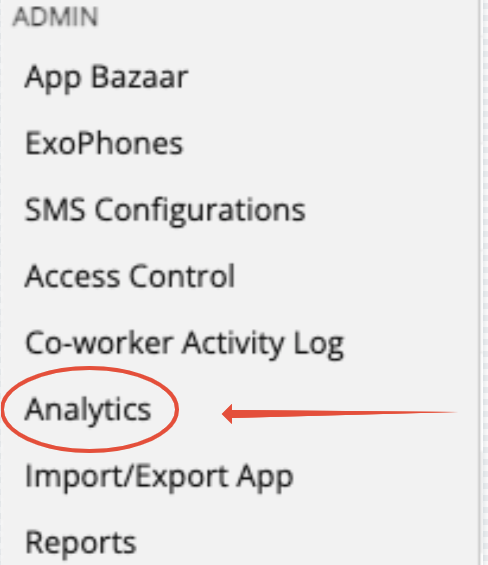
Steps to View Agent On/Off Logs
- Click on the Analytics option from your Exotel Dashboard.
- Choose the Agent (Coworker) you wish to view from the drop-down list.
- Select the date and time range for which you want to view the data.
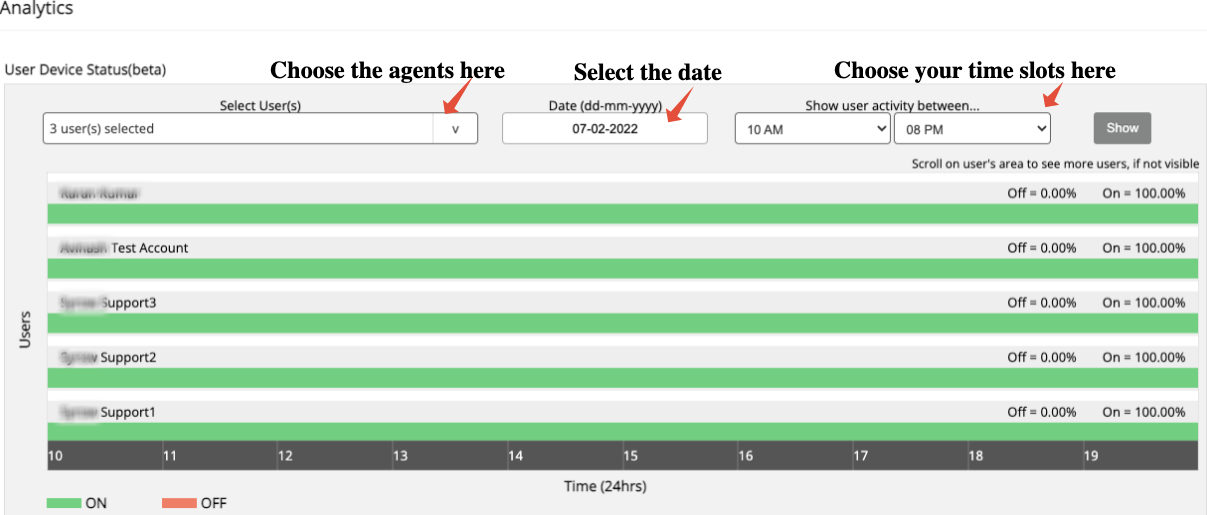
- After entering all necessary details, click on “Show.”
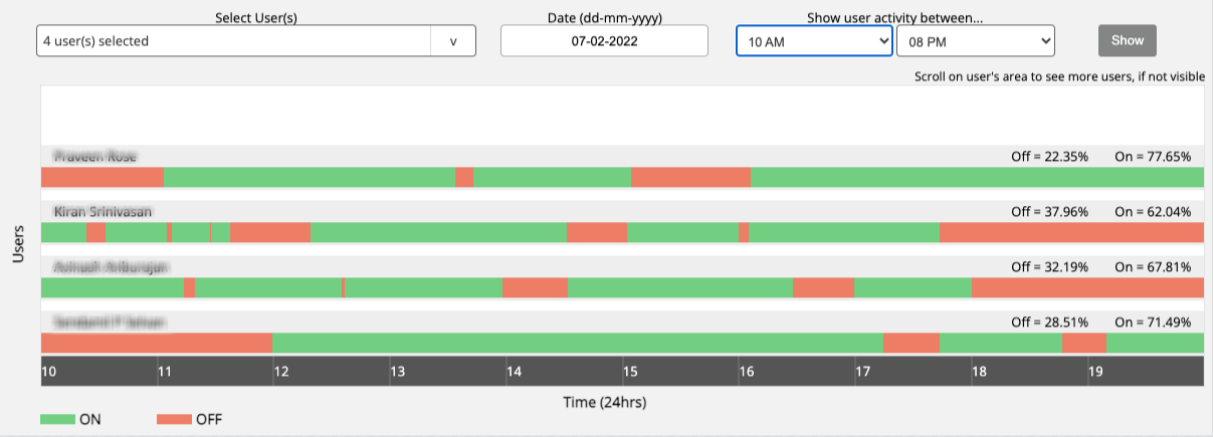
- The system will display a bar chart:
- To view the exact on/off timings, hover your cursor over the orange section of the chart. You’ll see the From and To time durations for the agent’s toggle off/on activity.
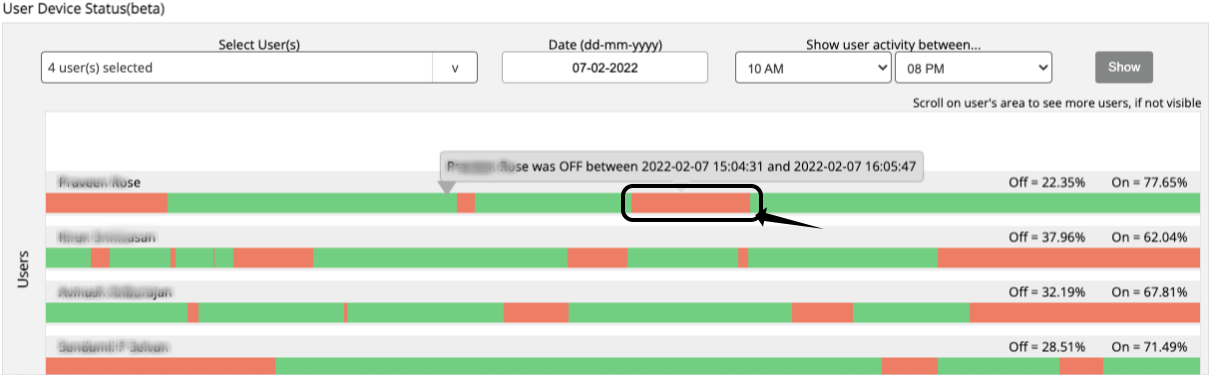
With the help of this feature, you can easily track agent call availability and monitor break timings accurately.
Watch a short video