Call Analytics
The Call Analytics dashboard gives you a high-level overview of your SMS stats.
Access detailed Call Analytics in your sidemenu under Call Analytics
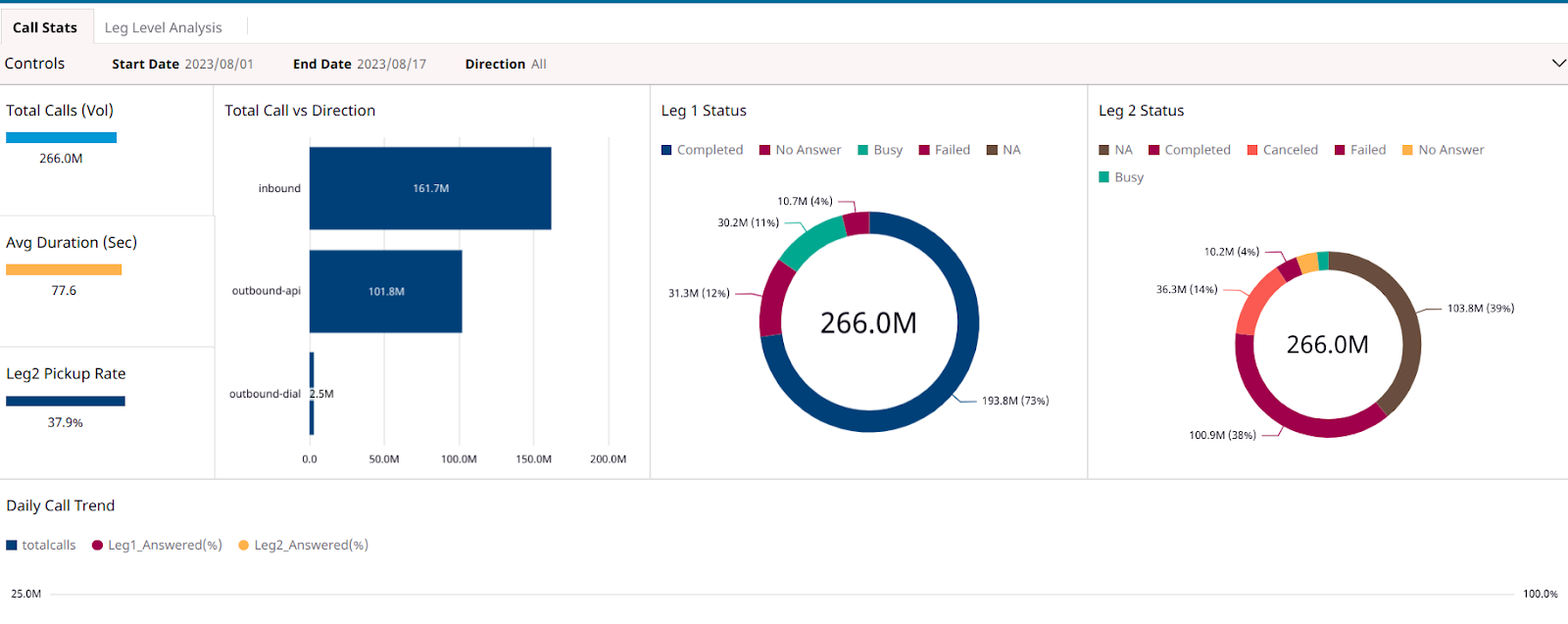
Tab 1: Call Stats
Filters
These filters apply to all graphs shown on this page
- Direction: Inbound, outbound-API, and outbound dial
- Date: Filter by Start date and End date
Total Calls
Total Calls indicate the total call volume for the specified time period.
A call typically consists of 2 legs. The statuses of these legs define the successful completion of a call.
Call Status (Leg 1)
The following is the list of all the leg 1 call statuses :
- Completed: The call was answered and ended normally
- No answer: The call ended without being answered
- Failed: The call could not be completed as dialed, most likely because the phone number was non-existent
- Busy: The caller received a busy signal
Dial Call Status (Leg 2)
- Canceled: The call was canceled while queued or ringing
- NA: The call to that leg was not attempted
- Completed: The call was answered and has ended normally
- No answer: The call ended without being answered
- Failed: The call could not be completed as dialed, most likely because the phone number was non-existent
- Busy: The caller received a busy signal
Call Direction
- inbound - Incoming call
- outbound-dial - Outbound calls from Exotel dashboard
- outbound-API - All other Outbound calls (API, campaign, etc.)
Call pickup rate
This is the call completion rate of the leg 2 calls.
Avg Duration (sec)
The average duration of the calls where the leg 2 status is completed.
Daily Call trends
This visualization indicates the daily change in the overall call volume, answer rate & missed calls rate over the defined time range.
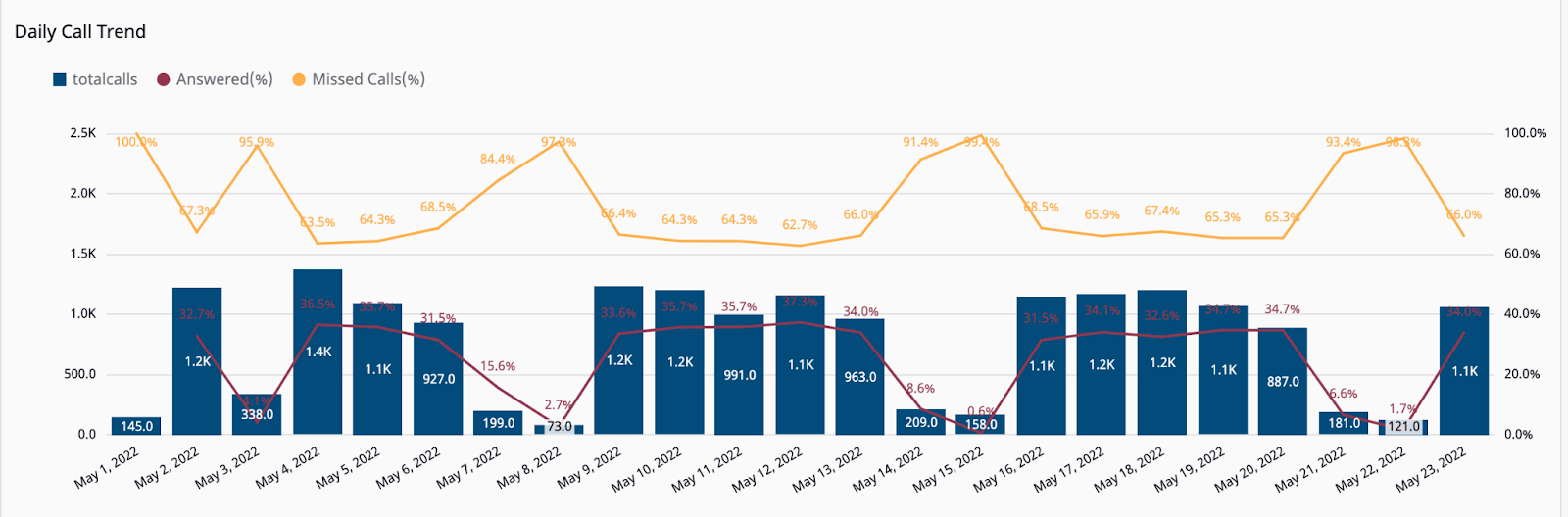
A separate visualization depicts the
- Inbound calls daily volume trends along with their completion percentages &
- Outbound call's daily volume trends along with their various statuses.
Tab 2: Leg Level Analysis
Filters
These filters apply to all graphs shown on this page
- Direction: Inbound, outbound-API, and outbound dial
- Date: Filter by Start date and End date
- From_Region: List of all States in India where the leg originated
- To_Region: List of all States in India where the leg landed
- Origin: Inbound, outbound-API, and outbound dial
- Status: Busy, Completed, Failed and No answer
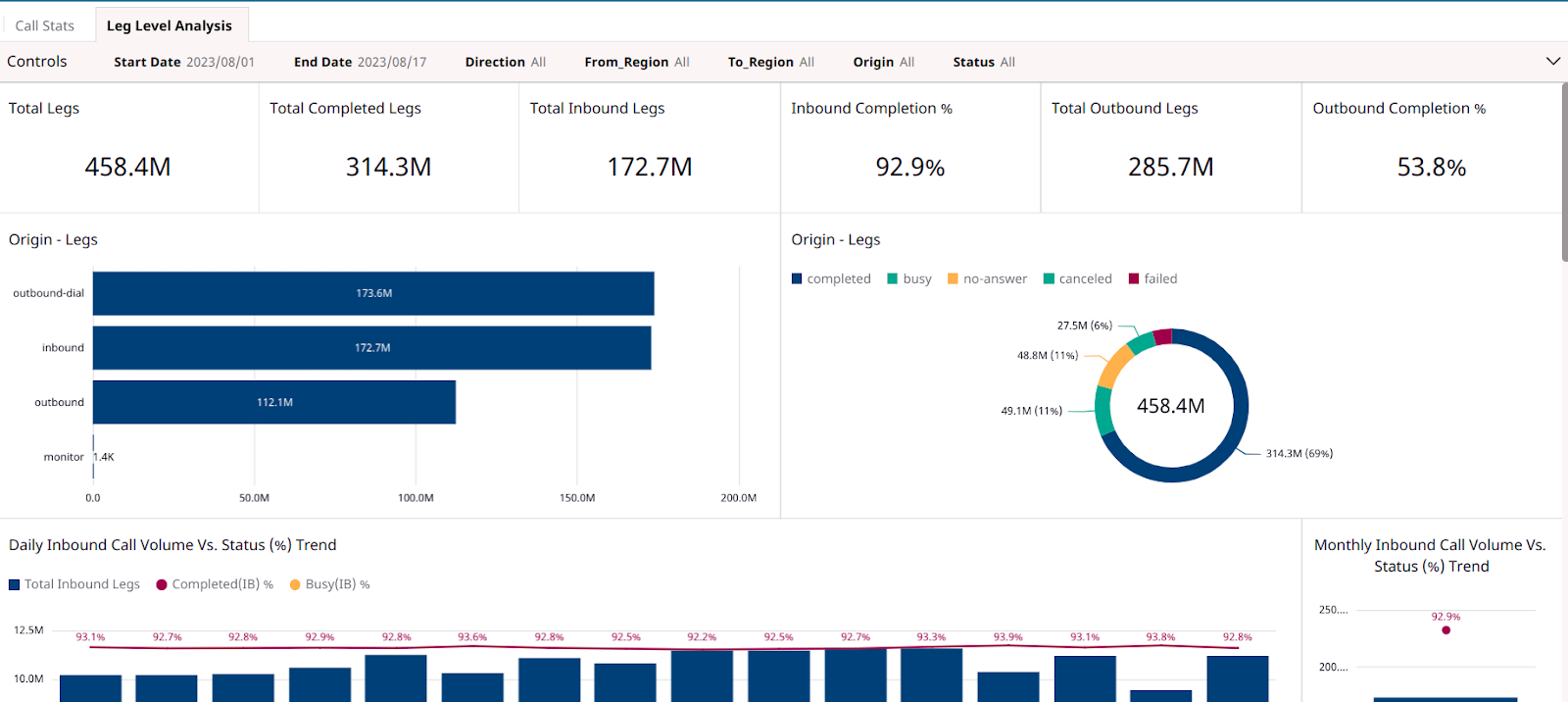
Total Legs
Total leg volume indicates the sum of all the call legs for the specified time frame. This number will always be greater than or equal to the Call volume.
The terminology used in the dashboard is defined as follows:
- Completed Legs: Call legs where the dial call status is Completed. This also implies the call duration will be greater than 0
- Completed Inbound Legs (Vol & %age) : The legs where the direction = Inbound. The percentage is calculated against the total volume
- Completed Outbound Legs (Vol & %age) : The legs where the direction = Outbound. The percentage is calculated against the total volume
The row below these numbers indicates the variance in the above metrics, from the previous day.
Origin
- inbound - Incoming call
- outbound-dial - Outbound calls from Exotel dashboard
- outbound-API - All other Outbound calls (API, campaign, etc.)
Dial Call Status
- Completed: The call was answered and has ended normally
- No answer: The call ended without being answered
- Failed: The call could not be completed as dialed, most likely because the phone number was non-existent
- Busy: The caller received a busy signal
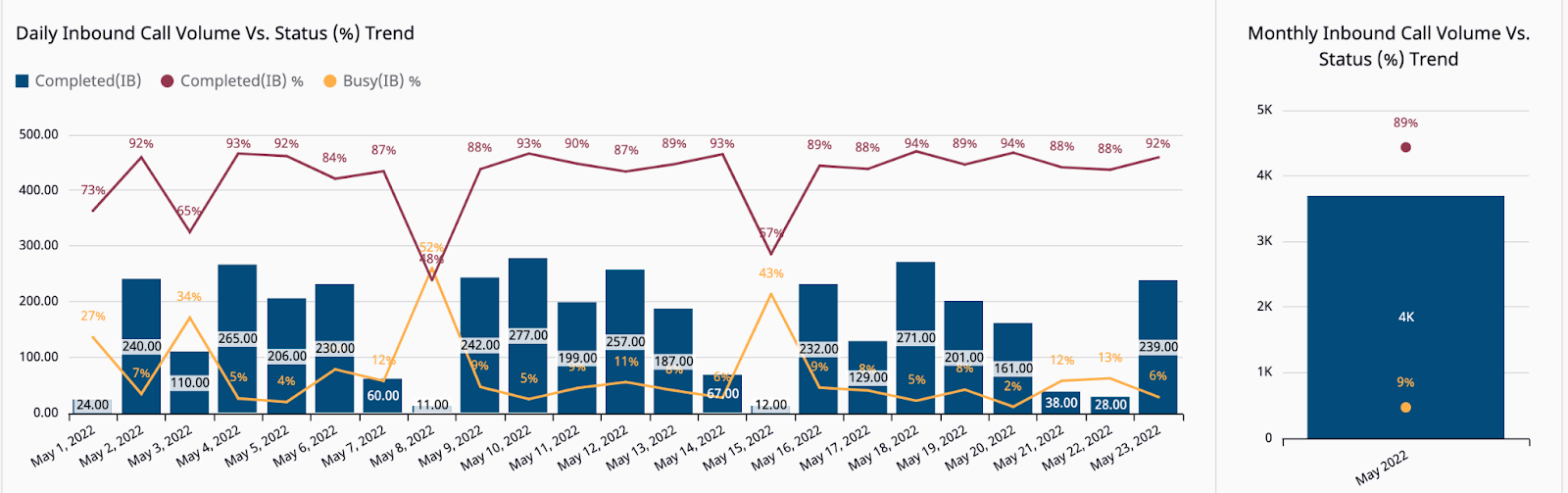
Daily Volume Vs Status Trends
This visualization indicates the change in the overall call volume and their statuses over the defined time range.
The graph captures a daily range, as well as a monthly average.
The dashboard contains two separate visualizations for the Inbound and Outbound calls.
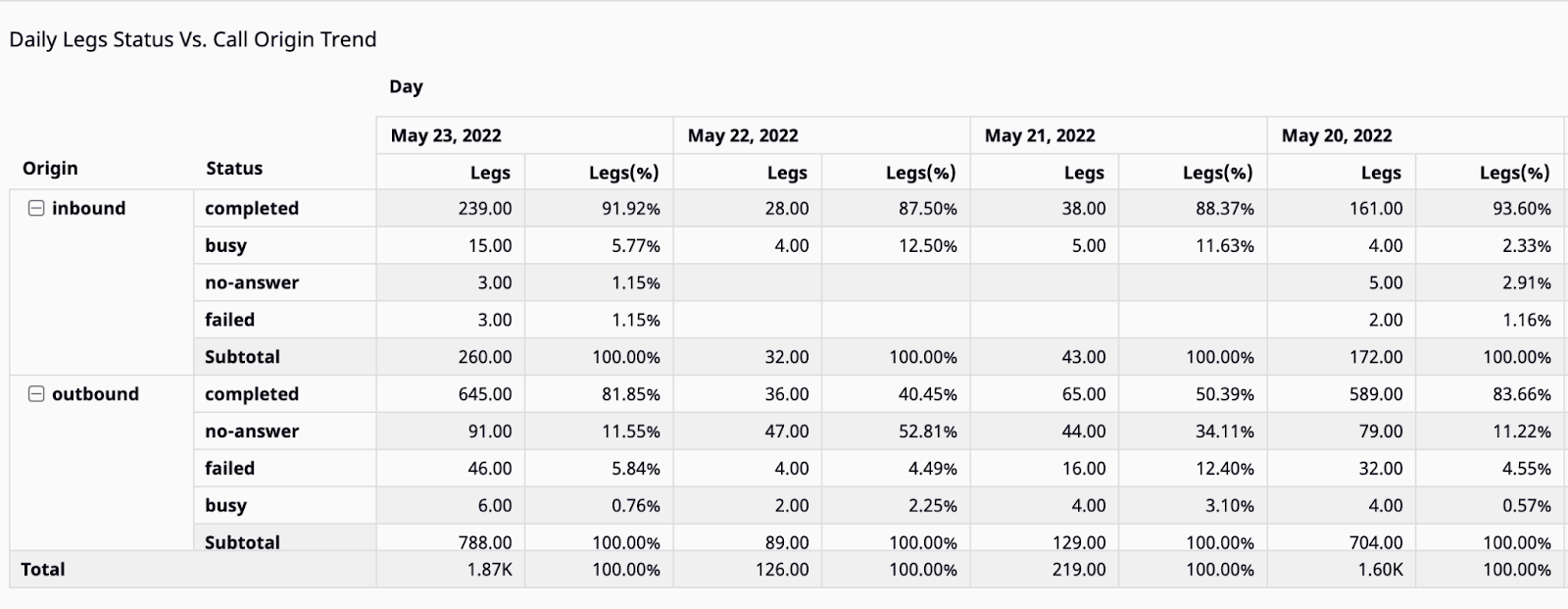
Daily Legs Status Vs. Call Origin Trend
This visualization provides the details of the call origin for each day for the defined time frame on a dial call status level
Data Download
The data can be downloaded from the Quicksight dashboard in the following formats:
- CSV
- Excel