Call Voicemail
When Creating a Call flow you can set up your flow to give your callers the option of leaving a voicemail in case none of your agents are able to answer the call.
Also see Voicemail AppletVoicemail Applet
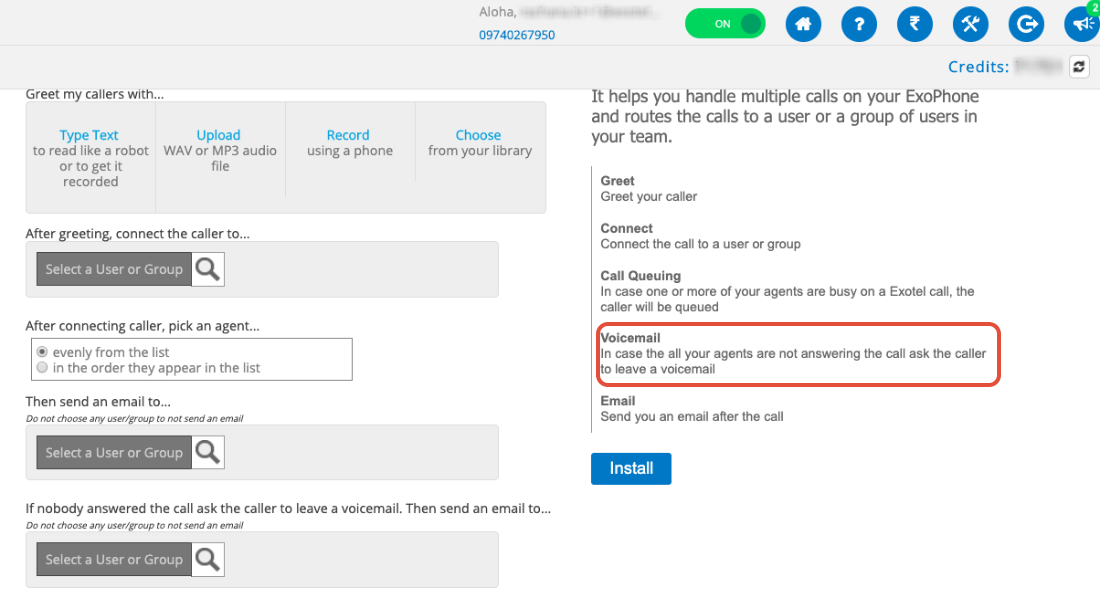
In case you'd like your callers to leave a voicemail in any other specific instance, you can use the App Builder to create a custom flow.
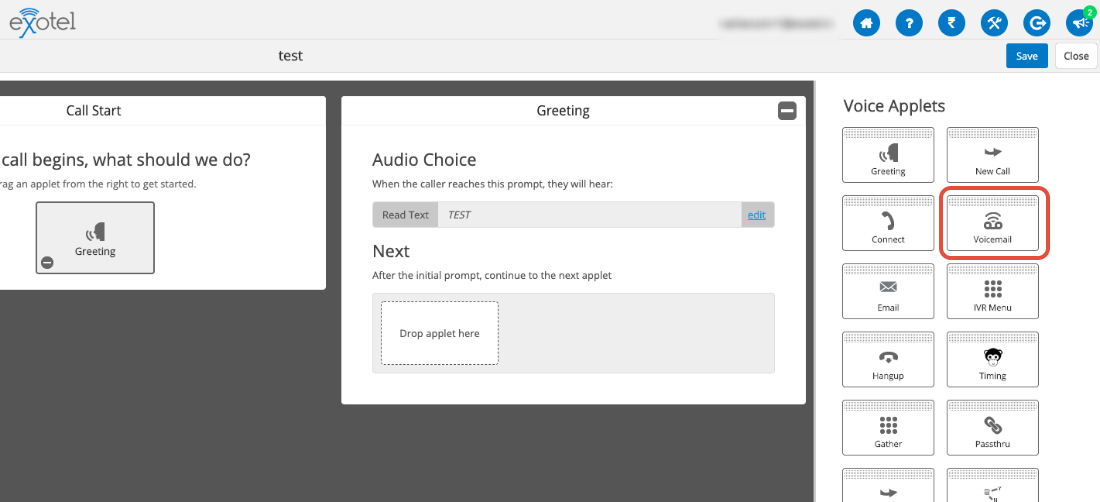
You can use the Voicemail AppletVoicemail Applet at any point in the flow to allow the callers to leave a voicemail.
Where are callers' voicemails stored in my Exotel account?
All of your voicemails are stored in the Exotel inbox.
To locate voicemails, go to your search bar on the top right and select Call Type as "Voicemail". You can even specify other details like Period, ExoPhone, Agent etc. to narrow down your search.
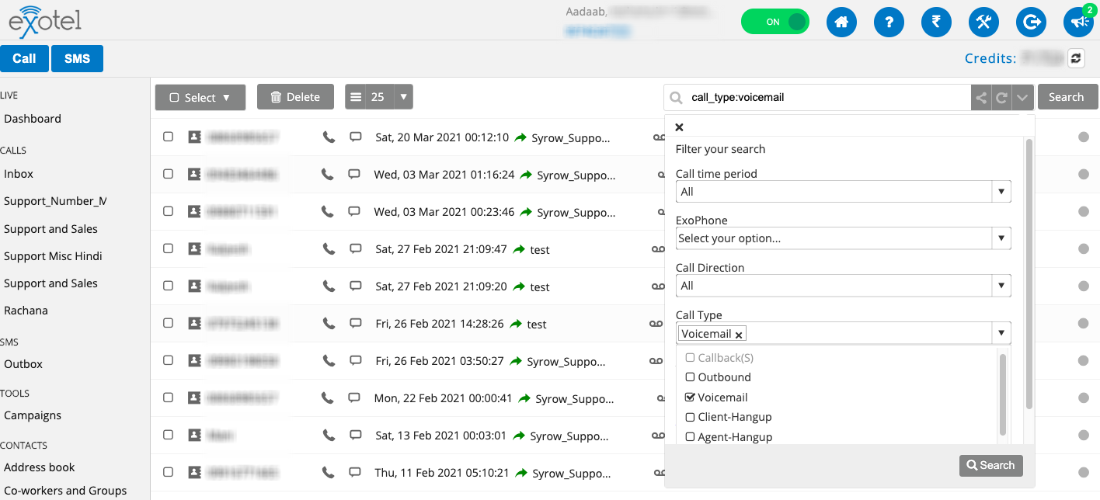
All your voicemails will be displayed with details like the Date & Time of call and the recording.
The icon highlighted in the Call Type sectiong in the above image indicates a voicemail. You can use this to identify voicemails in your inbox.