Change Exophone For A Call Flow
3 min
Below are the steps on How you can link an Exophone to a Call flow.
- Go to the Exotel dashboard and click on the ExoPhones link in the left panel of the Admin Section.
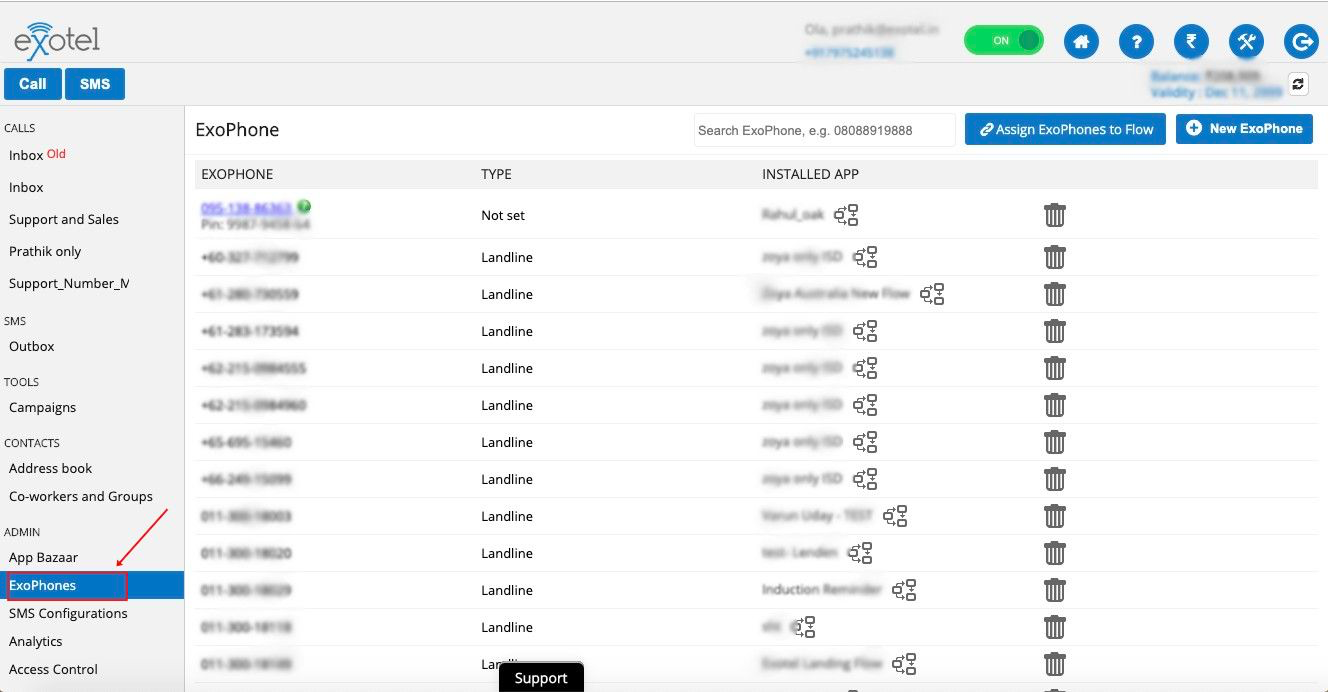
- You will see the list of ExoPhones you have in your account. Click on the app logo next to the Installed App on the rightmost column.
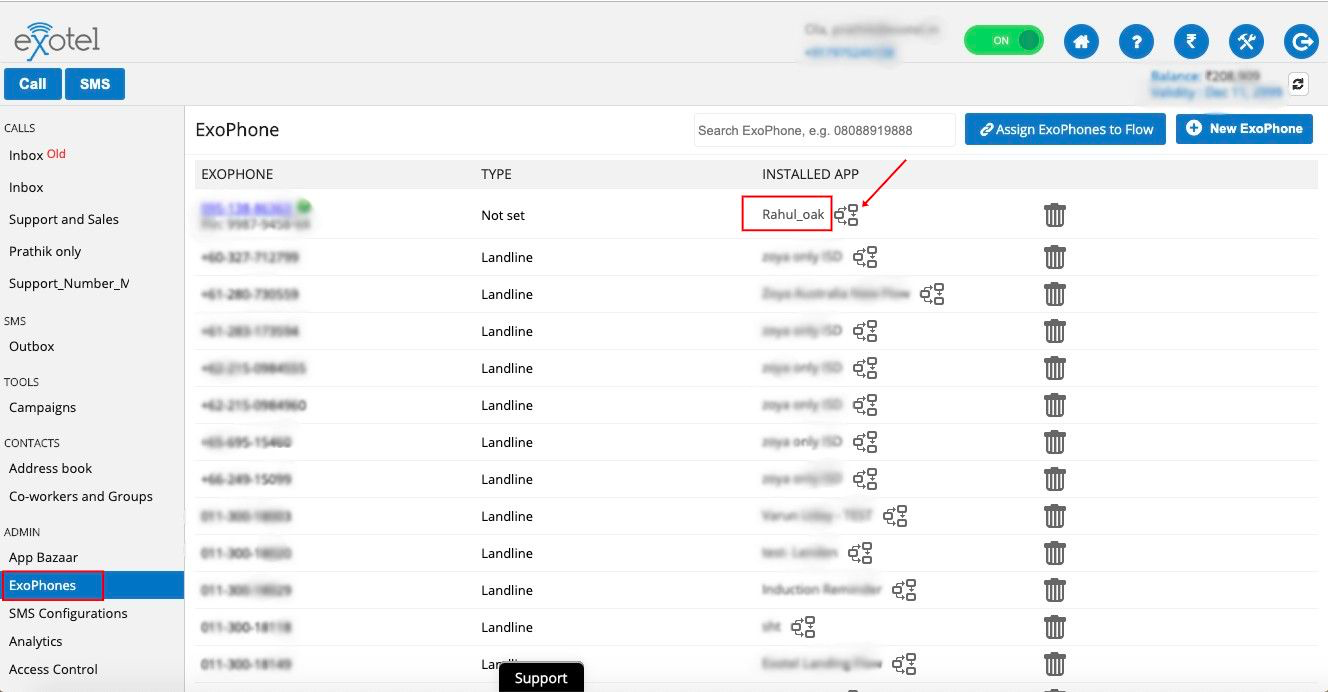
- This will give you a drop-down with a list of all the apps you have in your account.
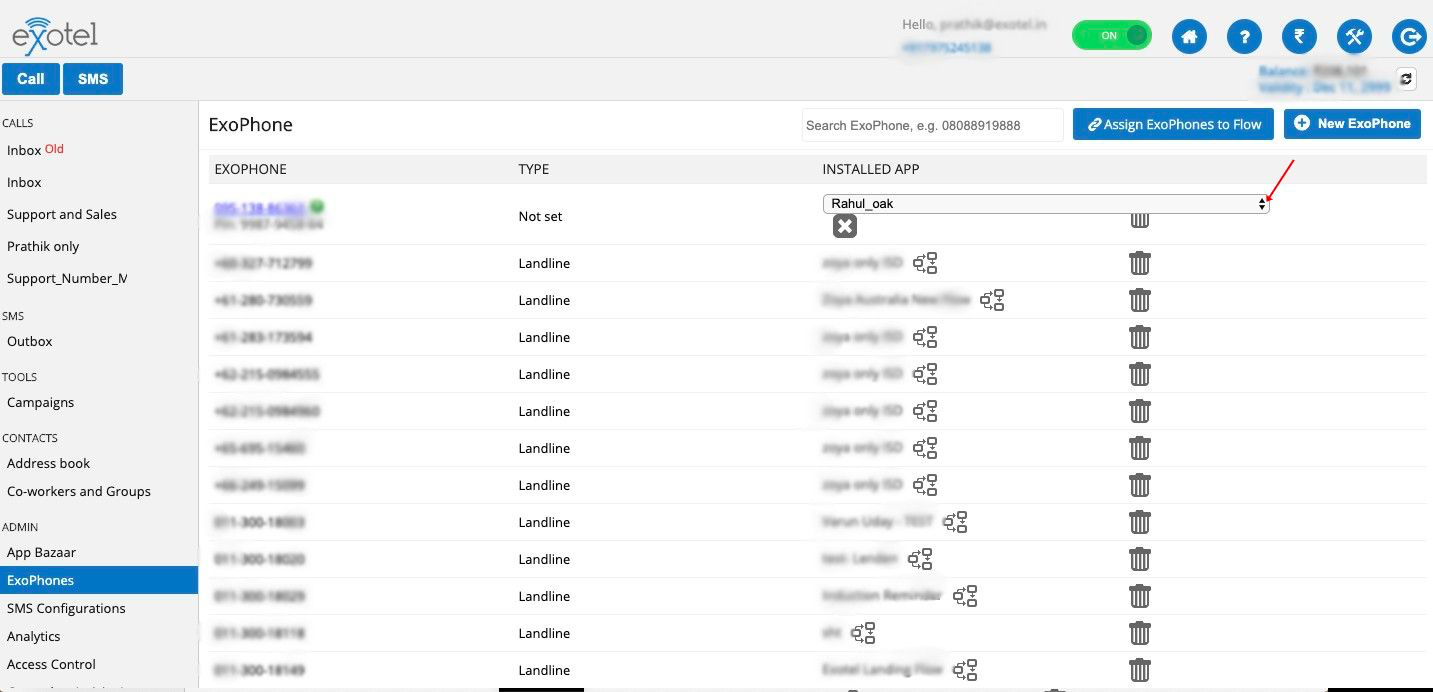
- Select the call flow you want the Exophone to be assigned. Before changing the flow, the system will ask you for confirmation.
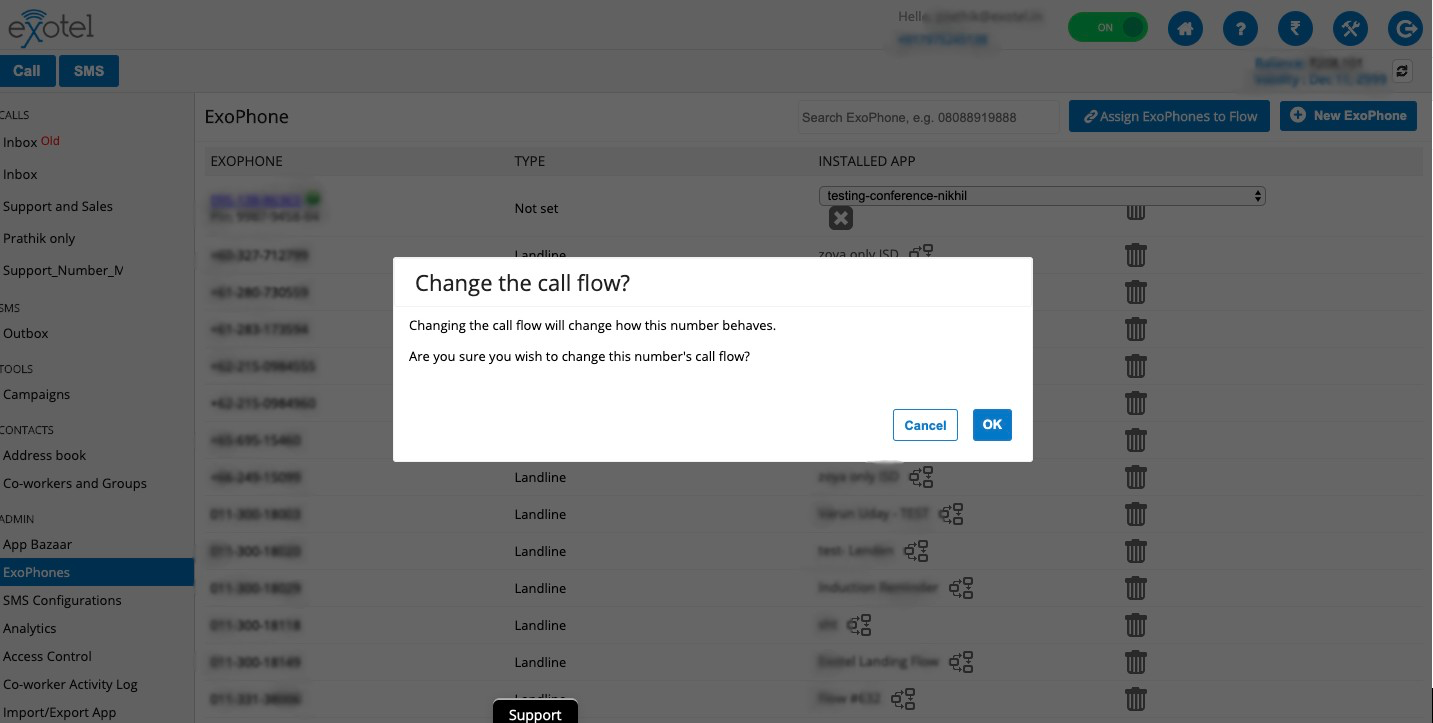
- Click “OK” and the call flow will change.
You can also confirm the change by placing a call to the Exophone to observe if the calls are being routed to the newly assigned flow.
Note: You can assign multiple Exophones to a Single flow.
Watch a short video