Clear Exotel cookies from your browser
3 min
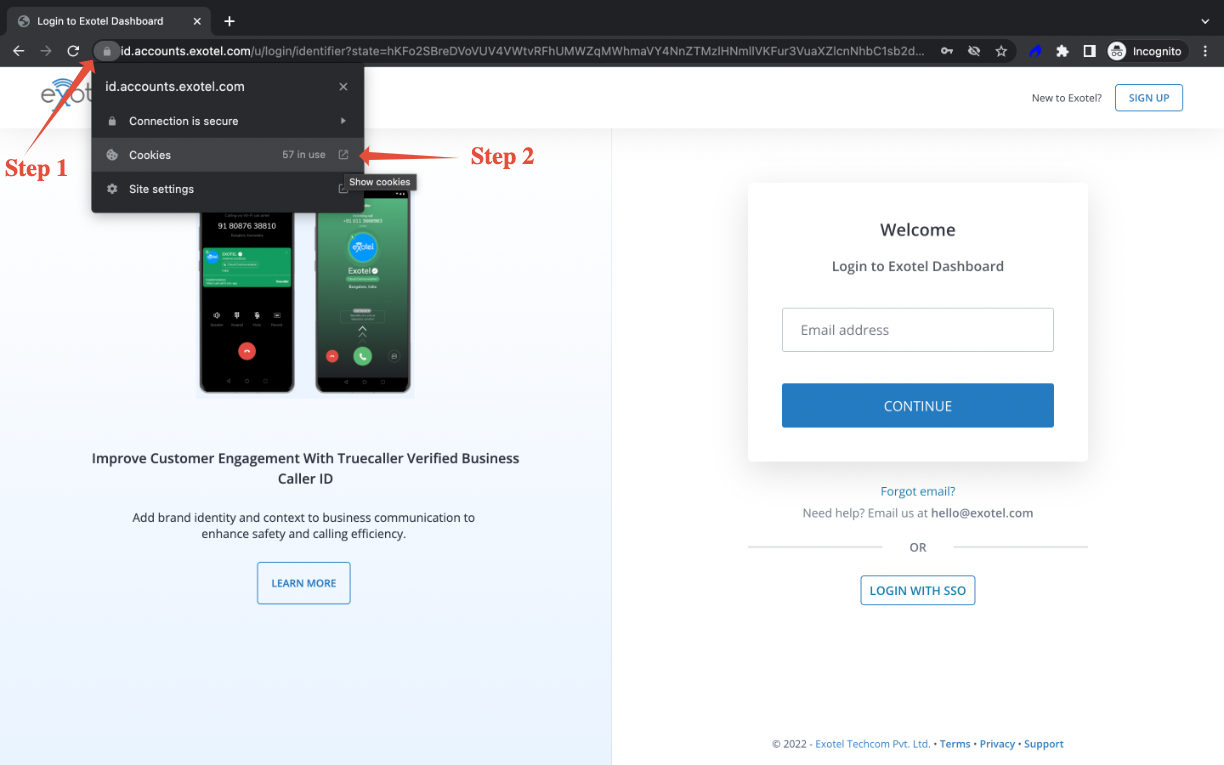
Step 1 - Go to my.exotel.com and click on the 'Secure' / SSL option (next to the lock icon)
Step 2 - From the drop-down, click on the highlighted part under 'Cookies' - note that this need not always show as "57 in use" as it may vary.
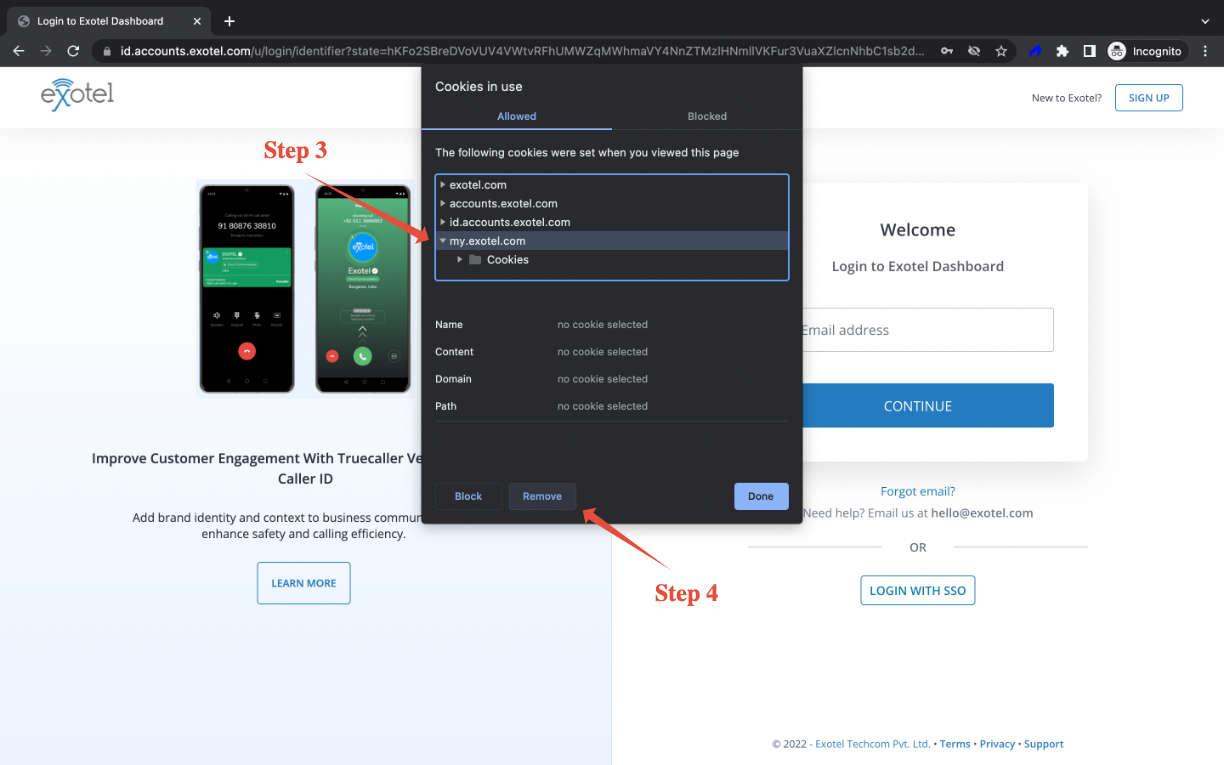
Step 3 - Click on 'my.exotel.com' (option) > 'Cookies' (folder) & select all options that show-up, including 'openvbx_session'
Step 4 - Click on 'Remove' and then close/refresh for changes to take effect
Mozilla Firefox
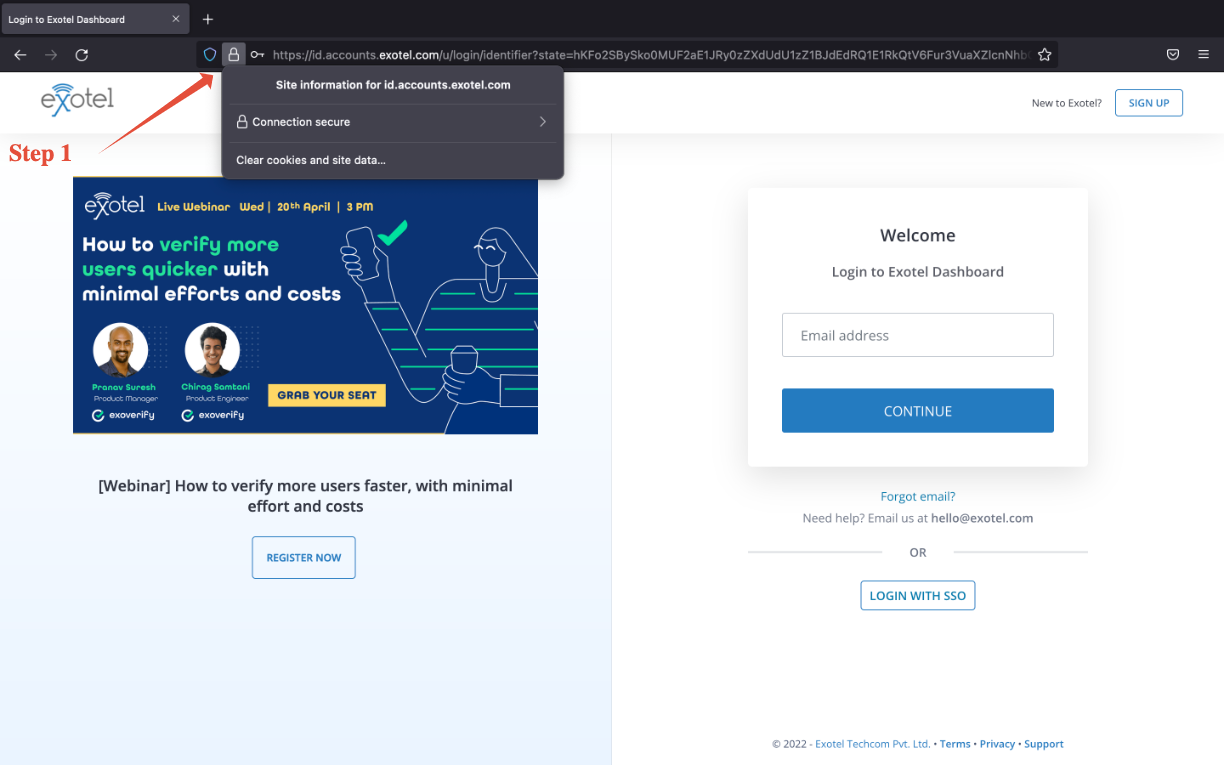
Step 1 - Go to my.exotel.com and click on the lock button on the search bar.
Step 2 - Click on 'Clear cookies and site data...'
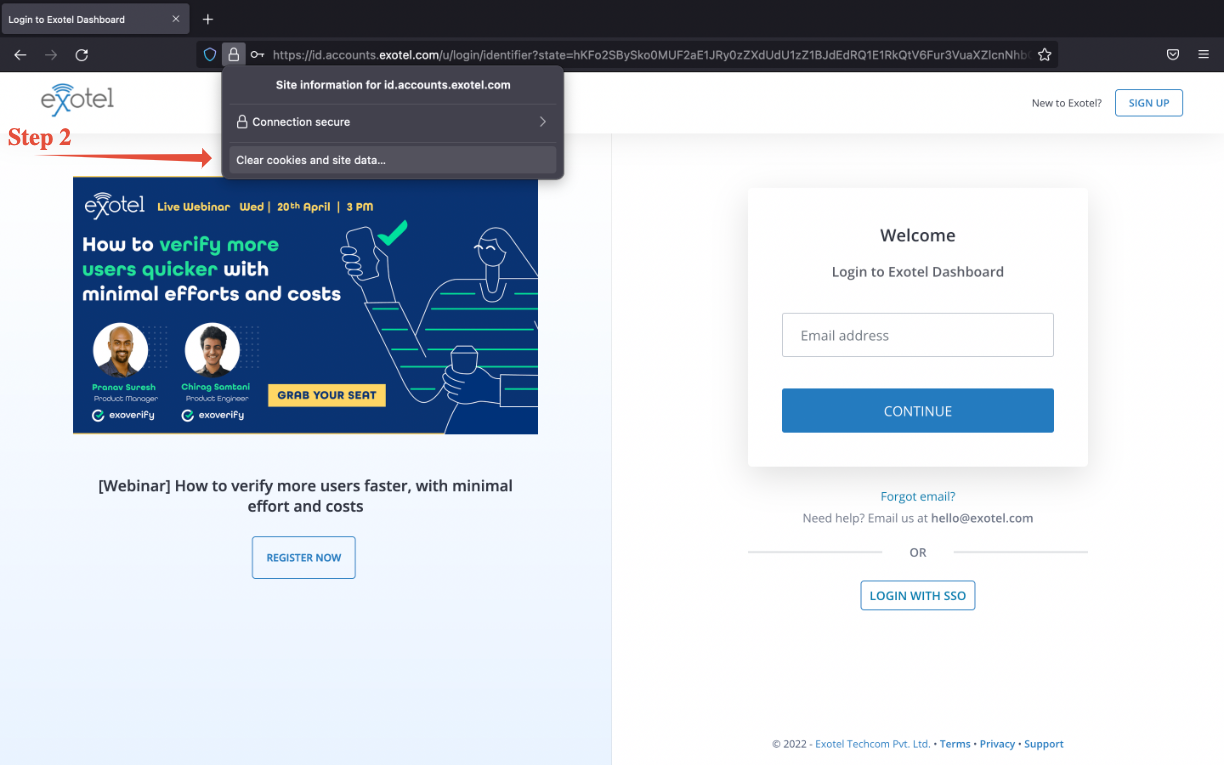
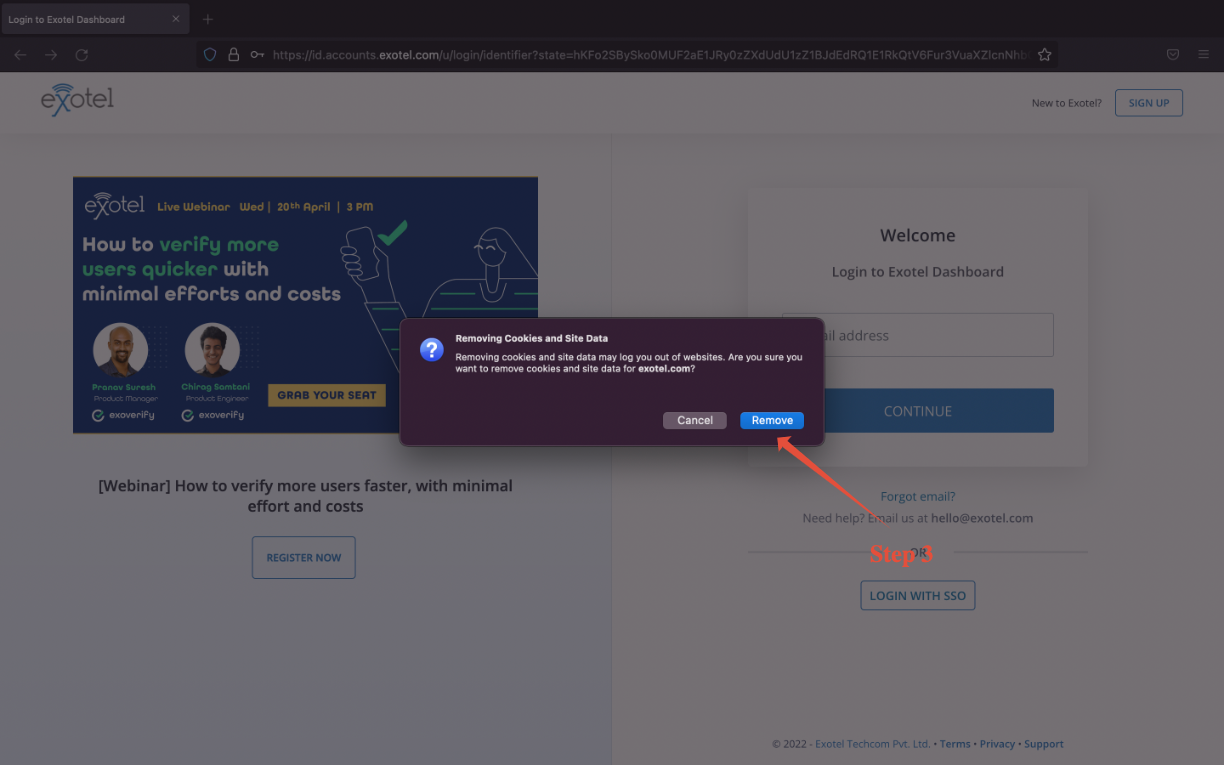
Step 3 - Click on 'Remove'
Note that these may vary as per browser versions and systems configuration so in case you're unable to follow through with any of these methods,
Watch a short video